GPSMAP 3005C Owner’s Manual 31
MAIN PAGES > CONFIGURING MAIN PAGES
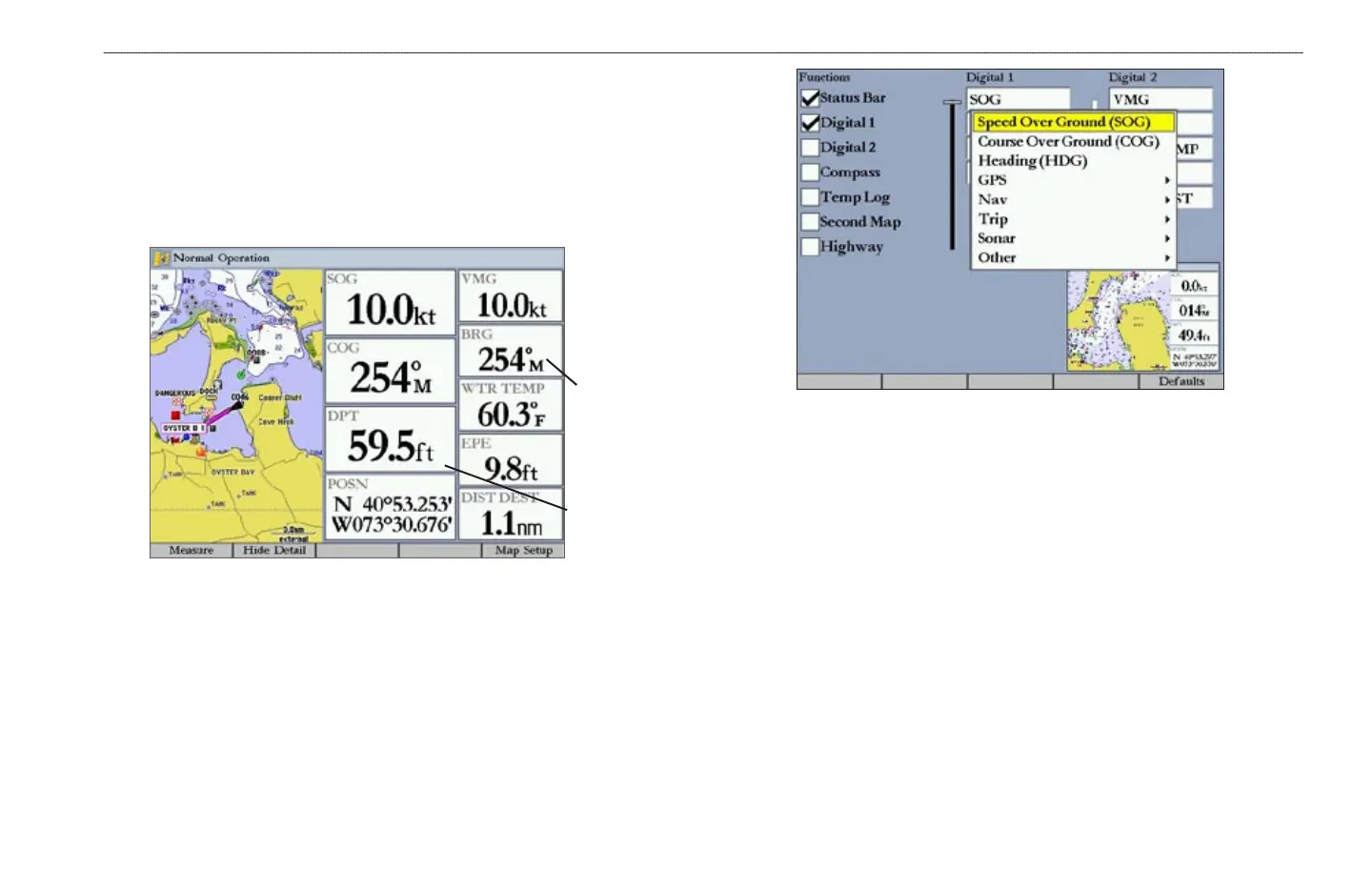
3. Press up on the ROCKER to display larger text with fewer data fields;
press down on the ROCKER to display smaller text with more data fields.
A preview of the data fields appears in the preview window. As you adjust
the data field size, the configurable data fields automatically appear in the
Digital 1 and Digital 2 lists.
4. Press QUIT to exit the slider adjustment. Press QUIT again to return to the
main page.
Digital 1
with large
data fields
Digital 2
with small
data fields
To change Digital 1 or Digital 2 data fields:
1. Press and hold DATA/CNFG to open the Configuration window.
2. Highlight the data field you want to change, and press ENTER.
3. Press up or down on the ROCKER to highlight the type of data you want
to show, and press ENTER.
4. Press QUIT to exit.
To restore the factory default configuration:
1. Press and hold DATA/CNFG to open the Configuration window.
2. Press the Defaults soft key.















 To Next Page