Peking to Paris 2013 - Garmin 78s GPS Setup & Use Guide
Garmin 78s P2P2013 - Setup & Use V2.doc Page 3 of 15
Main Menu >> Setup >> Page Sequence
Page choice and sequence is very important for efficient use of
your GPS. There are up to 24 different screen pages that can be
shown. Restricting the choice and being familiar with the page
order will greatly assist your navigation.
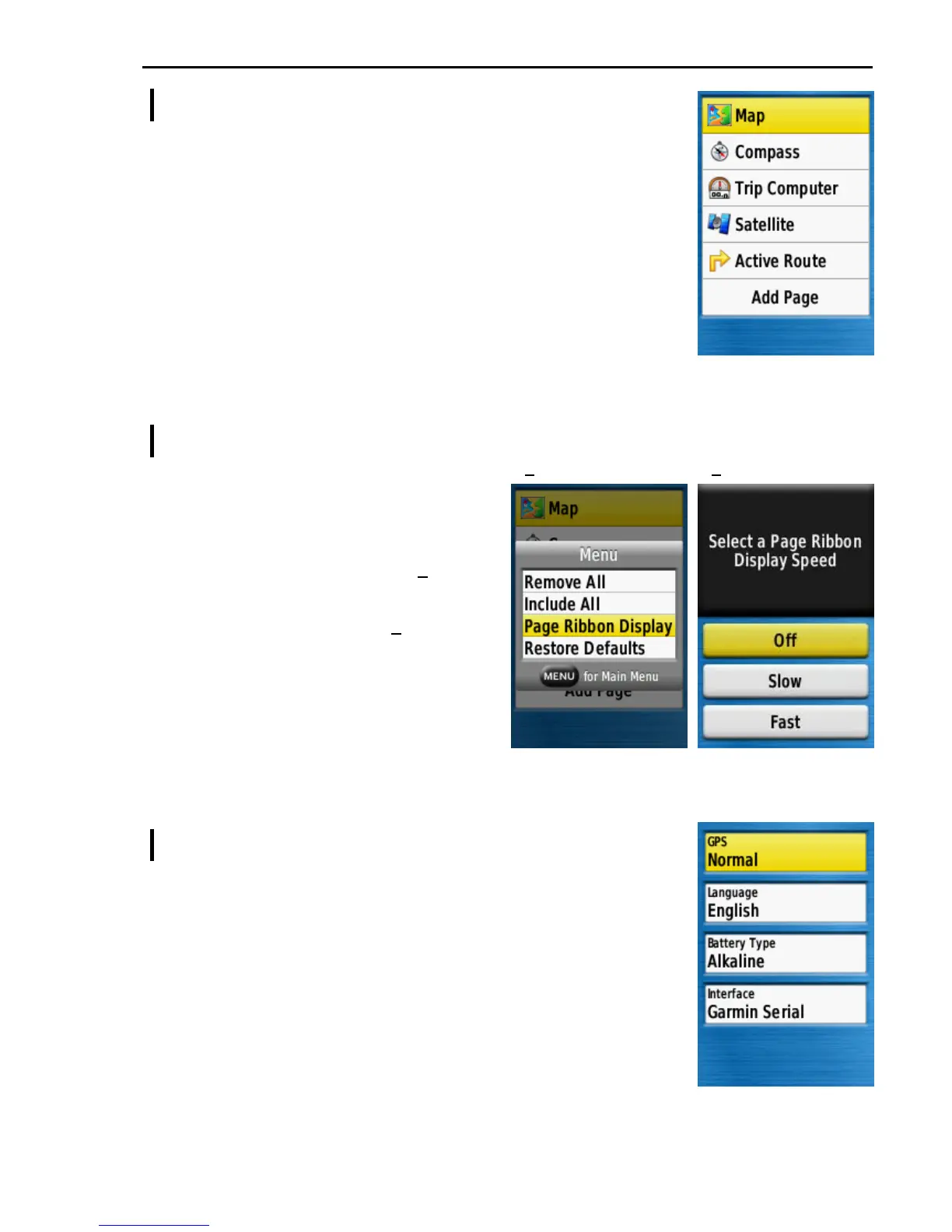
The recommended page choice and sequence is, Map, Compass,
Trip Computer, Satellite, Active Route.
Press MENU from this page, then Remove All before adding the
required pages in the correct order.
Other pages may be added, or the order changed to suit your
preference.
Main Menu >> Setup >> Page Sequence >> MENU
The Garmin 78 has a ribbon to sequence
through the pages. When only a few
screen pages are being used the author
prefers to turn the ribbon off. Press MENU
from the Page Sequence screen above to
find the Ribbon Display options (1).
Select Page Ribbon Display and press
ENTER to show the options (2).
Select Off and press ENTER to turn the
Ribbon off.
You may want to try using the ribbon but
once familiar with using PAGE & QUIT to
sequence through the pages it is usually
more efficient to disable the Ribbon.
Main Menu >> Setup >> System
GPS ................................. Normal
This will be Normal when active - Set to 'GPS Off' during
setup or when using indoors.
Text Language ............... [ your choice ]
Battery Type ................... Alkaline unless you are using NiMH
Text Language ............... [your choice]
Interface .......................... Garmin Serial
1 2











 To Next Page