EasyManua.ls Logo

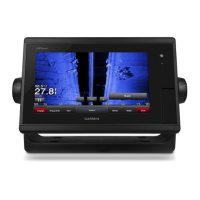
Garmin GPSMAP 740 - User Manual

Garmin GPSMAP 740
100 pages
Print Icon
To Next Page IconTo Next Page
Loading...
GPSMAP
®
700 series
owners manual

Table of Contents

Other manuals for Garmin GPSMAP 740

Question and Answer IconNeed help?

Do you have a question about the Garmin GPSMAP 740 and is the answer not in the manual?

Summary

Getting Started

Front and Back Panels

Identifies and describes the physical components and connections of the chartplotter.

Initial Chartplotter Settings

Guides through the initial configuration steps upon first use.

GPS Satellite Signal Acquisition

Explains how the device acquires satellite signals for location.

Charts and 3 D Chart Views

Navigation Chart

Details on using the primary navigation map for course planning and viewing.

Auto Guidance

Automatically creates the best path to a destination using chart data.

Mariners Eye 3 D

Provides a detailed 3D view from above and behind the boat for navigation.

Fish Eye 3 D

Offers an underwater 3D view of the sea floor, showing suspended targets.

Navigation

Where To?

Navigating to a Marine Services Destination

Guide on navigating to nearby fuel, repairs, and other services.

Device Configuration

Auto Guidance Line Configurations

Set parameters for calculating Auto Guidance lines.

Radar

Transmitting Radar Signals

Steps to turn on and transmit radar signals.

Sonar

Summary

Getting Started

Front and Back Panels

Identifies and describes the physical components and connections of the chartplotter.

Initial Chartplotter Settings

Guides through the initial configuration steps upon first use.

GPS Satellite Signal Acquisition

Explains how the device acquires satellite signals for location.

Charts and 3 D Chart Views

Navigation Chart

Details on using the primary navigation map for course planning and viewing.

Auto Guidance

Automatically creates the best path to a destination using chart data.

Mariners Eye 3 D

Provides a detailed 3D view from above and behind the boat for navigation.

Fish Eye 3 D

Offers an underwater 3D view of the sea floor, showing suspended targets.

Navigation

Where To?

Navigating to a Marine Services Destination

Guide on navigating to nearby fuel, repairs, and other services.

Device Configuration

Auto Guidance Line Configurations

Set parameters for calculating Auto Guidance lines.

Radar

Transmitting Radar Signals

Steps to turn on and transmit radar signals.

Sonar

Garmin GPSMAP 740 Specifications

General IconGeneral
Display Size7 inches
Display TypeWVGA
Resolution800 x 480 pixels
Water RatingIPX7
ChartplotterYes
SD Card SlotYes
BluetoothNo
Wi-FiNo
Map DataBlueChart g2
GPS ReceiverHigh-sensitivity
Waypoints/Routes100 routes
NMEA Input/OutputNMEA 0183
Sonar SupportYes

Related product manuals