GPSMAP 700 Series Owner’s Manual 15
Charts and 3D Chart Views
3. Touch an AIS vessel.
4. Select .
Deactivating a Target for an AIS Vessel
1. From the Home screen, select .
2. Select , , , or .
3. Touch the AIS vessel.
4. Select > .
Setting the Safe-zone Collision Alarm
The safe-zone collision alarm is used only with AIS. The safe zone is used for collision avoidance, and can be
customized. All safe-zone collision alarm settings are applied to all charts, to all 3D chart views, to all radar
modes, and to the Radar Overlay.
1. From the Home screen, select > > > .
A message banner appears and an alarm sounds when an AIS-activated vessel enters the safe-zone ring
around your boat. The object is also labeled as dangerous on the screen. The setting disables the
message banner and the audible alarm, but the object is still labeled as dangerous on the screen.
2. Select to set the measured radius of the safe-zone ring to a specied distance from 500 ft. to 2.0 nm
(or from 150 m to 3.0 km, or from 500 ft. to 2.0 mi.).
3. Select a distance.
4. Select to sound an alarm if AIS determines that a target will intersect the safe zone within the
dened time interval (ranging from 1 to 24 minutes).
5. Select a time.
Viewing a List of AIS Targets
: The Mariner’s Eye 3D chart is available if you use a BlueChart g2 Vision SD card. The Fishing chart
is available if you use a BlueChart g2 Vision SD card or a BlueChart g2 SD card, or if your built-in map
supports Fishing charts.
1. From the Home screen, select .
2. Select , , , or .
3. Select > > .
Making a Call to an AIS Target
See “Making an Individual Routine Call to an AIS Target” (page 83).
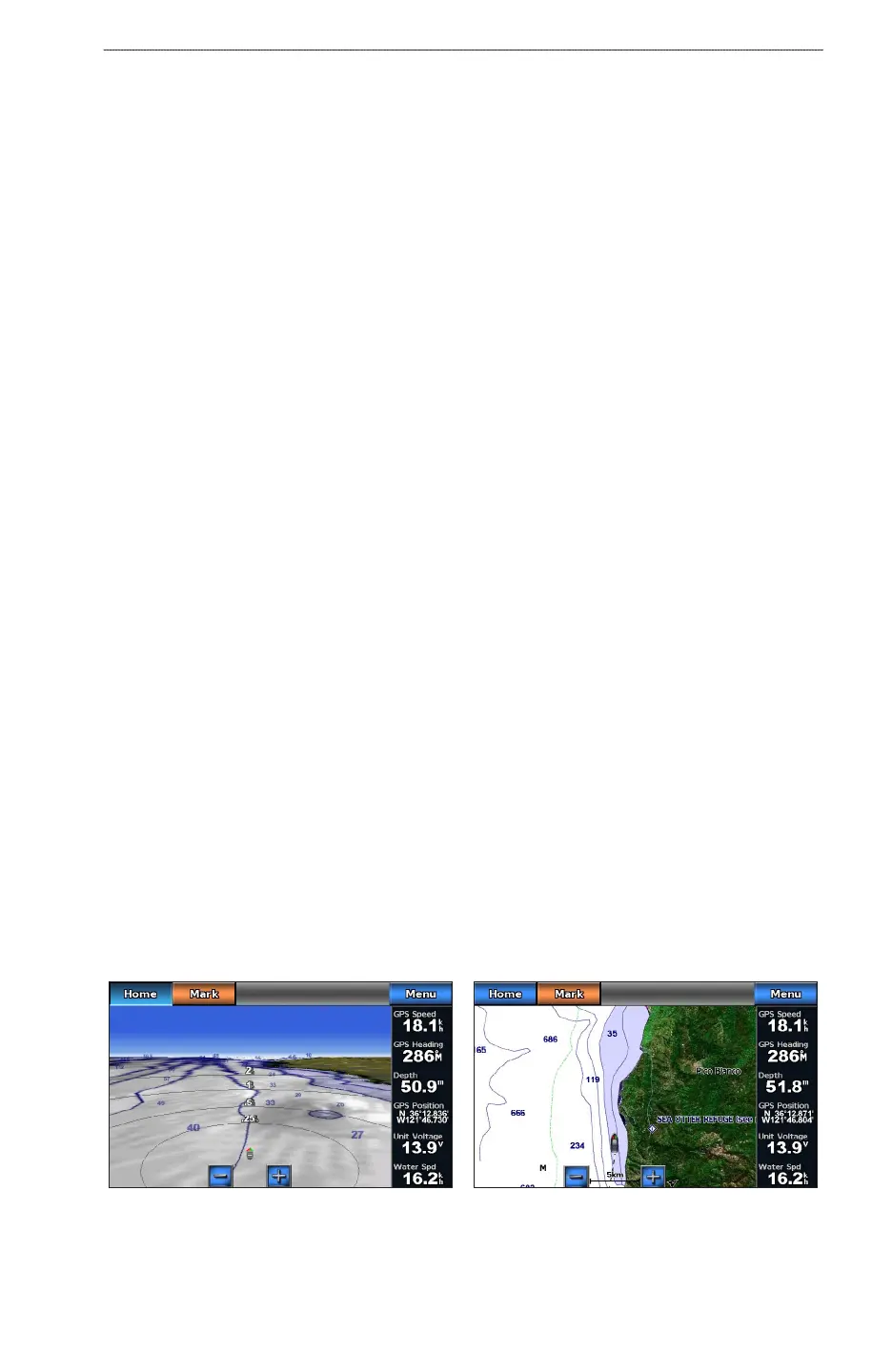
Perspective 3D
Perspective 3D provides a view from above and behind the boat (according to your course) and provides a
visual navigation aid. This view is helpful when navigating tricky shoals, reefs, bridges, or channels, and is
benecial when trying to identify entry and exit routes in unfamiliar harbors or anchorages.
From the Home screen, select > .
Navigation ChartPerspective 3D











 To Next Page