Locking and Unlocking the Touchscreen
You can lock the touchscreen to prevent inadvertent screen touches.
1 Select > Lock Touchscreen to lock the screen.
2 Select to unlock the screen.
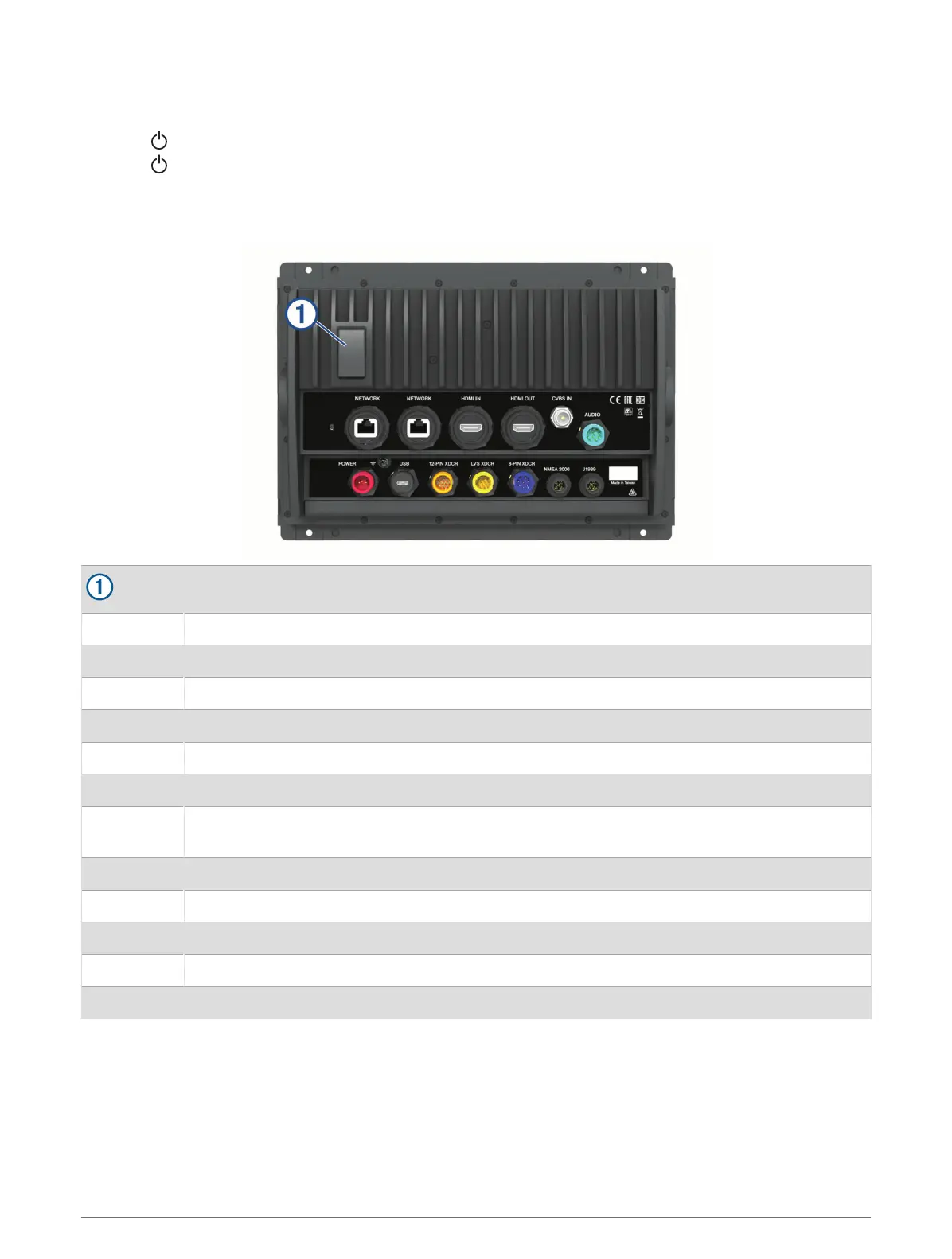
Connector View (8x10, 8x12, and 8x16 models)
The connectors and locations vary based upon the model. A GPSMAP 8612xsv model is shown below.
2 microSD
®
memory card slots, 32GB max.
NETWORK Garmin Marine Network
HDMI IN HDMI
®
in
HDMI OUT HDMI out
CVBS IN Composite video in
AUDIO NMEA
®
0183 and audio out
POWER Power
USB
Micro-USB to connect a compatible Garmin card reader, or to connect and control a computer
using the chartplotter touchscreen
12-PIN XDCR 12-pin transducer
LVS XDCR LiveScope
™
single-array transducer
8-PIN XDCR 8-pin transducer
NMEA 2000 NMEA 2000
®
network
J1939 J1939 network
4 Introduction




 To Next Page