Page 4
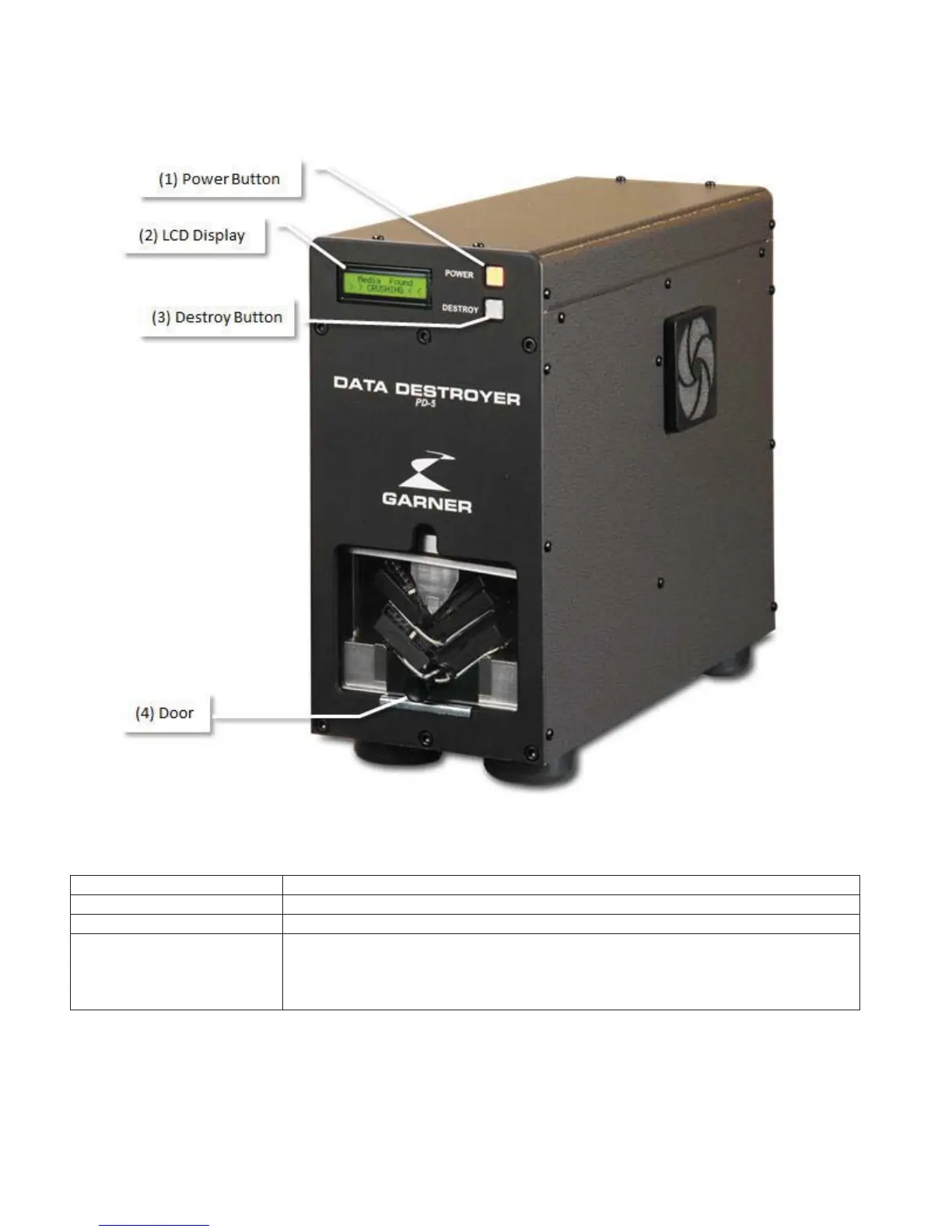
PD-5 Component Identification
Front Panel Identification
Front Panel Description
Applies power to the PD-5.
32 Character LCD Display with counter for Session and Total.
Initiates the destruction function.
4) Door
Prevents access to the HDD and destruction wedge during the destruction
process. If opened during the destruction process
the destruction wedge will
automatically stop.
When the door is closed, the d
estruction wedge will return
to its home position.


 To Next Page