Page 7
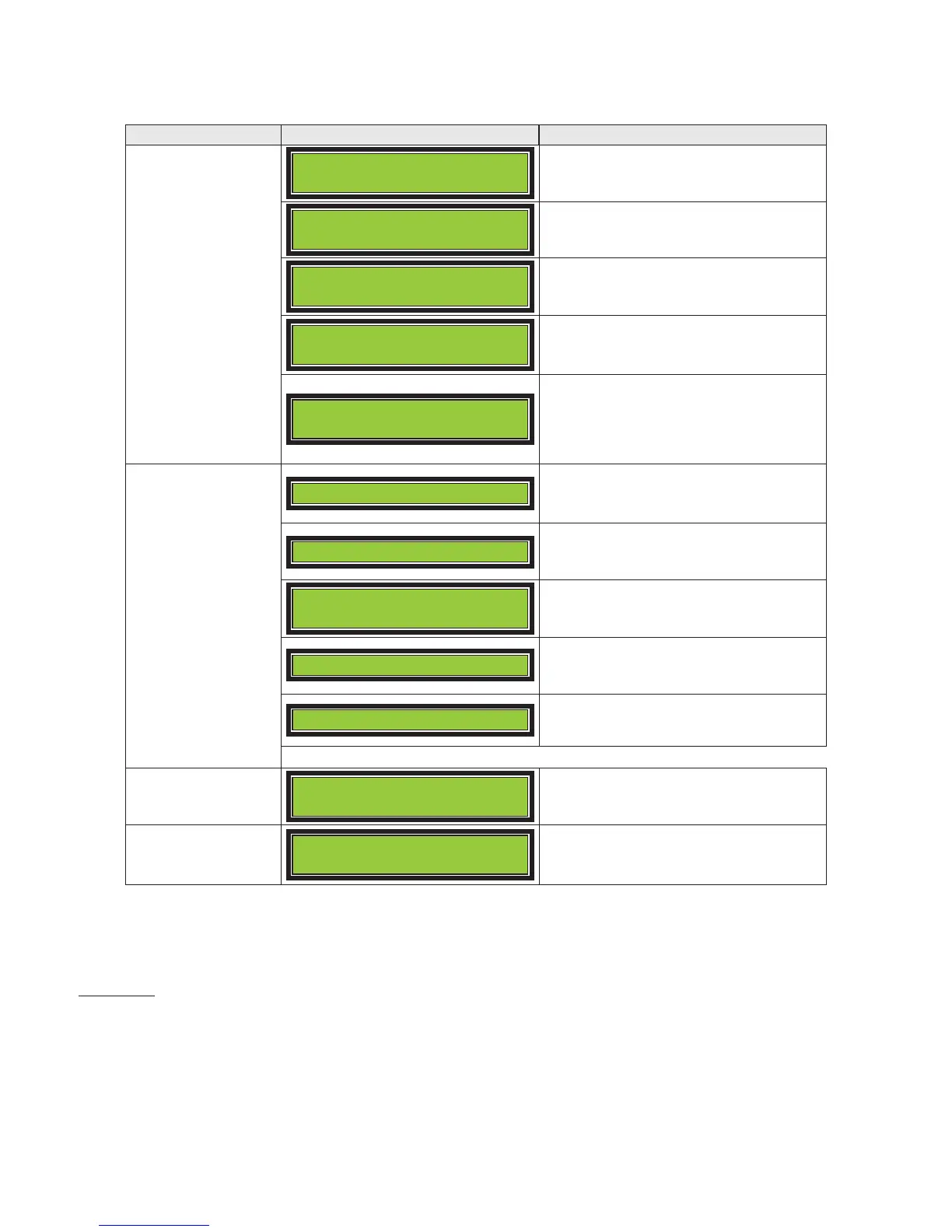
Display Messages
button
GARNER
PRODUCTS, INC.
Garner Products
PD-5 Crusher
Displays Destroyer Model.
FIRMWARE VER
##
Displays current firmware version.
Total Count
# −− ##
Displays total erasing cycles.
Number on left indicates number of
times the counter reached 50,000.
Ready
Session = 0
Ready for media to be placed in the
destruction chamber
Counter for erase cycles from power
up.
Insert media
:
Door Open
Indicates media safety door is open –
this is normal when inserting media
to be destroyed.
Finding Media
Destroy cycle has started.
Media Found
> CRUSHING <
5 switches from high speed to
high torque to crush media.
MAX FORCE
5 has used maximum force and
will stop and return to home.
Going Home
5 is returning to home
position (Wedge at MAX height).
Ready
Session = 1
Destroy cycle is complete. Open
door and remove media.
Service Required
See Operator’s Manual
Every 10,000 cycles, the PD-5
requires
Operating Environment
Do not use or keep the PD-5 in environments with excessive heat, cold, humidity, or dust.
Use caution when bringing the PD-5 from a cold environment into a warm environment. If moisture has
accumulated due to a sudden change of temperature, wait (1) hour until moisture has completely dissipated
before operating the PD-5.
Place the PD-5 on a secure and stable horizontal surface. Position the PD-5 to allow proper air flow from the
side air inlets and the rear exhaust. A minimum clearance of 6 inches from any obstructing wall or solid surface
is recommended.


 To Next Page