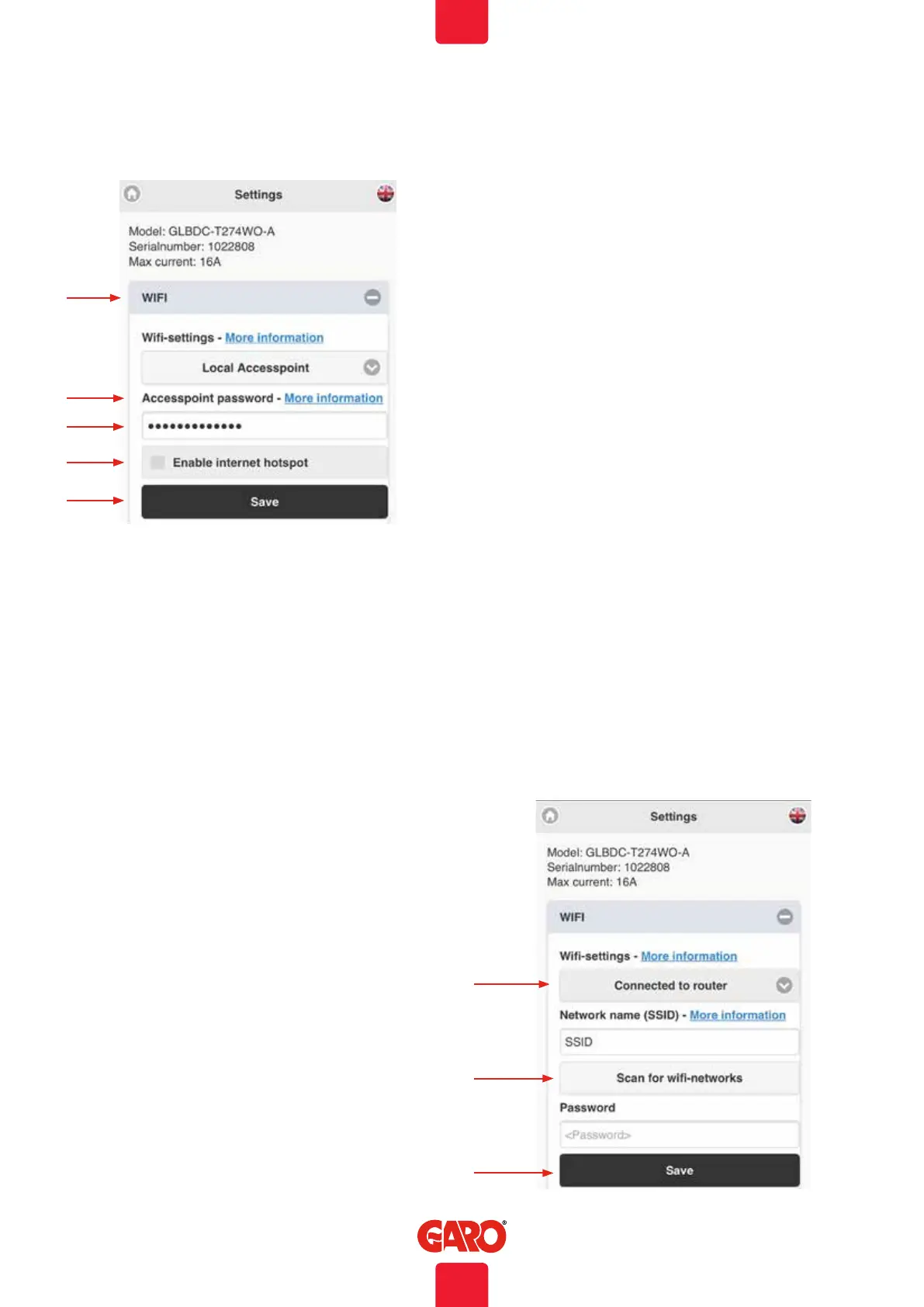
A. Dropdownlist:
• Local accesspoint (default)
• Connected to router
• Wifi diabled (only visible for LAN connected
wallbox)
B. Accesspoint password – more information shows wifi
modules MAC-adress.
C. Field for own password.
D. Enable internet hotspot (only visible for LAN connected
wallbox).
E. Click Save after changed settings.
A
Wifi settings
B
C
D
E
Connect TWIN to local wifi network
General information
Make sure that your local network uses a secure firewall to avoid
unwanted access to the wallbox from internet.w
Only 2,4GHz wifi network are supported.
5GHz wifi network is not supported.
Firewall/router must handle outgoing request to:
* 8.8.8.8 via ICMP(ping)
* 85.11.39.104 (www.webel-online.se) via ICMP(ping), TCP
port 80 and TCP port 443
Make sure your router/firewall does not block this traffic.
WPA/WPA2 encryption is supported. WPA2 Enterprise is not
supported.
Local wifi network must have a password. The wallbox can
not connect to an open wifi network that does not request a
password. Tip: Bookmark the site in your device for simple access
later. Access to site is from Internet is not supported.
A
B
C
A. Connect wallbox to local wifi network. Choose
Connected to router in the dropdown list.
B. Click Scan for wifi-networks. Click wanted network, type
in password and click Save.
C. Save
Web interface
Make sure your unit is connected to same network as your wallbox. Type
in chargebox.garo.se in a webbrowser and follow the instructions.
33
EN


 To Next Page