IC7 USER MANUAL
8
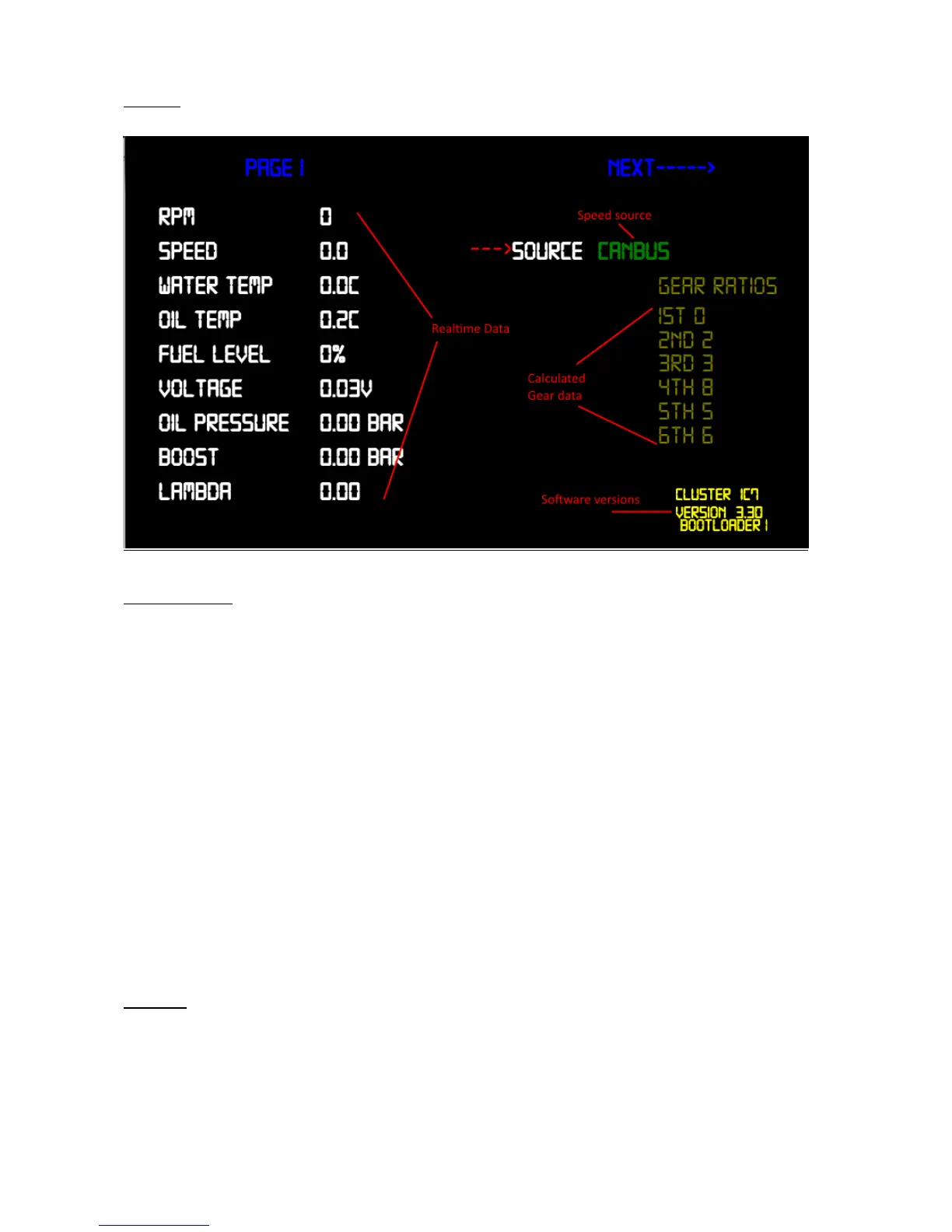
Page1
Description
Realtime Data: - displays current values
Speed Source: - switch between can or gps speed
Calculated gear data:-
Calibration values for the current gear indicator displayed on some driving
screens, when 1
st
gear is set to 0 calculated gear function is disabled
The value represents rpm/speed (kmh)
Software versions: - displays product name and current software versions
installed
Page 2
Reserved


 To Next Page