IC7 USER MANUAL
9
Page 3
Description
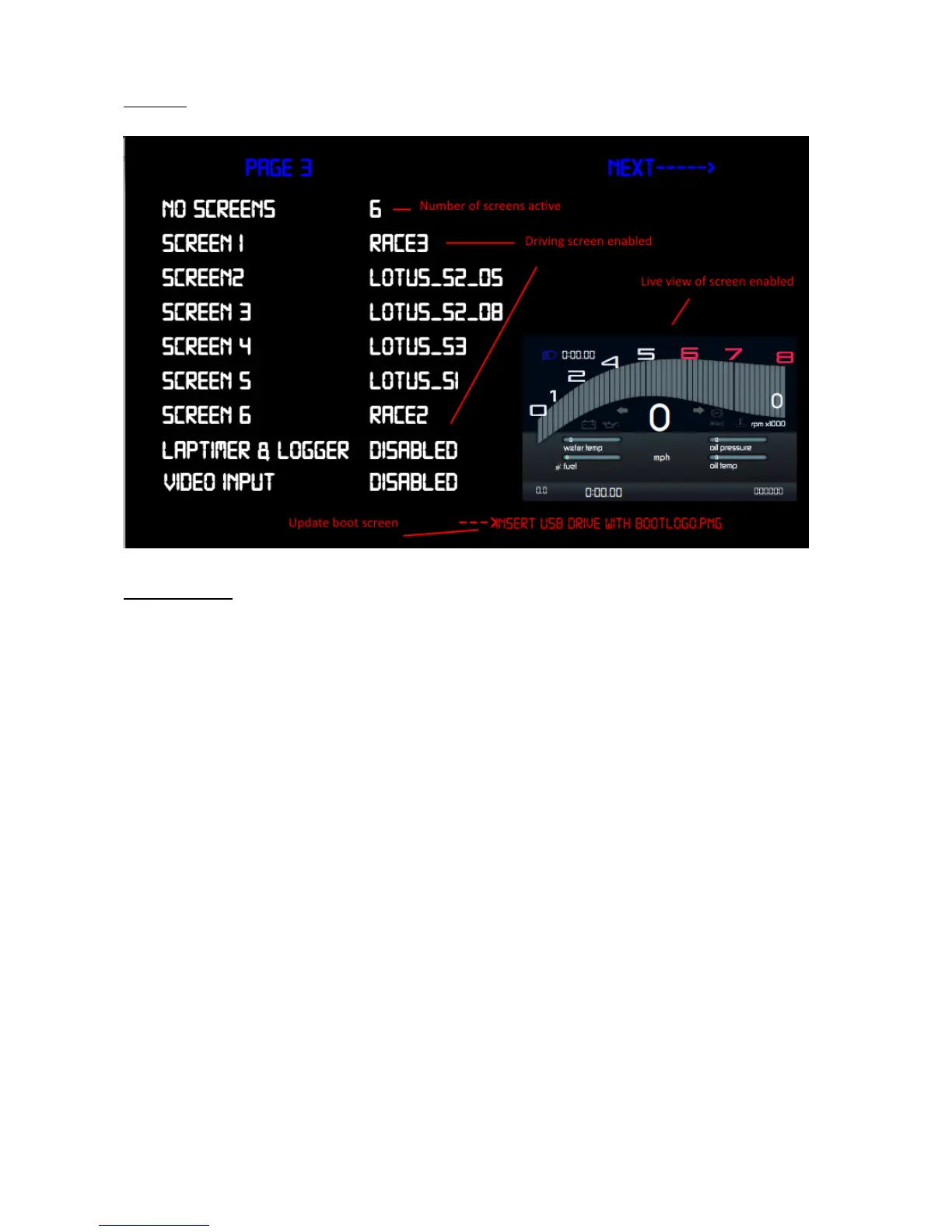
Number of screens active: - Total number of screens enabled for
switching during driving
Driving screen enabled: - Displays each name allocated to that positon
Laptimer & logger: - enable/disable (in future release)
Video input: - enable/disable video input
Live view: - displays live the screen selected during configuration of
screens 1-6
Update boot screen:- insert USB drive with .png image file named
“bootlogo.png” and trigger update by pressing “UP”


 To Next Page