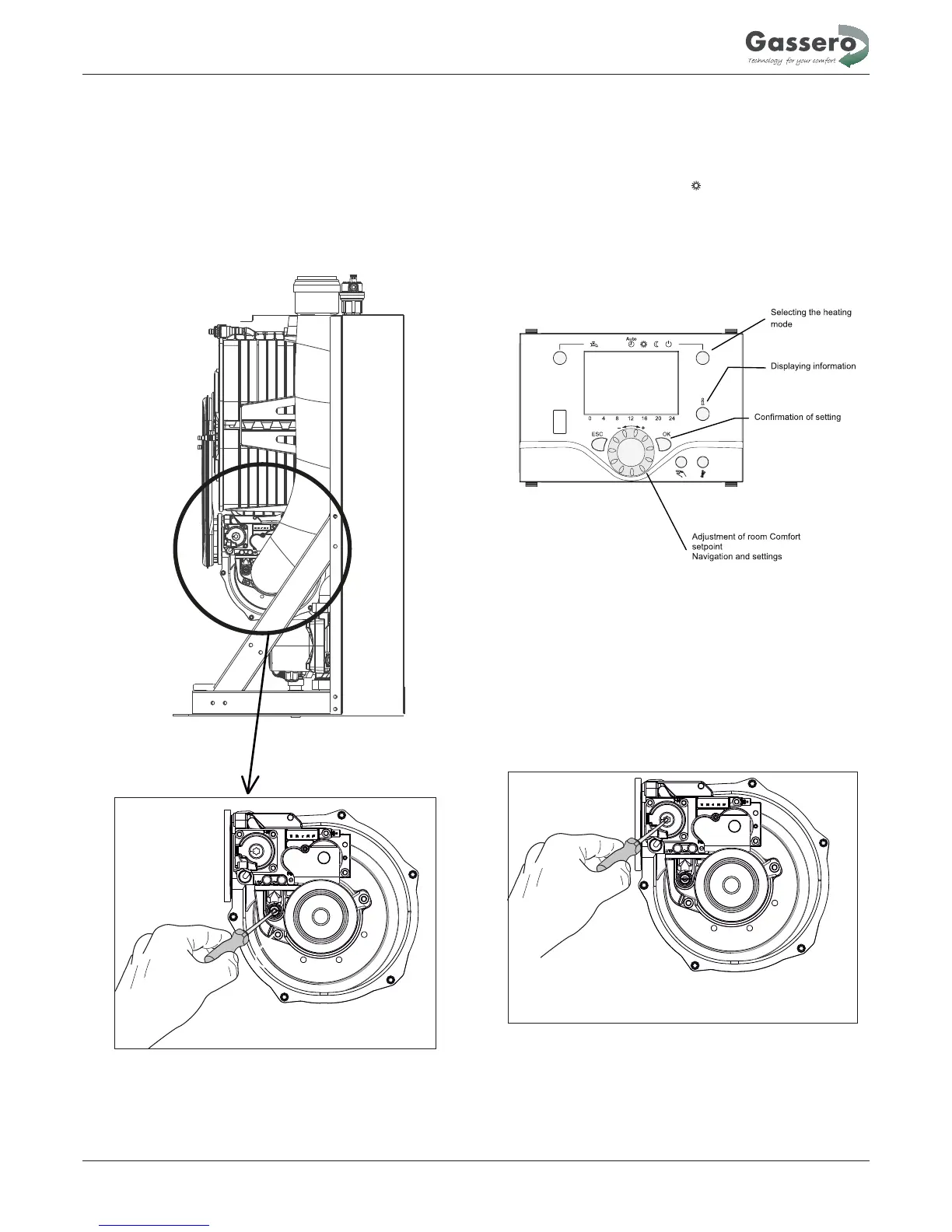
3 - Connect the pressure gauge connection tube to inlet and
outlet pressure tap and check the pressures. Inlet/Outlet
pressures must be adjust according to the table. Check
the CO values are within the values indicated in the table.
2
Correct the value by turning the adjustment screw (A) in
clockwise direction to decrease the value and in an anti-
clockwise direction in order to increase the value.
4.3.4 Minimum output adjustment
2 - Check the values at the minimum output.CO
2
Make the required adjustments if necessary. valuesCO
2
have to be adjusted with extreme care respecting the values
indicated in the table. Correct the value by turning the adjustment
screw (D) in clockwise direction to increase the value and in
anti-clockwise direction in order to decrease the value. When the
adjustments have done,
close sampling test point in the flue adapter
with the cap.
Instructions for the installer
17
1
- For operating in the min. output, press at least 3 seconds to
heating mode when the boiler in mode.Controller function stop
will appear on the screen.Than press information button, it will
indicate the modulation rate (%) on the screen. Adjust the rate to
0% for min. output setting with using of navigation button. Then
press OK . Thus, boiler will operate in minimum power.
0 %


 To Next Page