42
Replacing Gateway 600YG2 Components
www.gateway.com
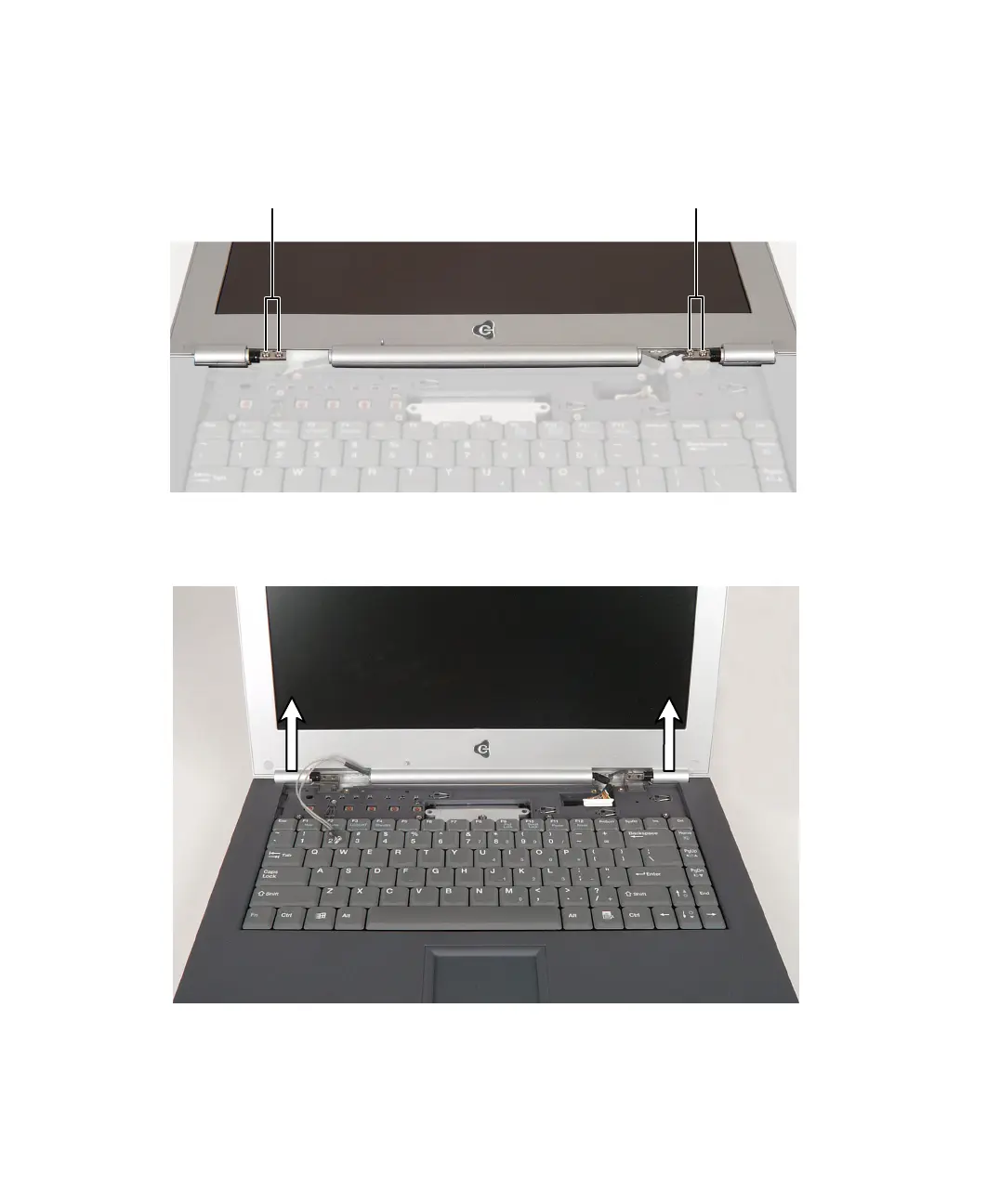
11 Remove the four (or six, depending on screen size) hinge screws. There is
an LCD panel ground cable attached to a screw on the right hinge. Make
sure that this cable is free before continuing.
12 Move the LCD panel upright, then lift it from the notebook. The LCD panel
assembly is now completely detached from the notebook.
Screws Screws



 To Next Page