www.gateway.com
15
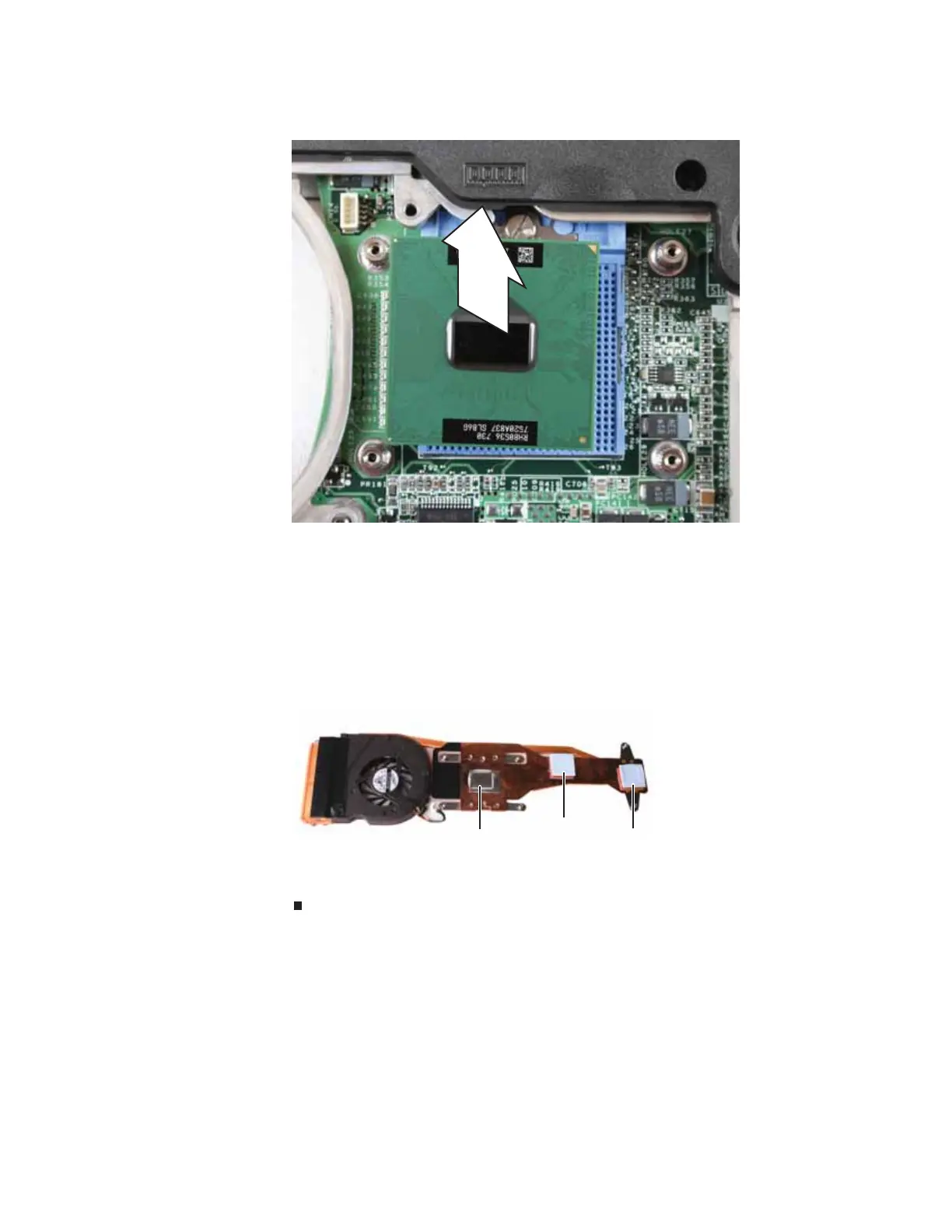
4 Remove the old processor from the system board.
5 Install the new processor onto the system board making sure that Pin 1 on the processor
(indicated by the silk-screened arrow on the corner of the processor) aligns with Pin 1 on
the processor socket (indicated by the absence of a pin hole in the processor socket), then
use a flat-blade screwdriver to turn the processor lock screw 1/4-turn clockwise.
6 Remove any thermal grease residue from the cooling assembly using a soft cloth and
isopropyl alcohol.
7 Place new thermal grease on the processor. Use only enough to cover the CPU die.
8 Make sure thermal pads are placed between the cooling assembly and other components
as shown.
9 Replace the cooling assembly by following the instructions in “Replacing the cooling
assembly” on page 11.
Thermal
pad
Thermal
grease
Thermal
pad









 To Next Page