Replacing convertible notebook components
66
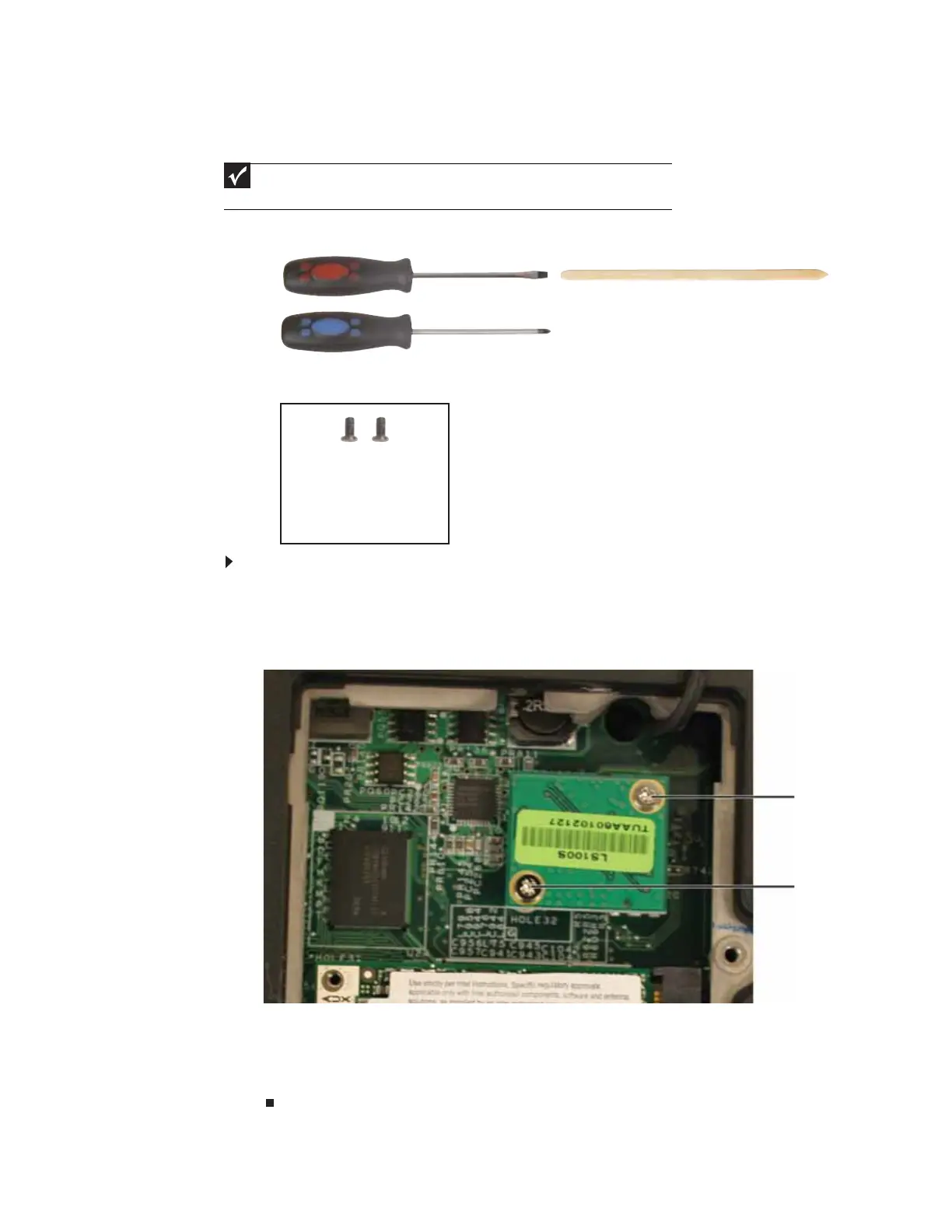
Replacing the TPM module (select models)
Tools you need to complete this task:
v
Screws removed during this task:
To replace the TPM module:
1 Complete the steps in “Preparing the convertible notebook” on page 5.
2 Open the wireless bay by following the instructions in “Replacing the IEEE 802.11 wireless
card” on page 16.
3 Remove the two screws that secure the TPM module to the system board.
4 Lift the TPM module from the system board.
5 Install the new TPM module onto the system board.
6 Replace the TPM module screws removed in Step 3.
7 Replace the wireless bay cover, then tighten the cover screw.
Important
If the TPM module is not located in the wireless bay, use the procedure found in
“Replacing the TPM module (select models)” on page67 to replace the TPM module.
Flat-blade driver Scribe or non-marring tool- OR -
Phillips #0 screwdriver
2 black 2.0*2.5 (TPM
module)
Screw
Screw









 To Next Page