www.gateway.com
17
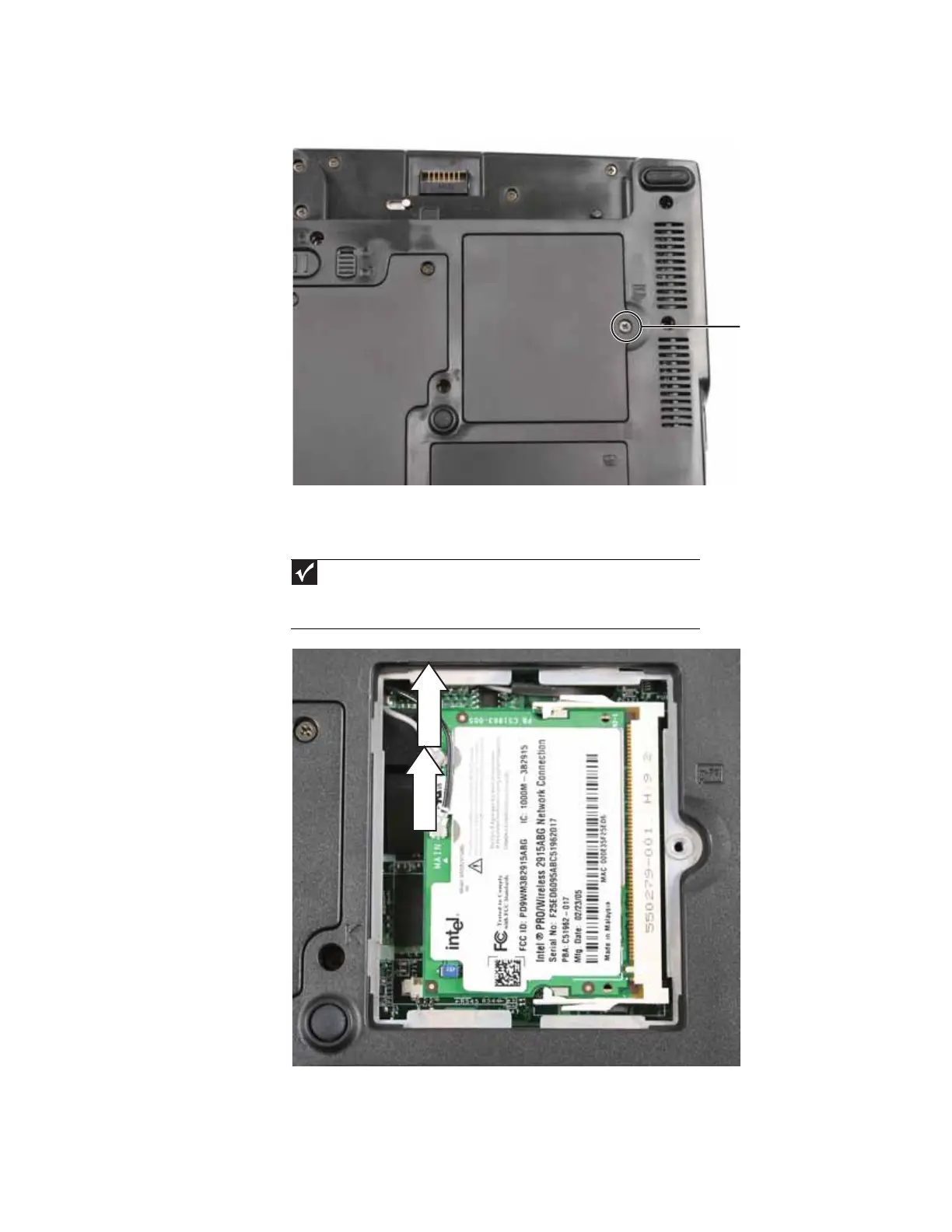
2 Loosen the screw that secures the wireless cover. (This screw cannot be removed.)
3 Remove the wireless bay cover. Be careful not to break off the tabs located on the bottom
of the cover. If the cover does not remove easily, wiggle the cover to loosen it.
4 Unplug the antenna cables. Note which color cable is connected to each of the connectors.
5 Move the antenna cables out of the way.
Important
The number of antenna cables varies by the type of wireless network used
by the convertible notebook. IEEE 802.11N cards typically have three antenna cables.
Other types of wireless network cards typically have two antenna cables. Some
convertible notebook models do not support three antenna cables.
Screw









 To Next Page