www.gateway.com
29
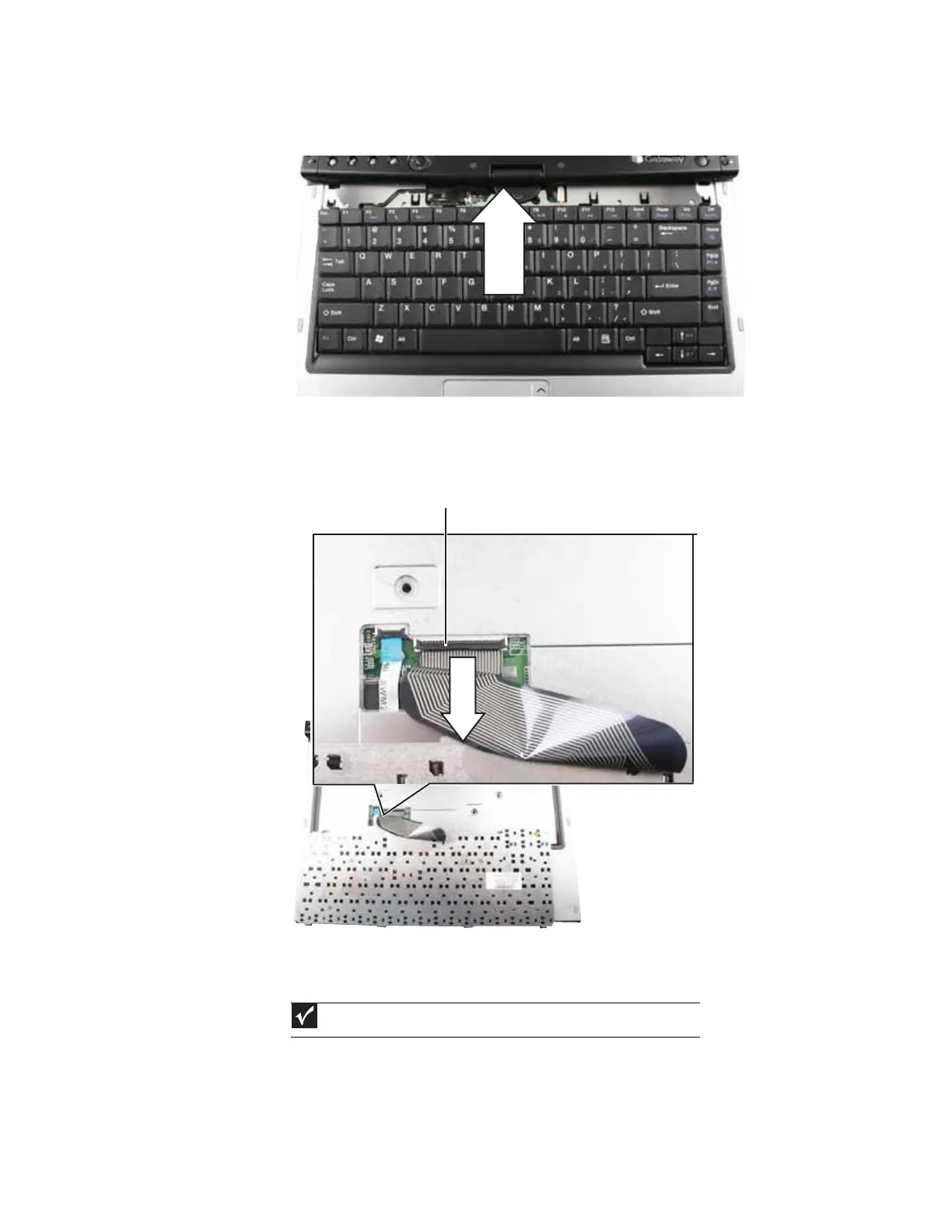
4 Lift the back edge of the keyboard slightly, then slowly slide it toward the LCD panel to release
the keyboard retaining tabs located on the front edge of the keyboard.
5 Carefully rotate the keyboard toward you so it lies keys-down on top of your convertible
notebook. Be careful not to damage the LCD panel.
6 Swing the black keyboard connector clip up, then lift the cable out of the connector. Be careful
not to touch or damage any other components.
7 Place the new keyboard on your convertible notebook.
8 Make sure the black keyboard connector clip is up, insert the cable into the connector, then
swing the clip down to lock the connector in place.
Important
The keyboard cable is correctly oriented if it is not twisted.
Keyboard connector clip









 To Next Page