Replacing convertible notebook components
32
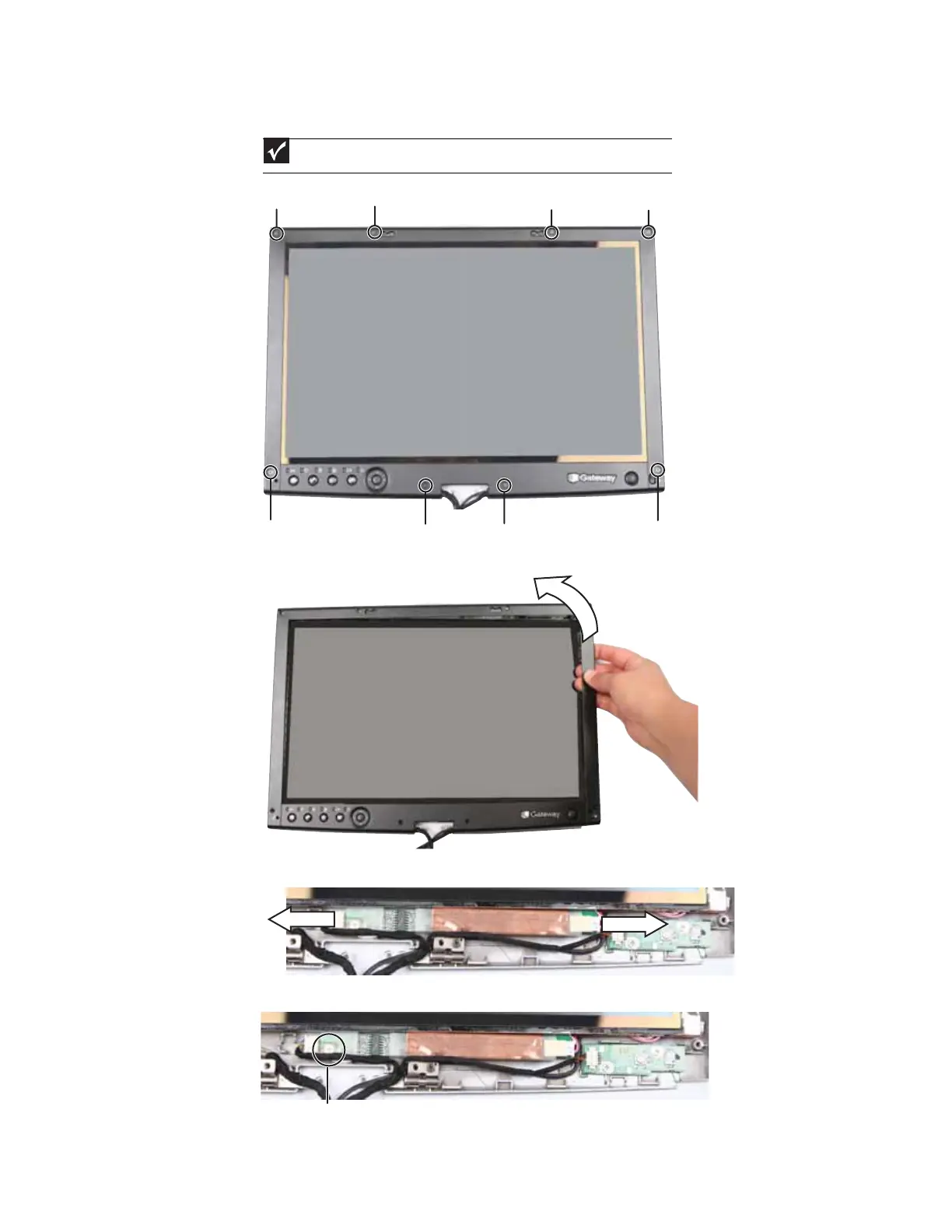
5 Remove the screws from the front of the LCD panel assembly.
6 Carefully separate the front and back of the LCD panel assembly.
7 Disconnect the connectors from the inverter.
8 Remove the screw that connects the inverter to the front of the LCD panel assembly.
Important
The number of screws varies by convertible notebook model.
Screw Screw Screw Screw
Screw Screw Screw
Screw
Screw









 To Next Page