www.gateway.com
51
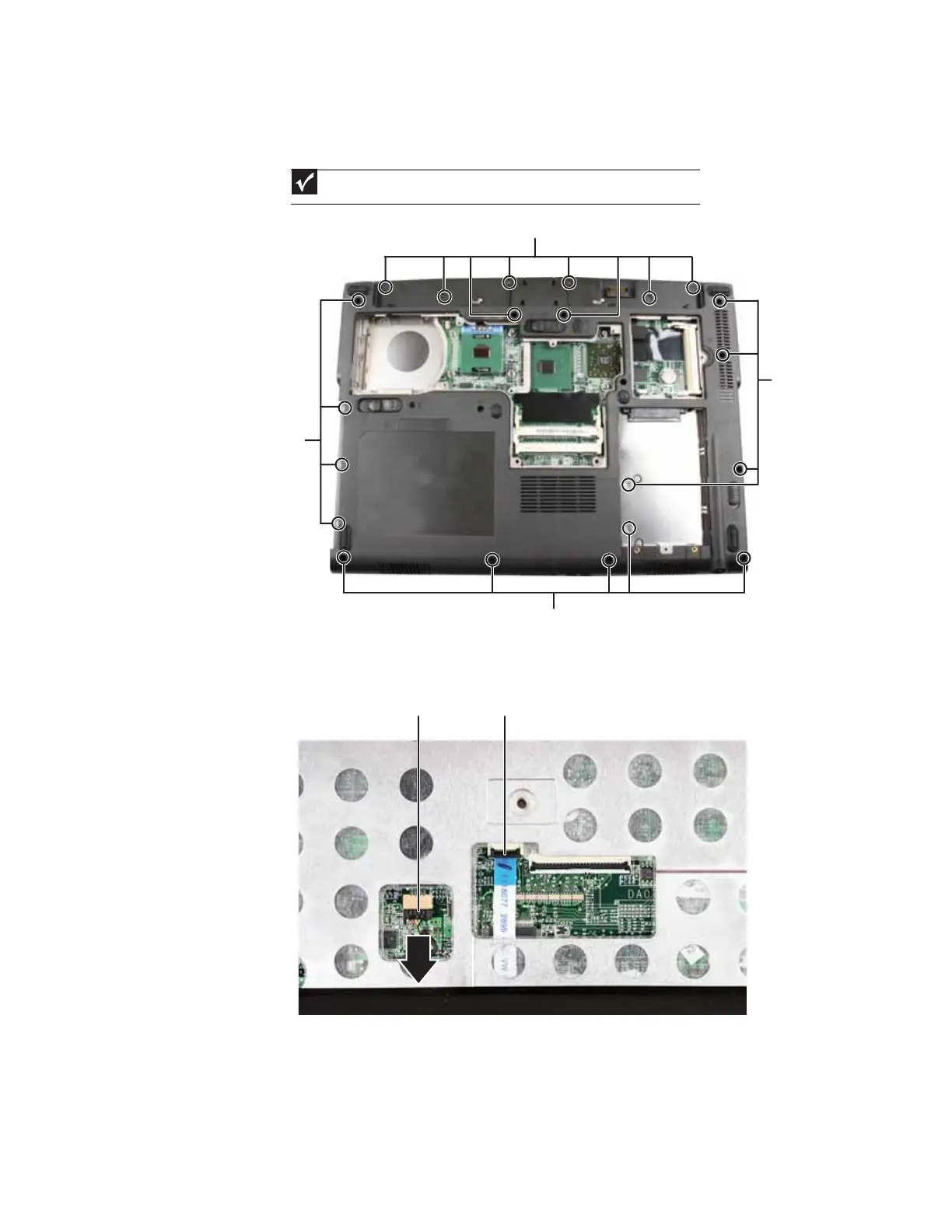
9 Remove the screws shown in the following picture. Note the location of the screw types and
sizes. Some models may have fewer screws than shown or screws in a slightly different
location.
10 Turn the convertible notebook over so the top is facing up.
11 Flip the black touchpad connector clip up, then remove the cable. Be careful not to touch or
damage any other components.
12 Disconnect the optional fingerprint reader from the system board.
Important
The number of screws varies by convertible notebook model.
Screws
Screws
Screws
Screws
Touchpad connector
Fingerprint reader connector









 To Next Page