System Features 13
Front panel features
The following front panel features are included with your desktop,
mid-tower, and tower computers.
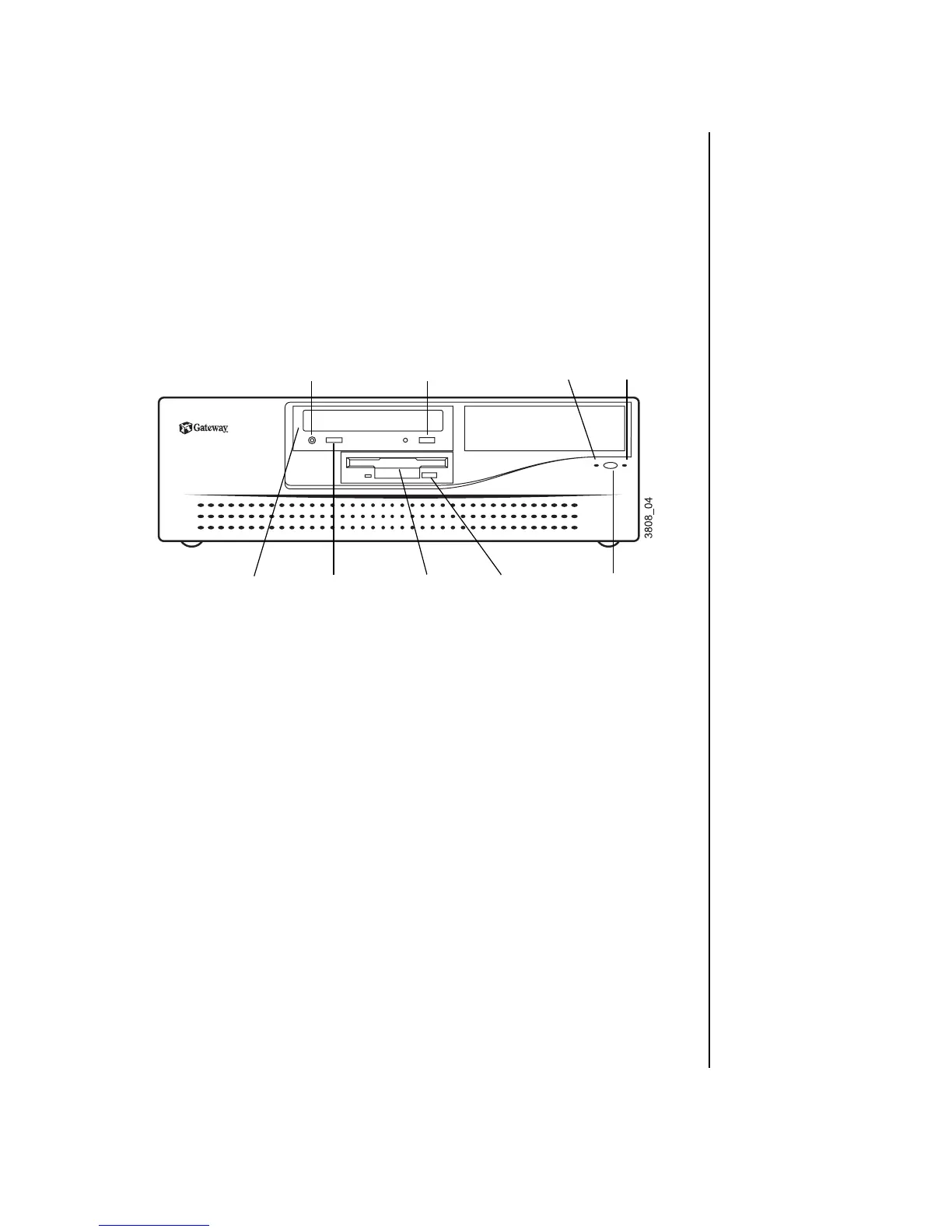
Desktop front panel
The desktop front panel includes the following features:
Audio-out jack: Connects headphones or powered speakers that
enable you to listen to an audio CD (directly from the CD-ROM
drive).
CD-ROM eject button: Ejects a CD from the CD-ROM drive.
Hard drive LED: Lights when the hard drive is active.
Power LED: Lights when the computer is turned on. The green light
indicates your computer is using full power. The amber light indicates
your computer is in low power mode.
Power button: Turns the computer on and off.
Diskette eject button: Ejects diskettes from the diskette drive.
Diskette drive: Writes to and reads from 3.5-inch, 1.44 MB diskettes.
CD-ROM volume control: Controls the volume of an audio CD.
CD-ROM drive: Plays data or audio CDs.
Diskette
drive
Power button
Hard
drive LED
Audio-out
jack
CD-ROM
volume control
Power
LED
CD-ROM
eject button
CD-ROM drive Diskette eject
button



 To Next Page