CHAPTER 5: Protecting your notebook www.gateway.com
50
To schedule automatic updates:
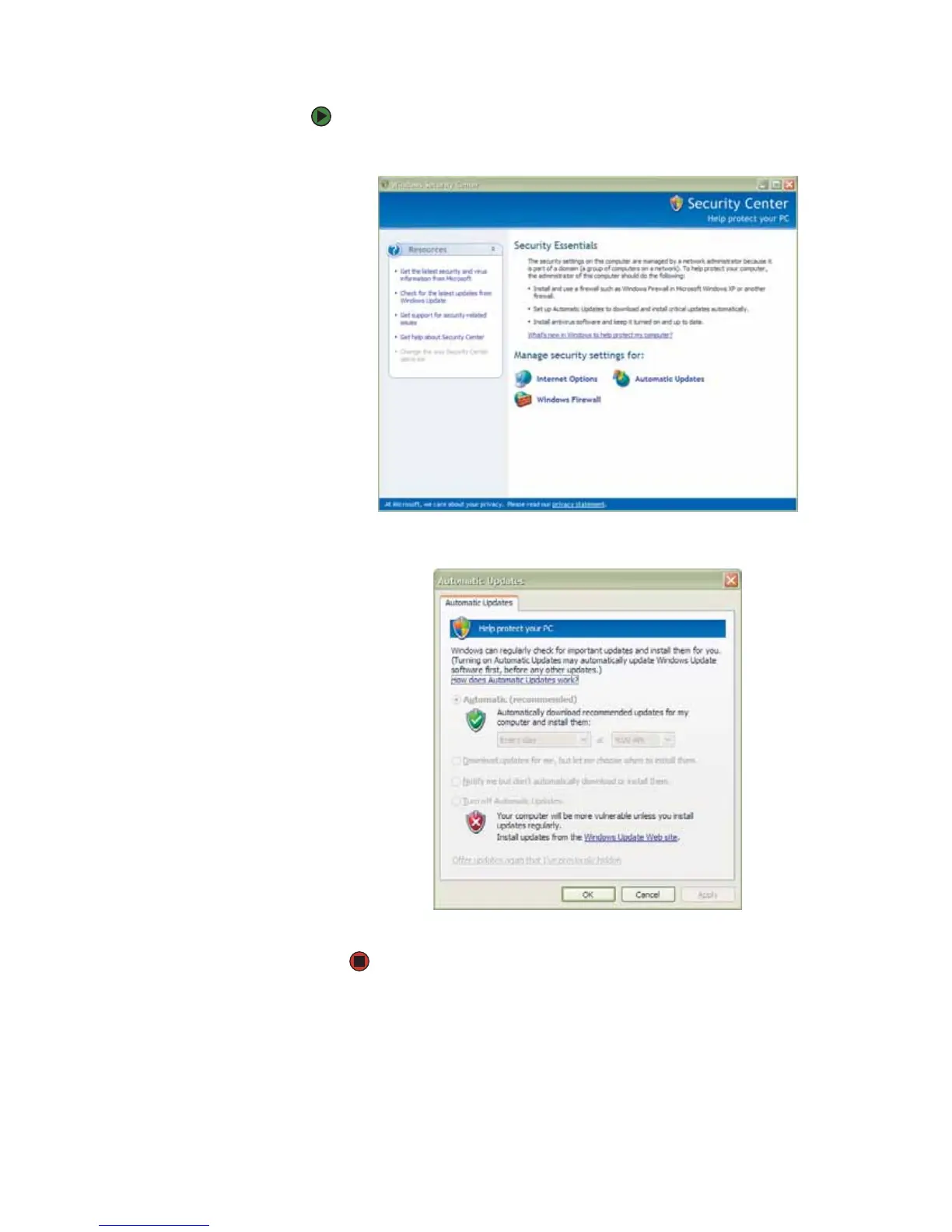
1 Click Start, Control Panel, then double-click Security Center.
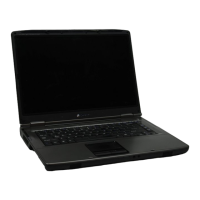
2 Click Automatic Updates. The Automatic Updates dialog box opens.
3 Make your changes to the schedule settings, then click OK.



 To Next Page