Creating and editing videos
www.gateway.com
73
Transferring your video to your notebook
To transfer your video to your notebook:
1 Connect your video camera to your notebook by following the camera
manufacturer’s instructions.
2 If a dialog box opens with a list of video editing programs, click
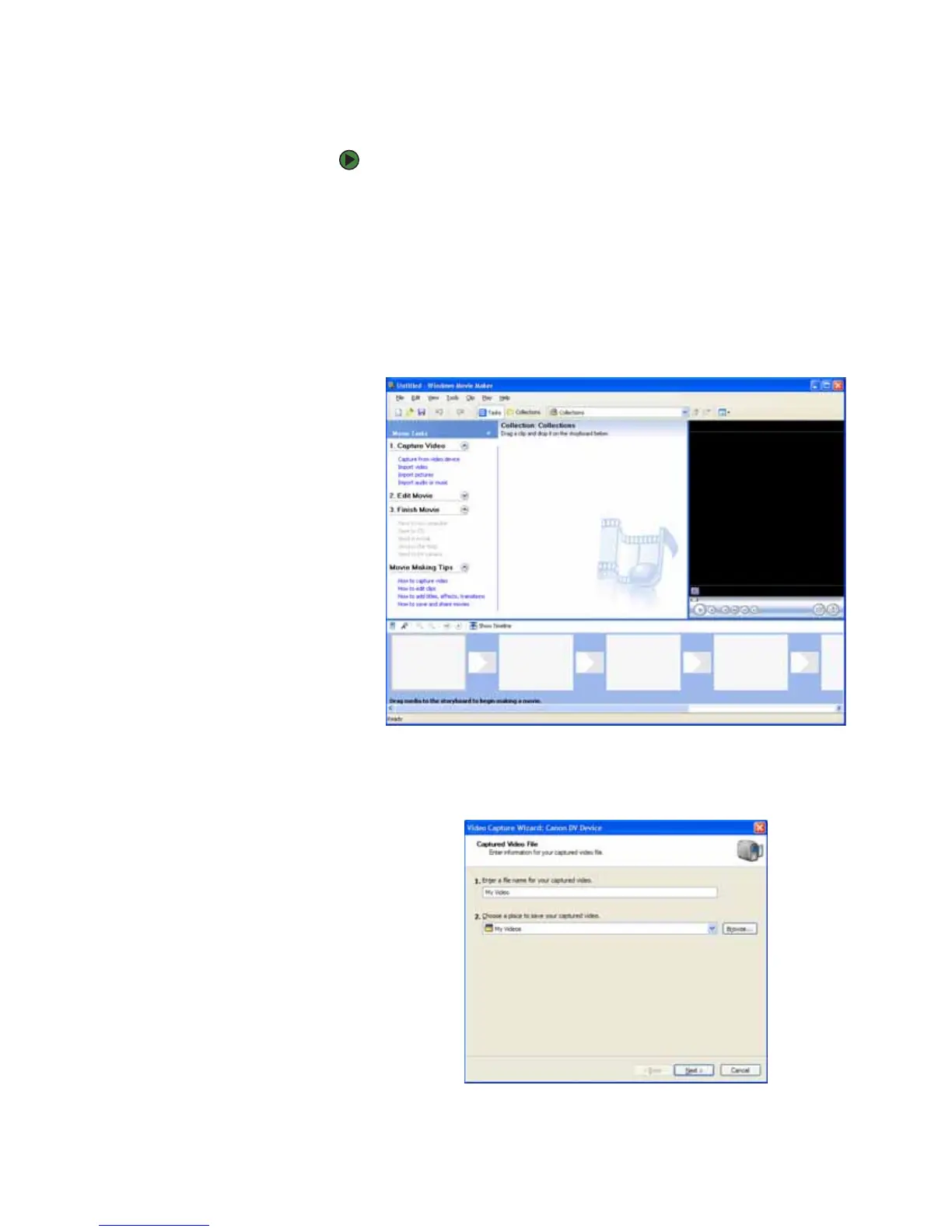
Windows Movie Maker. Windows Movie Maker opens.
- OR -
If a dialog box does not open with a list of video editing programs, click
Start, All Programs, then click Windows Movie Maker. Windows Movie
Maker opens.
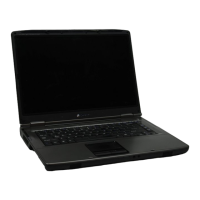
Windows Movie Maker recognizes your camera and the Video Capture
Wizard opens.
3 If the wizard does not open, click Capture From Video Device.



 To Next Page