Creating and copying data CDs and DVDs
www.gateway.com
85
Copying a CD or DVD
To copy a disc:
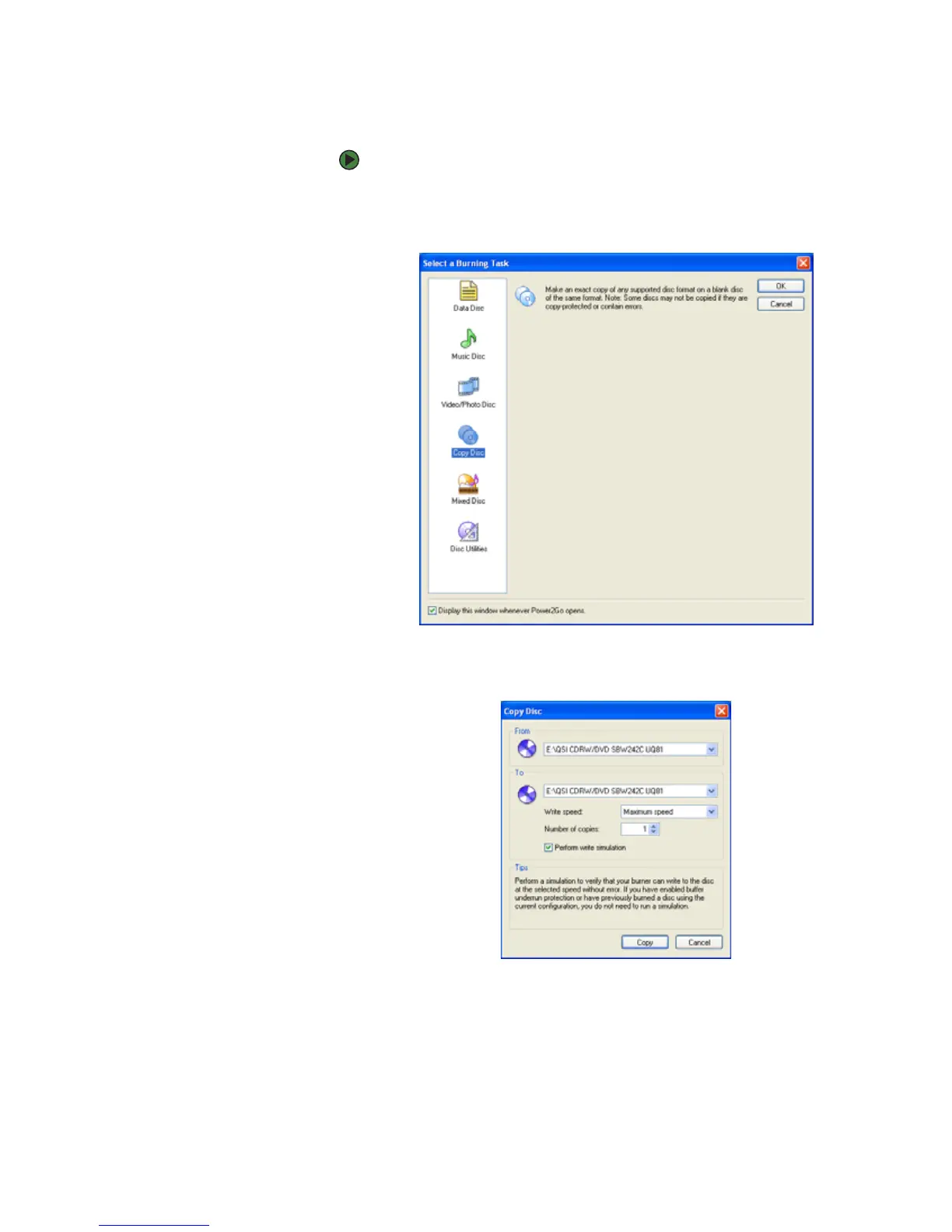
1 Click Start, All Programs, CyberLink DVD Solution, Power2Go, then
click Power2Go. Power2Go opens along with the Select a Burning Task
dialog box.
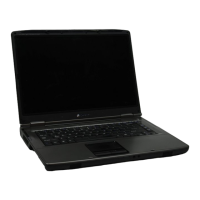
2 Click Copy disc in the left column, then click OK. The Copy Disc dialog box
opens.
3 Insert the music CD, data CD, or data DVD you want to copy into your CD
or DVD drive.
4 Click the arrow to open the From list, then click the drive that contains
your source disc.
5 Click the arrow to open the To list, then click your recordable CD or DVD
drive.



 To Next Page