Playing music and movies
www.gateway.com
67
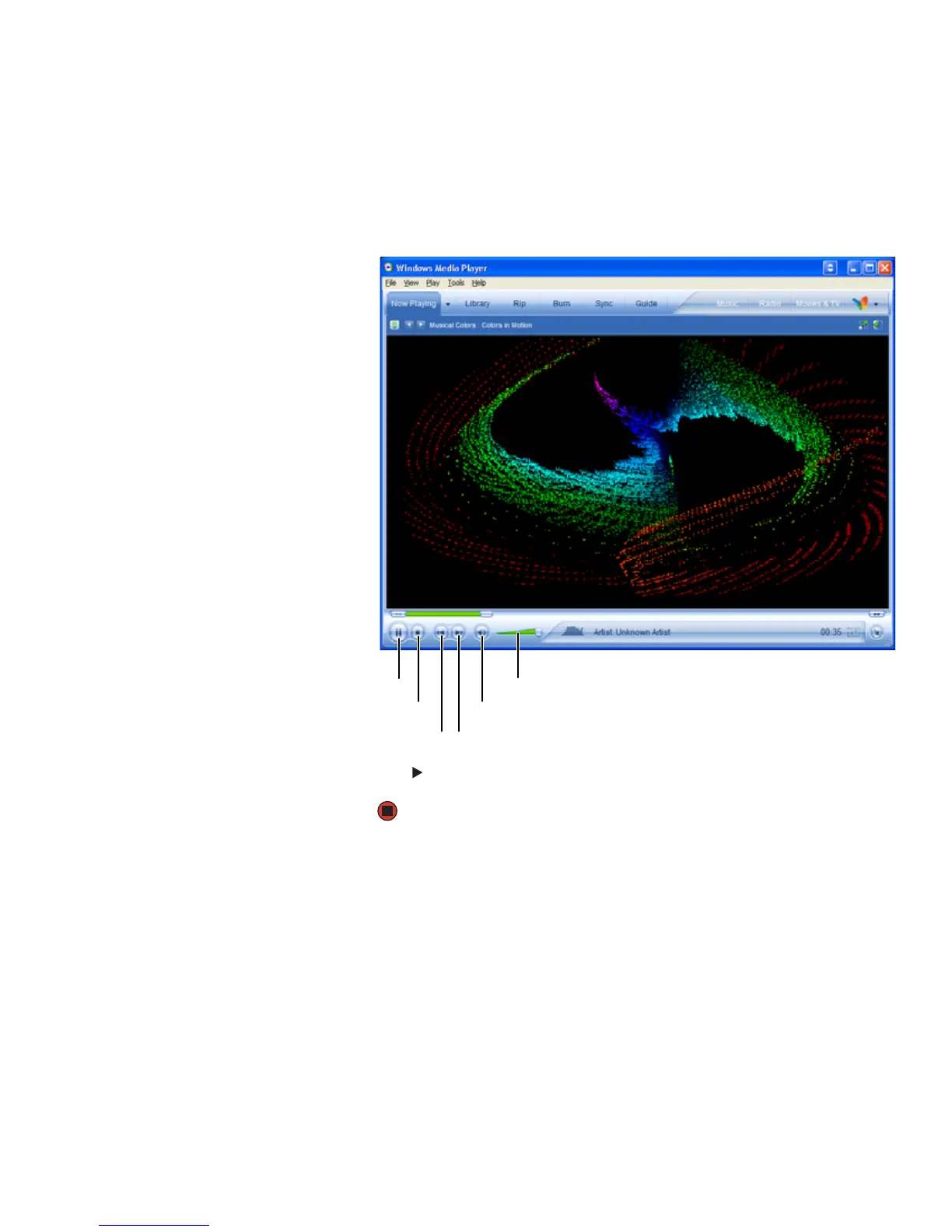
3 If a dialog box opens with a list of CD players or DVD players, click
Windows Media Player. Windows Media Player opens.
- OR -
If a dialog box does not open with a list of CD players or DVD players, click
Start, All Programs, then click Windows Media Player.
Windows Media Player opens.
4 Click (play). If you do not hear sound or you want to change the volume,
see “Adjusting the volume” on page 62.
Play/pause
Stop
Next
Previous
Mute
Volume



 To Next Page