ENG
10
Usage
•
When used with an optional GPS module, the MVR supports the voice
prompt function. You can also upload an alternative Speedcam database
of important points and events on the route (e.g., location of speed
cameras or speed bumps). Whenever the vehicle approaches such points,
the MVR will automatically activate the alerting system: voice prompts
and graphical messages on the screen. To upload your own database of
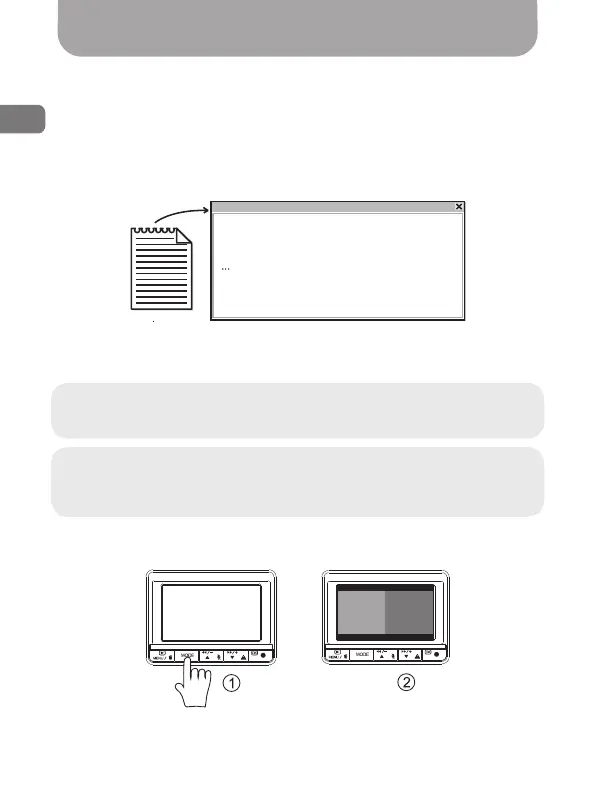
such points, you need to create the following text le:
Save this le as gpsdb.txt in the root directory of your memory card.
The next time you turn on the MVR the Speedcam database will be
updated automatically.
Warning! If you upload an alternative Speedcam database, the
current database will be completely deleted from the MVR memory.
Note: Laws of some countries may restrict the use of Speedcam
database. Do not use this function if it violates the laws of your
country.
• There are several modes for displaying image from video cameras
(«1» - mode selection a button MODE):
Передняя
видеокамера
Задняя
видеокамера
Fig. 4
IDX, X, Y, TYPE, SPEED, DirType, Direction
0, 12.300604, 45.452664, 106, 0, 0, 0
1, 2.280041, 48.85029, 101, 40, 1, 161
txt
etc.
Front
camera
Back
camera



 To Next Page