ENG
14
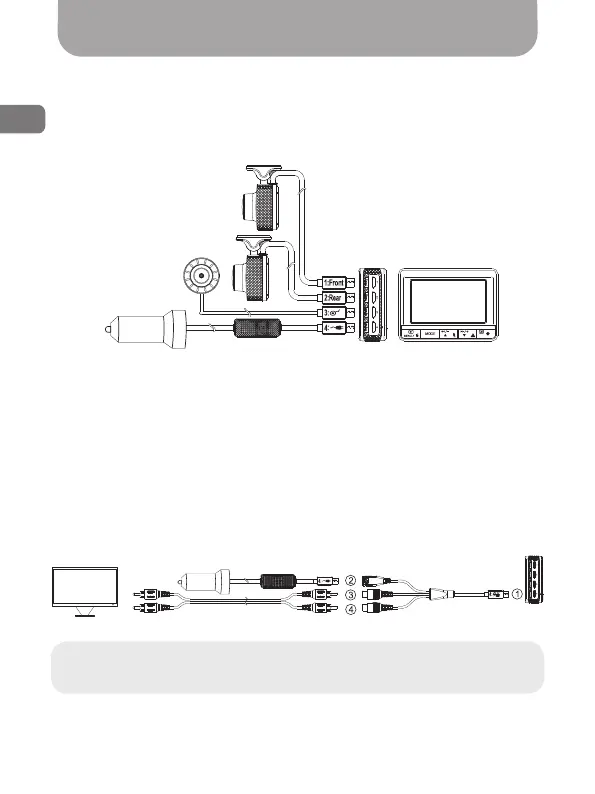
Connection diagram
Standard MVR connection diagram
For standard MVR connection (without an external monitor), follow the
connection diagram below:
1. Connect front camera
2. Connect back camera
3. Connect remote control button
4. Connect power
MVR + external monitor
connection diagram
To connect the MVR with an external monitor (e.g., Gazer MС125/135
car monitor or stock head unit), follow the connection diagram below:
Note: When connected this way, the MVR’s built-in display is
disabled. Image is displayed on the external monitor only.
Fig. 12
Fig. 13



 To Next Page