ENG
12
Setting up procedures
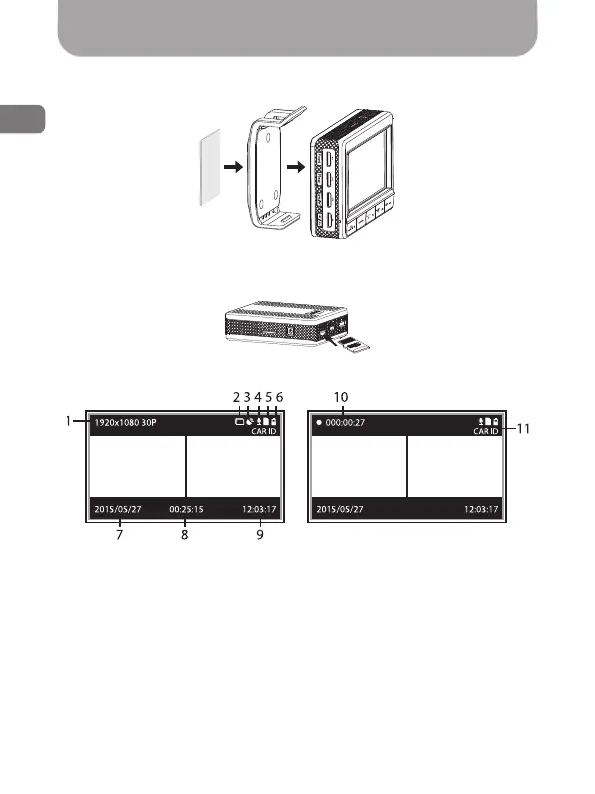
• Attach the device to the mount as shown in the gure:
3М
3М
3М 3М 3М
3М 3М 3М
3М 3М 3М
3М 3М 3М
3М 3М
3М
3М
•
Insert the memory card into the SD memory card slot [(13), Fig. 1]
as shown in the gure:
• Main window icons legend:
Standby mode Recording mode
1. Current recording resolution
2. Motion detector
3. GPS status (blinking indicator
– searching for satellites, green
light – position xed)*
4. Sound recording
5. Memory card
6. Battery indicator
7. Date
8. Approximate total recording
time
9. Time
10. Current video clip recording
time (indicator is active during
recording)
11. Watermarks (vehicle’s license
plate number)
Fig. 7
Fig. 8
Fig. 9
*The icon is active by using optional GPS module.



 To Next Page