12
If you want to register handset to base, just click “Start” Button in “Registration”, then you can do what you want to do.
If you want de-register one handset, just select the handset number you want from the drop down list, and then click “Start” Button in
“De-Registration”.
If you want to reset your base’s PIN code to “0000”, just click “Start” Button in “PIN Reset”.
If you want update the .software, just click “Start” Button in “Online Update”.
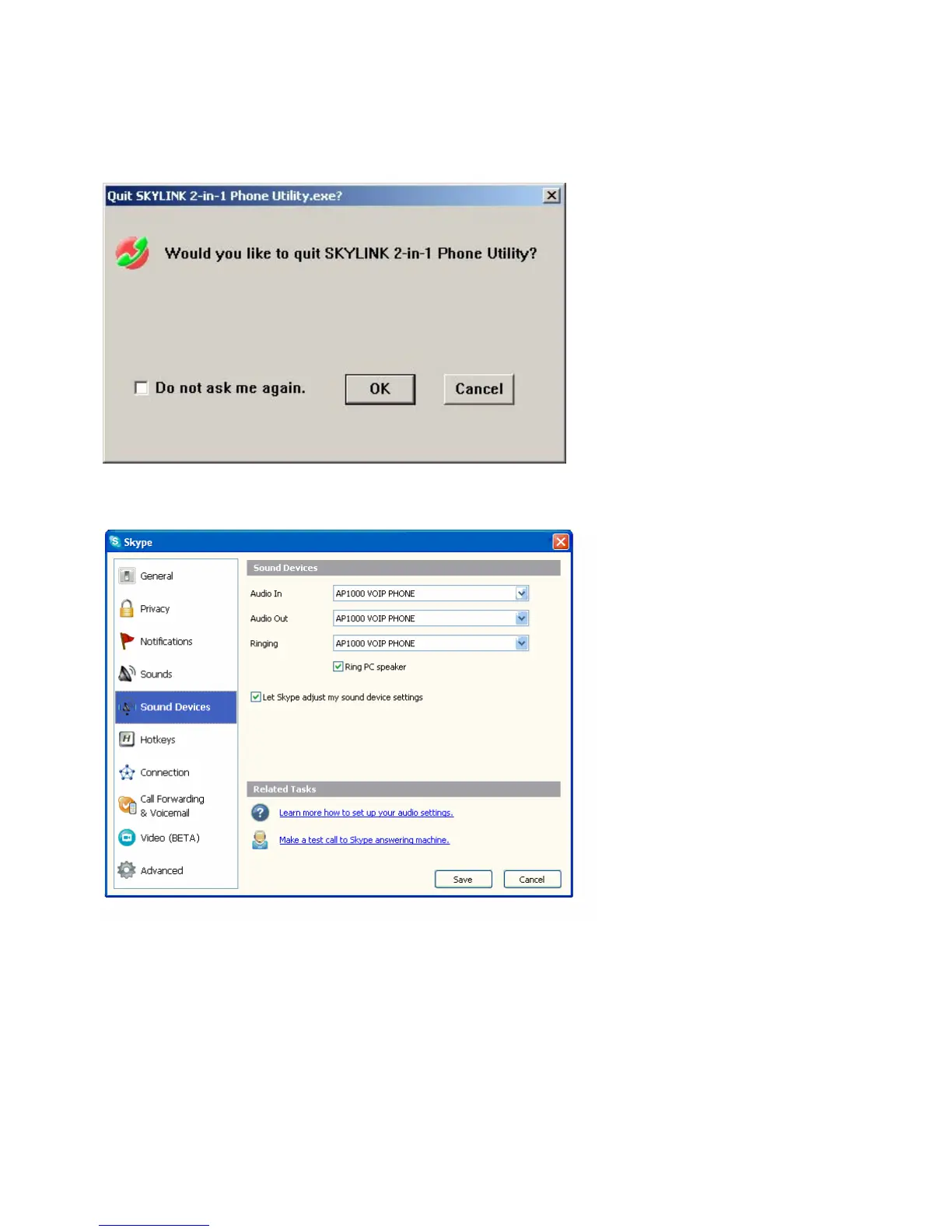
z When you want quit Skylink 2-In-1 Phone Utility, a prompt window will pop-up to get your ratification.
When Music/Sound can not be heard from the HS, this may be cause of the setting of “Sound Devices” in Skype are not
correct, please set your “Sound Devices” in Skype as below:



 To Next Page