13
PARA PROGRAMAR EL CONTRASTE DE LA
PANTALLA
Este ajuste le permite lograr la optimización
del contraste y el ángulo de visión del visor.
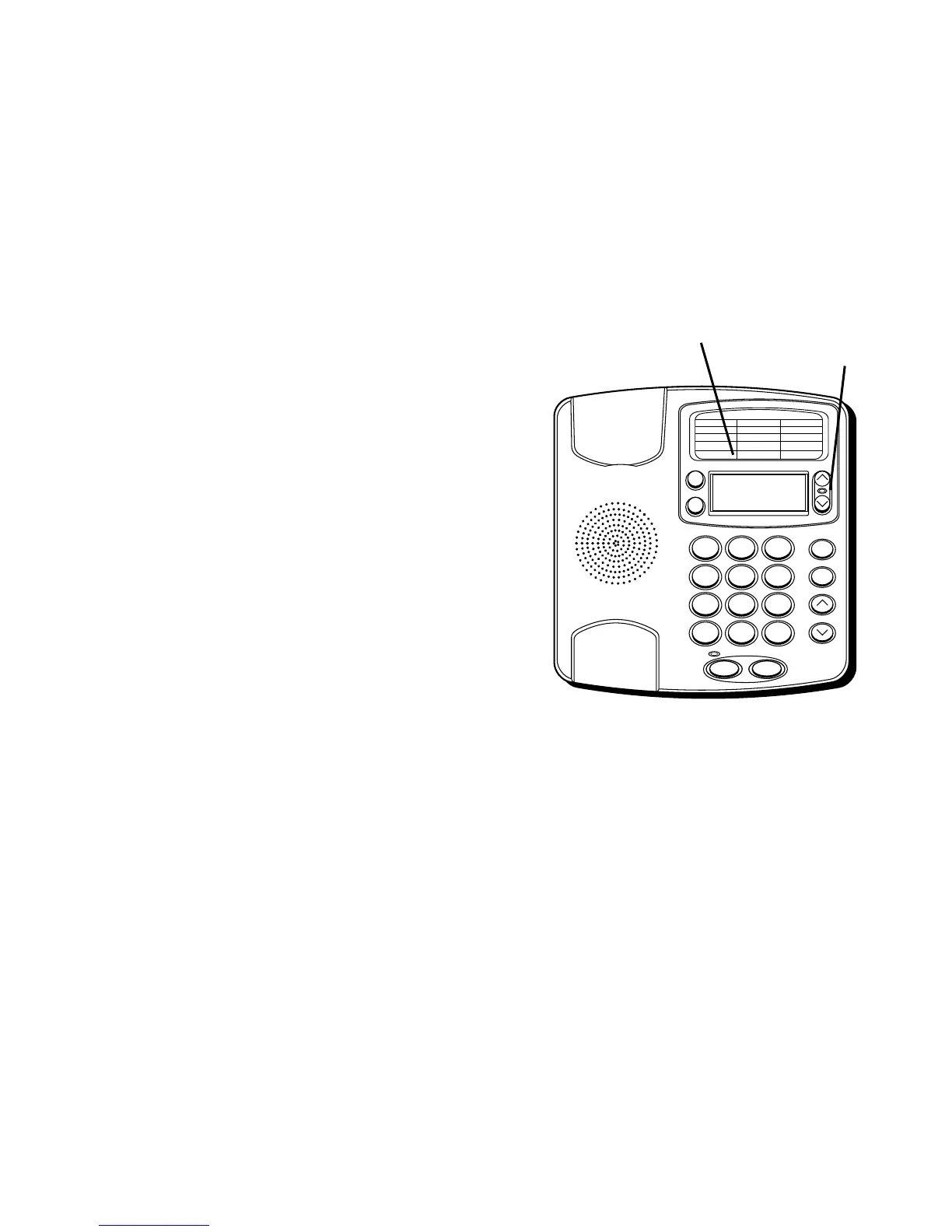
1. Oprima el botón de opciones (“OPTIONS”).
En el visor aparecerá
“OPTIONS MENU ” ^ v
.
2. Oprima el botón de revisar hacia arriba
(“REVIEW up”) hasta que la indicación
de contraste (
“(LCD) CONTRAST”
)
aparezca en el visor.
3. Para inscribir y hacer un cambio en el
contraste, oprima el botón de opciones
(“OPTIONS”). El visor mostrará el nivel
actual de contraste. Hay 5 niveles de
contraste, con el nivel pre-programado
en 3.
4. Oprima cualquiera de los botones
“REVIEW” para cambiar el nivel
programado.
5. Oprima el botón de opciones (“OPTIONS”)
nuevamente para almacenar la
programación y volver al visor que indica
“
(LCD) CONTRAST
.”
10/1912:30
1 - 315 - 555 - 1324
SMITH JOHN
1
ABC
2
DEF
3
GHI
4
JKL
5
MNO
6
PQRS
7
TUV
8
WXYZ
9
*
OPER
0
#
VOLUME
REDIAL
STORE
REVIEWDELETE
DIAL
OPTIONS A B
FLASHHOLD
10/1912:30
315 - 555 - 1324
SMITH JOHN
Botón para
revisar
(“REVIEW”)
Botón de opciones
(“OPTIONS”)


 To Next Page