18
You may need to use this feature if you have:
• Multiple area codes
• Overlapping area codes
• Areas that require 10-digit dialing.
1. If you just adjusted the Dialing menu, skip to step 2. If
you haven’t adjusted any other setting, press and
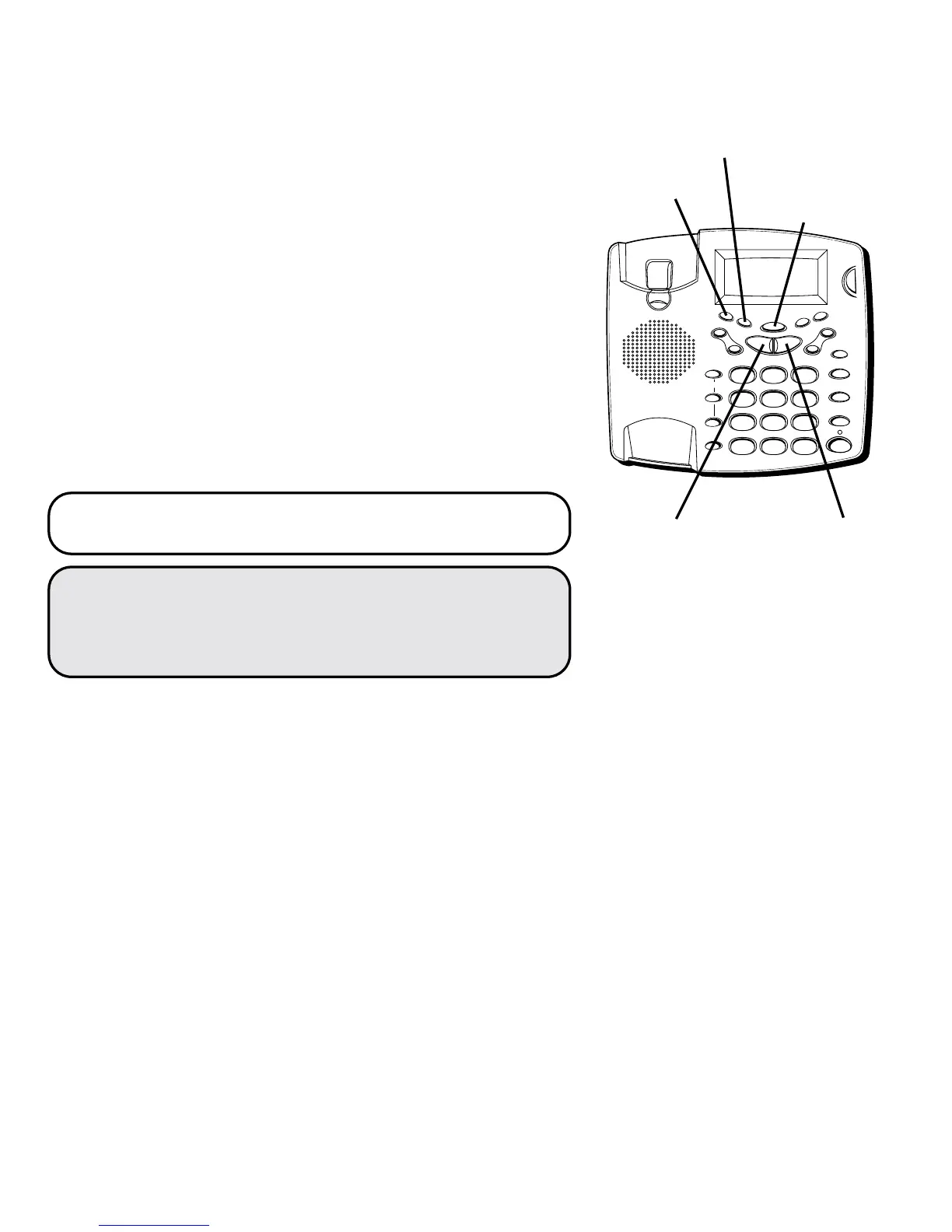
release the MENU button until
REGIONAL AC#
is
displayed. The first digit of code #1 flashes.
2. Use NEXT or PREVIOUS to set the first digit.
3. Press ENTER. The next digit flashes.
4. Repeat steps 2-3 until all the digits of the regional
area code are set.
5. When finished, press ENTER to confirm. The unit beeps.
NOTE: If you don’t want to enter any more area
codes, press MENU. To exit setup, press PLAY/STOP.
NOTE: You can use MENU at any time to scroll
through the settings. Also, if you don’t make a
selection within 30 seconds, the unit automatically
exits the setup menu.
TIP: You can use the keypad to enter all the digits
in one step. To enter 891, press 8,9, and 1. Then
press ENTER.
FLASH
REDIAL/PAUSE
HOLD
mic
ON/OFF
VOL -
VOL +
ERASE
MEM DIAL STORE
QUICK DIAL
MEM DIAL
SPEAKER
C
B
A
1
ABC
2
DEF
3
GHI
4
JKL
5
MNO
6
PQ
RS
7
TUV
8
WX
YZ
9
OPER
0
#
TONE
M
E
M
O
G
R
E
E
T
I
N
G
M
E
N
U
E
N
T
E
R
D
I
A
L
M
E
S
S
A
G
E
S
T
O
P
M
E
S
S
A
G
E
S
/
C
A
L
L
E
R
I
D
N
E
W
C
A
L
L
*
MENU button
ENTER button
NEXT buttonPREVIOUS button
PLAY/STOP
button



 To Next Page