34
MEMORY
You can store up to 13 numbers in memory for quick
dialing – 3 in the quick dial buttons and 10 in the keypad
numbers (0-9).
STORING A NUMBER IN MEMORY
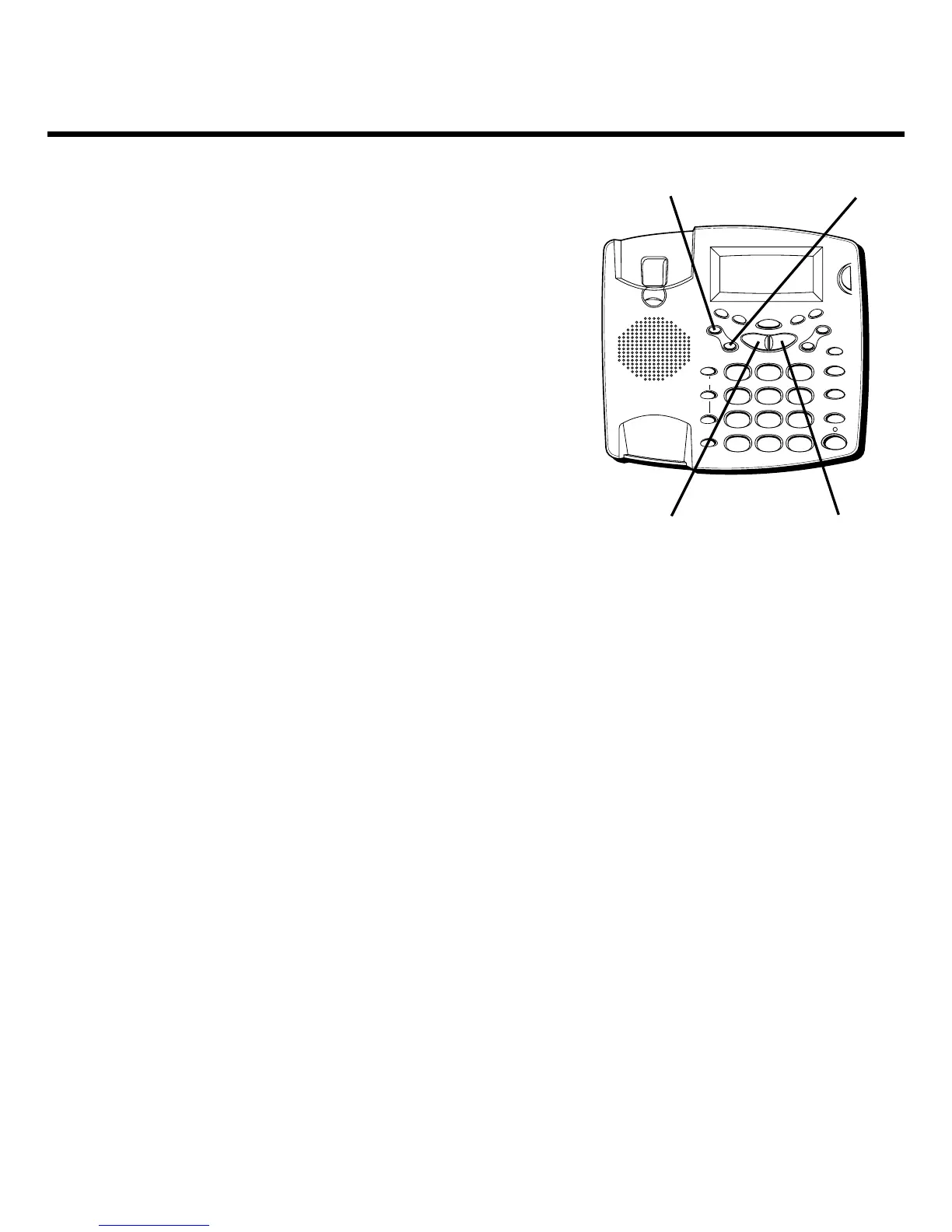
1. Press the STORE button.
ENTER TEL. NO.
is displayed.
2. Use the keypad to enter the phone number. If you
want to add spaces instead of dashes in the number,
it will dial correctly.
• To scoll forward or backward, use NEXT or PREVIOUS.
• To erase the current digit, press ERASE.
3. When finished, press STORE.
ENTER NAME
is
displayed.
4. Use the keypad to store a name (up to 16 characters).
More than one letter or character is available in each
of the number keys. For example, to enter the letter
“A,” press the 2 key once. For a “B,” press the same
key twice. For a “C,” press it three times.
• To add a space, press NEXT.
FLASH
REDIAL/PAUSE
HOLD
mic
ON/OFF
VOL -
VOL +
ERASE
MEM DIAL STORE
QUICK DIAL
MEM DIAL
SPEAKER
C
B
A
1
ABC
2
DEF
3
GHI
4
JKL
5
MNO
6
PQ
RS
7
TUV
8
WX
YZ
9
OPER
0
#
TONE
M
E
M
O
G
R
E
E
T
I
N
G
M
E
N
U
E
N
T
E
R
D
I
A
L
M
E
S
S
A
G
E
S
T
O
P
M
E
S
S
A
G
E
S
/
C
A
L
L
E
R
I
D
N
E
W
C
A
L
L
*
ERASE button STORE button
NEXT buttonPREVIOUS button



 To Next Page