35
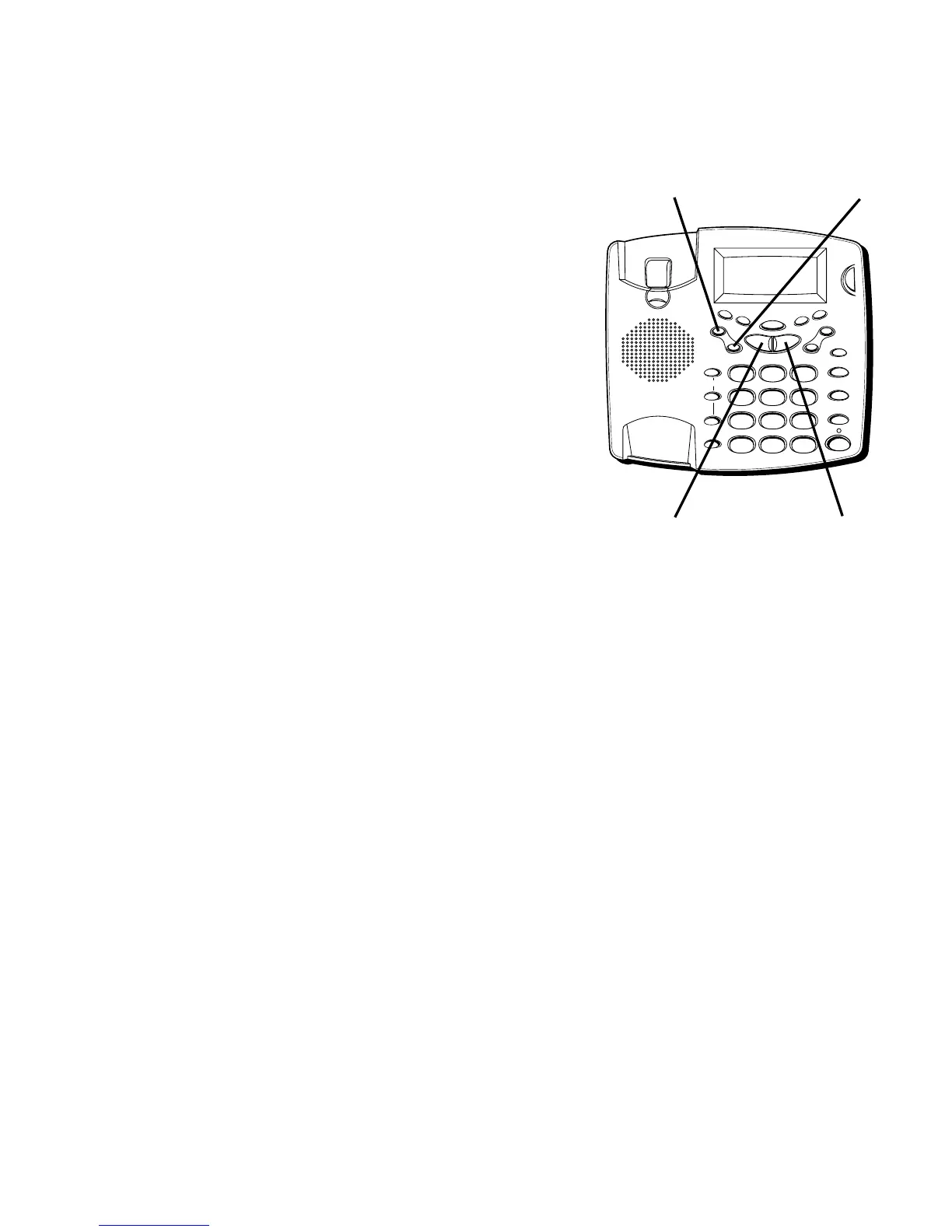
• To scoll forward or backward, use NEXT or PREVIOUS.
• To erase the current digit, press ERASE.
5. When finished, press STORE.
MEMORY LOCATION
is
displayed.
6. Press the memory location number (0-9 or A, B, C) to
store the number.
Example:
To store 1-123-555-1211 Al Smith, you would do the
following:
1. Press 1; press NEXT; press 1; press 2; etc.
2. When finished, press STORE.
3. To enter the name, press 2; press NEXT; press 5 (three
times); press NEXT (two times); press 7 (four times); etc.
4. When finished, press STORE.
5. Press the memory location number (0-9 or A,B,C)
to store.
FLASH
REDIAL/PAUSE
HOLD
mic
ON/OFF
VOL -
VOL +
ERASE
MEM DIAL STORE
QUICK DIAL
MEM DIAL
SPEAKER
C
B
A
1
ABC
2
DEF
3
GHI
4
JKL
5
MNO
6
PQ
RS
7
TUV
8
WX
YZ
9
OPER
0
#
TONE
M
E
M
O
G
R
E
E
T
I
N
G
M
E
N
U
E
N
T
E
R
D
I
A
L
M
E
S
S
A
G
E
S
T
O
P
M
E
S
S
A
G
E
S
/
C
A
L
L
E
R
I
D
N
E
W
C
A
L
L
*
ERASE button STORE button
NEXT buttonPREVIOUS button



 To Next Page