37
INSERTING A PAUSE IN THE DIALING
SEQUENCE
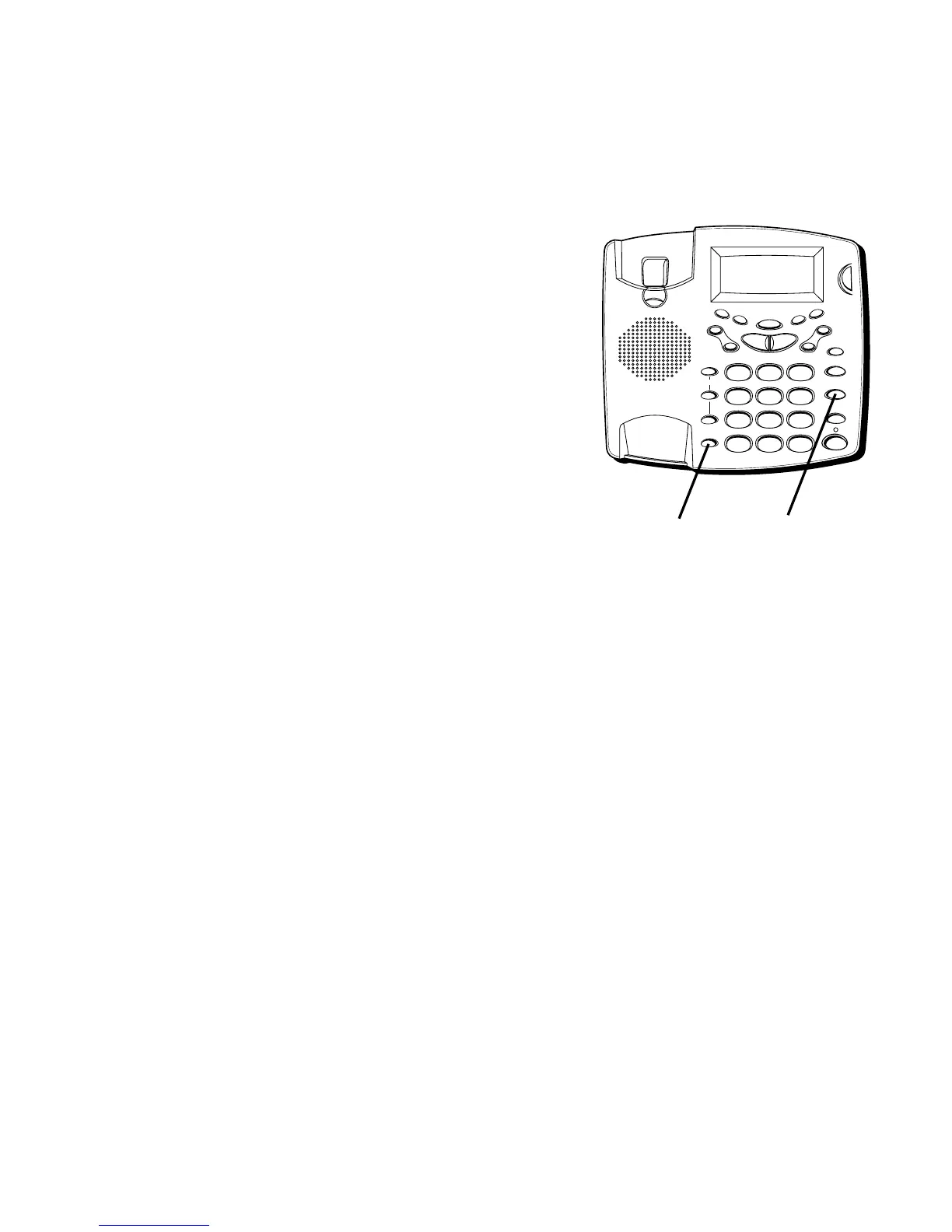
Press the REDIAL/PAUSE button to insert a delay in the
dialing sequence of a stored telephone number when a
pause is needed to wait for a dial tone (for example
after you dial 9 for an outside line, or to wait for a
computer access tone). Each pause counts as 1 digit in
the dialing sequence.
CHANGING A STORED NUMBER
Use the same procedure to change a stored number as
you do to store a number–you’re just replacing the
phone number with a different one.
DIALING A STORED NUMBER
1. Pick up the handset or press SPEAKER.
2. Press MEM DIAL.
MEMORY DIAL=?
is displayed.
3. Press the memory location number (0-9). The number
dials automatically.
FLASH
REDIAL/PAUSE
HOLD
mic
ON/OFF
VOL -
VOL +
ERASE
MEM DIAL STORE
QUICK DIAL
MEM DIAL
SPEAKER
C
B
A
1
ABC
2
DEF
3
GHI
4
JKL
5
MNO
6
PQ
RS
7
TUV
8
WX
YZ
9
OPER
0
#
TONE
M
E
M
O
G
R
E
E
T
I
N
G
M
E
N
U
E
N
T
E
R
D
I
A
L
M
E
S
S
A
G
E
S
T
O
P
M
E
S
S
A
G
E
S
/
C
A
L
L
E
R
I
D
N
E
W
C
A
L
L
*
REDIAL/
PAUSE button
MEM DIAL button



 To Next Page