19
MESSAGE VOLUME
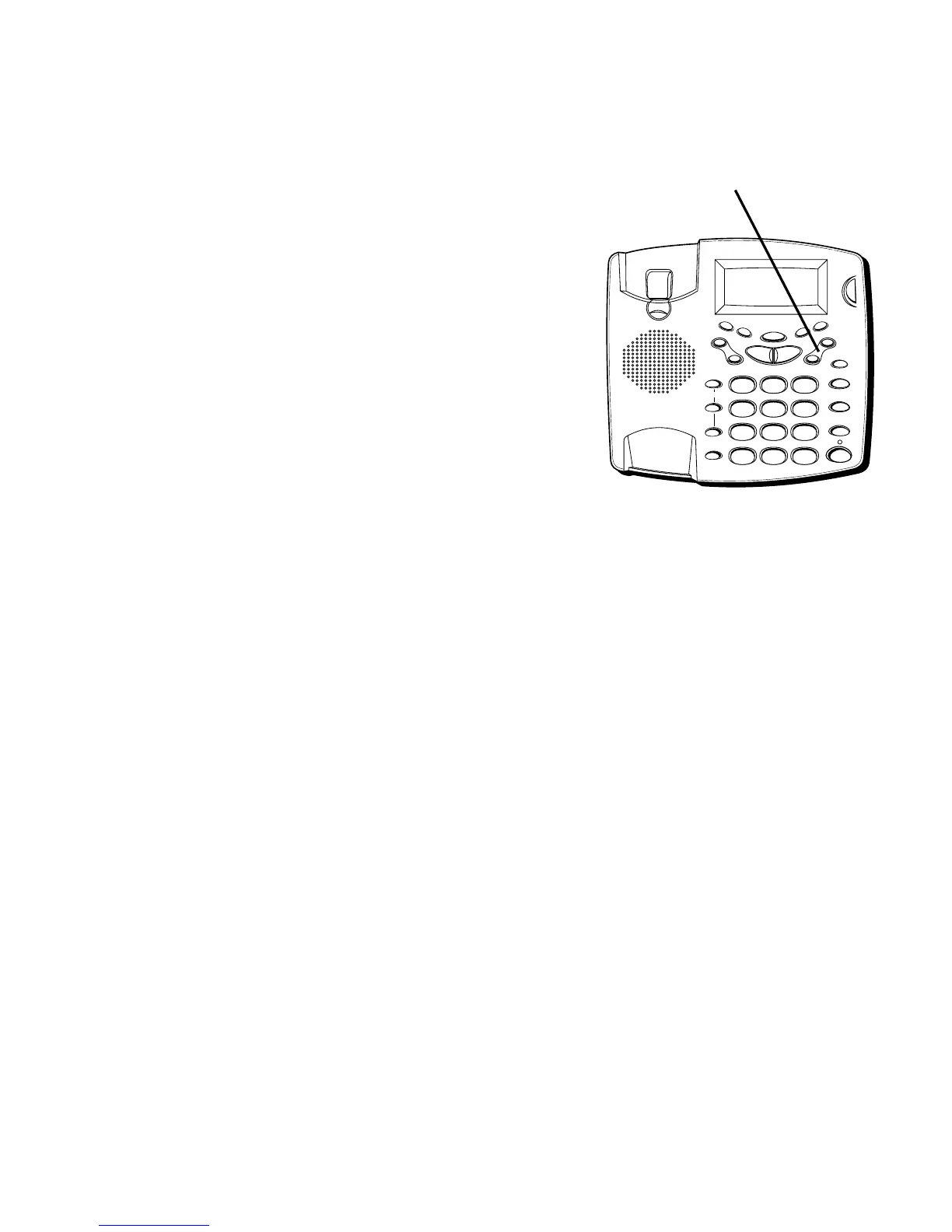
Use the VOL buttons to adjust the volume when playing
back messages and while reviewing or changing the setting.
RINGER VOLUME
Use the VOL buttons to adjust the loudness of the ringer
when the handset is in the cradle of the base. The phone
gives a sample ring when adjusting.
HANDSET VOLUME
Use the VOL buttons to adjust the handset listening
volume when it is not in the cradle of the base.
SPEAKERPHONE VOLUME
Use the VOL buttons to adjust the speakerphone
listening volume while it is in use.
VOL buttons
FLASH
REDIAL/PAUSE
HOLD
mic
ON/OFF
VOL -
VOL +
ERASE
MEM DIAL STORE
QUICK DIAL
MEM DIAL
SPEAKER
C
B
A
1
ABC
2
DEF
3
GHI
4
JKL
5
MNO
6
PQ
RS
7
TUV
8
WX
YZ
9
OPER
0
#
TONE
M
E
M
O
G
R
E
E
T
I
N
G
M
E
N
U
E
N
T
E
R
D
I
A
L
M
E
S
S
A
G
E
S
T
O
P
M
E
S
S
A
G
E
S
/
C
A
L
L
E
R
I
D
N
E
W
C
A
L
L
*



 To Next Page