27
ERASING CALLER ID INFO
You can erase a Caller ID record, leaving any
associated message.
• While the call info is displayed, press and release
ERASE. The unit erases the current Caller ID info and
the next record is displayed.
You can also erase all Caller ID records, leaving any
associated message.
• Press PREV when reviewing the first Caller ID record;
the unit displays
START OF LIST
. Then press ERASE,
and the unit displays
ERASE ALL CALLS?
Press
ERASE again to erase all Caller ID records. OR
• Press NEXT when reviewing the latest Caller ID
record; the unit displays
END OF LIST
. Then press
ERASE, and the unit displays
ERASE ALL CALLS?
Press ERASE again to erase all Caller ID records.
DIAL BACK
When reviewing Caller ID records, you can dial back the
number shown on the display by pressing the DIAL
button.
1. Use PREVIOUS or NEXT to display the Caller ID
number you want to dial.
2. Press DIAL.
3. Pick up the handset or press SPEAKER. The number
dials automatically.
FLASH
REDIAL/PAUSE
HOLD
mic
ON/OFF
VOL -
VOL +
ERASE
MEM DIAL STORE
QUICK DIAL
MEM DIAL
SPEAKER
C
B
A
1
ABC
2
DEF
3
GHI
4
JKL
5
MNO
6
PQ
RS
7
TUV
8
WX
YZ
9
OPER
0
#
TONE
M
E
M
O
G
R
E
E
T
I
N
G
M
E
N
U
E
N
T
E
R
D
I
A
L
M
E
S
S
A
G
E
S
T
O
P
M
E
S
S
A
G
E
S
/
C
A
L
L
E
R
I
D
N
E
W
C
A
L
L
*
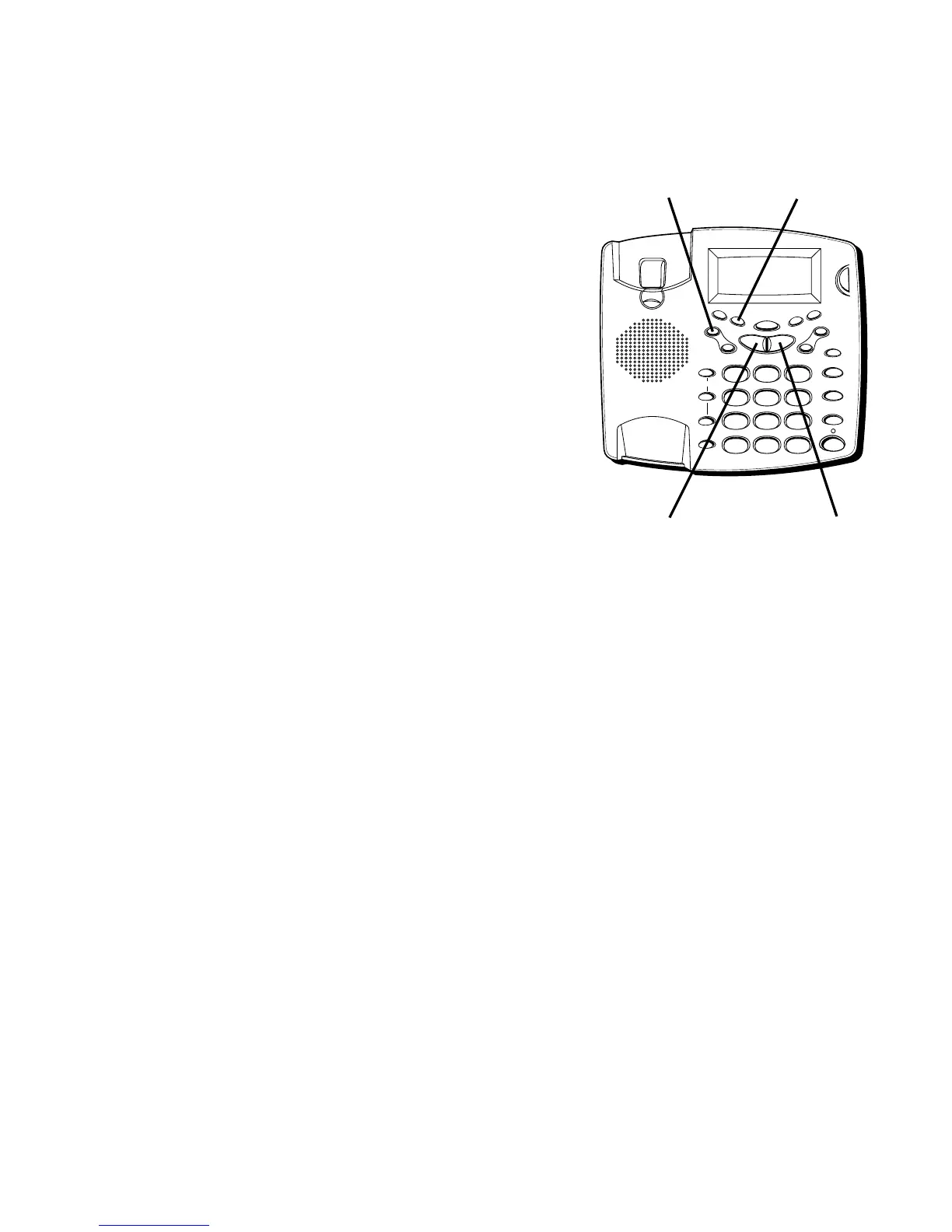
ERASE button DIAL button
NEXT buttonPREVIOUS button



 To Next Page