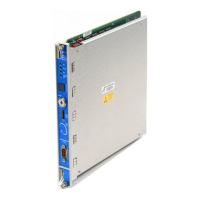
The 3500/20 Rack Interface Module (RIM) is a primary interface to the 3500 rack, used to configure the rack and retrieve machinery information. It must be located in slot 1 of the rack (next to the power supplies). The RIM provides connections needed to support current Bently Nevada Communications Processors (Transient Data Interface External (TDIX) and Dynamic Data Interface External (DDIX)). The RIM provides certain functions common to the entire rack, and its operation (or non-operation) affects the proper, normal operation of the overall monitoring system.
Function Description
The RIM facilitates communication and configuration for the 3500 monitoring system. It supports both standard monitoring applications and Triple Modular Redundant (TMR) configurations. The module includes various features such as rack reset, trip multiply, alarm inhibit, and an OK relay. Security features include password protection and a key switch. Communication ports include a front panel configuration port, rear panel host port, rear panel rack RS-422 port, and data manager ports.
Important Technical Specifications
- Inputs:
- Power Consumption: 4.75 watts maximum
- Data (Front panel, I/O modules): 38.4 kbaud maximum RS-232 serial communications; 38.4 kbaud maximum RS-232/RS-422 serial communications; 56 kbaud internal modem communications
- Outputs:
- Front Panel LEDs: OK (indicates RIM is operating properly), TX/RX (flashes at rate messages are sent), TM (indicates rack is in Trip Multiply mode), CONFIG OK (indicates configuration status).
- Data Manager I/O Dynamic Data Port: Provides Multiplexed Buffered Transducer signals through the Data Manager I/O Module. Output Impedance: 600 Ohms. The combined parallel impedance of all loads connected to Dynamic Data Port and Buffered Transducer outputs should be a maximum of 6K Ohms.
- Static Data Port: Makes Static Data available to Communication Processor. Output Impedance: 1K Ohms.
- I/O Module OK Relay: Relay to indicate when the 3500 rack is operating normally or when a fault has been detected within the rack.
- Max switched power: DC: 120 W, AC: 600 VA
- Max switched current: 5 A
- Min switched current: 100 mA @ 5 Vdc
- Max switched voltage: DC: 30Vdc, AC: 120 Vac
- Contact life: 100,000 @ 5 A, 24 Vdc or 120 Vac
- Environmental sealing: Epoxy sealed
- Normally closed contacts: Arc suppressors are provided (250 Vrms).
- Controls (Front Panel):
- Rack reset button: Clears latched alarms and Timed OK Channel Defeat in the rack. Performs same function as "Rack Reset" contact on I/O Module.
- Address switch: Used to set the rack address. 63 possible addresses.
- Configuration Keylock: Used to place 3500 rack in either RUN mode or PROGRAM mode. RUN mode allows for normal operation of the rack and locks out configuration changes. PROGRAM mode allows for normal operation of the rack and also allows for local or remote rack configuration. Key can be removed from rack in either position, allowing switch to remain in either RUN or PROGRAM positions. Locking switch in the RUN position allows you to restrict unauthorized rack configuration. Locking switch in PROGRAM position allows remote configuration of a rack at any time.
- I/O Module System Contacts:
- Trip multiply: Used to place 3500 rack in Trip Multiply.
- Alarm inhibit: Used to inhibit all alarms in the 3500 rack.
- Rack reset: Used to clear latched alarms and Timed OK Channel Defeat.
- Maximum Current: <1 mA DC, Dry Contact to Common.
- Communications:
- Front Panel: RS-232 only, Bently Nevada developed protocol, 38.4 kbaud maximum (auto baud capable).
- RS-232/RS-422 I/O Module: RS-232, RS-422, or external modem. Bently Nevada developed protocol. 38.4 kbaud maximum (auto baud capable). Permits data collection and 3500 rack configuration. Cable length: 30 m (100 ft) maximum for RS-232, 1200 m (4000 ft) maximum for RS-422. Consult modem manufacturer for typical 3.0 m (10 ft) modem cable length.
- Modem I/O Module: Hayes AT-compatible. Bently Nevada developed protocol. Up to 56k baud. Permits data collection and 3500 rack configuration. Cable length: 2.1 m (7 ft) maximum modem to phone jack.
- Rack Connector: RS-422 only. Bently Nevada developed protocol. 38.4 kbaud maximum. Allows multiple 3500 racks to be daisy chained together for communications with 3500 Host Software. Cable length: 1200 m (4000 ft) maximum.
- Data Manager I/O Module (2 sets of ports): Bently Nevada developed protocol. Bently Nevada developed protocol. 9600 baud only. Permits static and dynamic data collection by Bently Nevada Transient Data Interface External or Dynamic Data Interface External Communication Processors. Cable length: 3.0 m (10 ft) maximum.
- Environmental Limits:
- Rack Interface Module and RS232/RS422 I/O: Operating Temperature: -30° C to 65° C (-22° F to 150° F). Storage Temperature: -40° C to 85° C (-40° F to 185° F).
- Modem I/O Module: Operating Temperature: 0° C to 50° C (32° F to 122° F). Storage Temperature: -40° C to 85° C (-40° F to 185° F).
- Humidity: 95% non-condensing.
- Physical:
- RIM: Dimensions (Height x Width x Depth): 241.3 mm x 24.4 mm x 241.8 mm (9.50 in x 0.96 in x 9.52 in). Weight: 0.91 kg (2.0 lbs).
- RS-232/RS-422 I/O: Dimensions (Height x Width x Depth): 241.3 mm x 24.4 mm x 99.1 mm (9.50 in x 0.96 in x 3.90 in). Weight: 0.45 kg (1.0 lbs).
- Modem I/O: Dimensions (Height x Width x Depth): 241.3 mm x 24.4 mm x 99.1 mm (9.50 in x 0.96 in x 3.90 in). Weight: 0.45 kg (1.0 lbs).
- Data Manager I/O: Dimensions (Height x Width x Depth): 241.3 mm x 24.4 mm x 99.1 mm (9.50 in x 0.96 in x 3.90 in). Weight: 0.45 kg (1.0 lbs).
- Rack Space Requirements:
- RIM Main Board: 1 full-height front slot.
- RIM I/O Modules: 1 full-height rear slot.
- Data Manager I/O Modules: 1 full-height rear slot.
Usage Features
- Configuration: The RIM is configured using the Rack Configuration Software. This software allows setting operating parameters, configuring test utilities, and verifying input/output terminals.
- Rack Reset: The rack reset function can be initiated by the 3500 Rack Configuration/Display Software, Communication Gateway, hardware contact on the front of the RIM I/O module, or a push button switch on the front of the RIM. A rack reset sends a module reset command to every module in the rack.
- Rack Trip Multiply and Reset: Trip Multiply temporarily increases the alarm setpoint values in certain monitors. This can be invoked by shorting the TM pin to COM on the RIM I/O module or by selecting "Enable All" in the Trip Multiply screen in Rack Config. Group Trip Multiply allows applying the Trip Multiply feature to specific groups of monitors.
- Rack Alarm Inhibit: This feature prevents an alarm from being declared on any monitor or relay in a 3500 rack. It can be enabled by shorting the INHIB pin to COM on the RIM I/O module or using the Alarm Inhibit option under the Utilities menu in Rack Config.
- Connecting to a Host Computer: The RIM supports connecting to a host computer via RS-232 or RS-422, or an external modem. The communication rate is limited by the baud rate selected.
- Daisy Chaining: Multiple 3500 racks can be daisy-chained together using the RACK RS-422 port.
- LED Indicators: LEDs on the front panel indicate the operating status of the module (OK, TX/RX, TM, CONFIG OK) and I/O modules.
Maintenance Features
- Firmware Upgrades: The RIM firmware can be upgraded by following a specific procedure that involves saving the Rack Configuration Software, removing the RIM from the rack, removing the top shield, removing the original firmware IC, installing the upgrade firmware IC, replacing the top shield, and reconfiguring the RIM.
- Real-Time Clock Failure: The Real-Time Clock component uses an internal lithium battery that must be replaced every 3 to 10 years. A discharged battery may cause loss of operating information.
- Troubleshooting: The manual provides a comprehensive troubleshooting guide for various conditions, including:
- LED Fault Conditions: Describes how to use the LEDs to diagnose and correct problems (e.g., 1 Hz flash for not configured, 5 Hz for internal fault, ON for operating correctly, not flashing for not operating correctly).
- TM LED Conditions: Indicates if the rack is in Trip Multiply (due to hardware or software) or not.
- Config OK LED Conditions: Indicates configuration information validity, security options met, or configuration faults.
- System Event List Messages: Provides a list of event messages (e.g., Device Not Communicating, Flash Memory Failure, Real Time Clock Failure, Internal Network Failure, Resync Internal Network, Config Token Acquired/Released/Expired/Override, Fail Relay Coil Sense, I/O Module Mismatch, Rack Type Mismatch, HW Rack Alm Inh Active/Inactive, HW Trip Multiply Active/Inactive, HW override of SW TM, HW Rack Reset Active/Inactive, SW Rack Alm Inh Active/Inactive, SW Trip Multiply Active/Inactive, SW Rack Reset, Rack Address changed, Key Switch in Run Mode/Prgm Mode, Fail/Pass Main Board +5V-A/B/AB, Fail/Pass Main Board +15V-A/B/AB, Fail/Pass Main Board -24V-A/B/AB, Device Configured, Configuration Failure, Module Entered/Exited Cfg Mode, Software Switches Reset, Init Real Time Clock, Monitor TMR PPL Failed/Passed, Module Reboot, Module Removed/Inserted in Rack, Supply OK/Installed/Faulted/Removed, Rack/RIM Powered Down/Up, Modem Reinitialized, Device Events Lost, Module Alarms Lost, Rack Time Changed, Module Entered/Exited Calibr., Config Password Changed, Connect Password Changed).
- Alarm Event List Messages: Describes messages returned by different module types (Communication Gateway Module, Keyphasor Module, Monitor Module, Rack Interface Module, Relay Module) and their corresponding conditions (e.g., Entered not OK, Left not OK, Entered Alert/Alarm, Entered Danger/Alarm, Relay Activated/Deactivated).

 Need help?
 General

 To Next Page