EasyManua.ls Logo

GE MiCOM P40 Agile - User Manual

GE MiCOM P40 Agile
802 pages
Print Icon
To Next Page IconTo Next Page
Loading...
GE Energy Connections
Grid Solutions
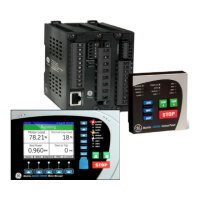
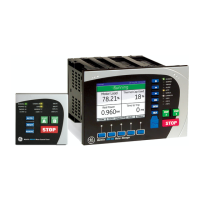
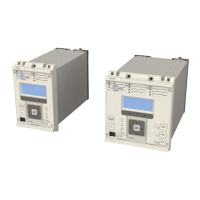
MiCOM P40 Agile
P543i/P545i
Technical Manual
Single Breaker Current Differential (with Distance)
Hardware Version: M
Software Version: 85
Publication Reference: P54x1i-TM-EN-1

Table of Contents

Questions and Answers

  • D
    Deborah DanielAug 15, 2025
    What to do if my GE MiCOM P40 Agile Control Unit resets after power-up and displays a record error code?
    • B
      Bryan JenkinsAug 15, 2025
      If your GE Control Unit resets after power-up and shows a record error code, restore the default settings by powering up the unit while pressing both horizontal cursor keys. Then, confirm the restoration of defaults at the prompt using the Enter key. If the unit powers up successfully, examine the programmable logic for any feedback paths. Other error codes may indicate software errors on the main processor board.
  • A
    Ashley DiazAug 18, 2025
    What to do if the measured analogue quantities do not seem correct on my GE MiCOM P40 Agile?
    • R
      Ronald CunninghamAug 19, 2025
      If the measured analogue quantities displayed by your GE Control Unit appear incorrect, compare them with the actual magnitudes at the terminals. Ensure that the correct terminals are in use. Also, verify that the CT and VT ratios are set correctly and check the phase displacement to confirm that the inputs are connected correctly.
  • K
    kristinagilbertAug 22, 2025
    What does it mean if the Out of Service LED is ON on my GE MiCOM P40 Agile?
    • X
      xgonzalezAug 22, 2025
      If the 'Out of Service' LED is illuminated on your GE Control Unit, it indicates that the relay might be in test mode or the protection has been disabled due to a hardware verify error.
  • D
    Daniel BryantAug 25, 2025
    What to do if the IED displays a message for corrupt settings on my GE Control Unit?
    • H
      harmonmarieAug 26, 2025
      If your GE Control Unit displays a message indicating corrupt settings, restore the default settings to allow the power-up sequence to complete. After the unit powers up with default settings, reapply the application-specific settings.
  • J
    James JonesAug 28, 2025
    Why my GE MiCOM P40 Agile does not appear to power up?
    • W
      William ClementsAug 28, 2025
      If your GE Control Unit does not seem to power up, take the following steps: 1. Measure the auxiliary voltage on terminals 1 and 2, and verify that the voltage level and polarity match the rating label on the front (Terminal 1 is –dc, 2 is +dc). If the auxiliary voltage is correct, proceed to test 2. Otherwise, inspect the wiring and fuses in the auxiliary supply. 2. Check if the LEDs and LCD backlight illuminate at power-up, and also check the N/O (normally open) watchdog contact for closing. If the LEDs and LCD backlight do not switch on and the contact does not close, proceed to test 3. 3. Check the output (nominally 48 V DC). If there is no field voltage, the fault is probably in the IED power supply module.
  • D
    Dawn ThomasSep 1, 2025
    What to do if my GE MiCOM P40 Agile performs a self-test during power-up and detects an error?
    • L
      Logan LopezSep 1, 2025
      If your GE Control Unit performs a self-test during power-up and detects an error, record the displayed error. Then, remove and re-apply the IED auxiliary supply and record whether the same error code appears after rebooting the IED. If the same code is displayed, proceed to test 3.
  • E
    emontgomerySep 4, 2025
    What causes a signalling failure alarm on a GE Control Unit?
    • D
      David DavidSep 4, 2025
      A signalling failure alarm on your GE Control Unit can occur in dual redundant or three terminal schemes. Possible causes include a disconnected fibre, incorrect device configuration at one of the ends, or a problem with the communications equipment.
  • J
    johnsnyderSep 7, 2025
    What does 'C diff failure alarm' mean on my GE MiCOM P40 Agile?
    • D
      Daniel JordanSep 7, 2025
      A 'C diff failure alarm' on your GE Control Unit means that the current differential/distance protection is unavailable, and backup protection will operate if it is configured to do so.
  • M
    Melissa AllenSep 12, 2025
    What does 'Incompatible IED' mean on my GE MiCOM P40 Agile Control Unit?
    • J
      James PalmerSep 12, 2025
      An 'Incompatible IED' message on your GE Control Unit indicates that the IEDs attempting to communicate with each other are of incompatible types.

GE MiCOM P40 Agile Specifications

General IconGeneral
Rated Frequency50/60 Hz
Frequency45-65 Hz
CT Burden< 0.1 VA per phase
Communication ProtocolsIEC 61850, Modbus, DNP3
Storage Temperature-40°C to +85°C
Current Input1A / 5A
Communication PortsEthernet, RS485
DisplayLCD
Protection FunctionsOvercurrent, Earth Fault, Voltage, Frequency
HumidityUp to 95% non-condensing
Power Supply110-240V AC/DC

Related product manuals