EasyManua.ls Logo

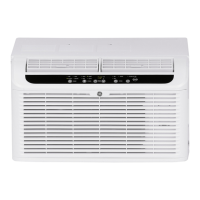
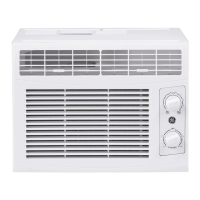
GE AHLC05CA - User Manual

GE AHLC05CA
32 pages
Print Icon
To Next Page IconTo Next Page
Loading...
Write the model and serial
numbers here:
Model # _________________
Serial # _________________
You can find the rating label on the
side of the air conditioner.
GE is a trademark of the General Electric Company. Manufactured under trademark license.
OWNER’S MANUAL
AIR CONDITIONER
ROOM
49-5000718 Rev. 0 11-22 GEA
SAFETY INFORMATION .........3
USING THE AIR CONDITIONER
Temperature Control ...................5
Air Direction ..........................5
CARE AND CLEANING
Grille and Case ........................6
Air Filter ..............................6
Outdoor Coils .........................6
INSTALLATION INSTRUCTIONS
Before you begin ......................7
Electrical Requirements ................7
Parts Included .........................8
Window Requirements .................9
Prepare the Air Conditioner .............9
Install the Air Conditioner ..............10
TROUBLESHOOTING TIPS ......12
Normal Operating Sounds .............13
CONSUMER SUPPORT
Limited Warranty .....................15
Consumer Support ....................16
AHLC05CA
ENGLISH/ESPAÑOL
Question and Answer IconNeed help?

Do you have a question about the GE AHLC05CA and is the answer not in the manual?

Overview

This document is an owner's manual for a GE Appliances Room Air Conditioner, model AHLC05CA. It provides comprehensive information on the safe operation, installation, maintenance, and troubleshooting of the appliance, along with warranty and customer support details.

Function Description:

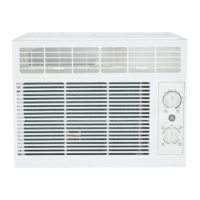
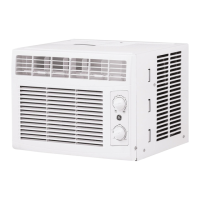
The GE Appliances Room Air Conditioner is designed to provide cooling and air circulation for a room. It features adjustable temperature control and air direction to optimize comfort. The unit can operate in various modes, including cooling (HCool, LCool) and fan-only (HFan, LFan) for circulation and filtering without cooling.

Important Technical Specifications:

  • Electrical Requirements: The appliance requires a 115/120-volt AC, 60 Hz grounded outlet, protected by a 15-amp time-delay fuse or circuit breaker. The power cord is equipped with a 3-prong (grounding) plug and includes a current interrupter device with TEST and RESET buttons for safety. It is crucial not to use extension cords, surge protectors, or multi-outlet adapters with this unit.
  • Window Requirements: The air conditioner is designed for standard double-hung windows. The window opening width should be between 21 7/8" and 36". For storm windows, a wood piece (2" wide, 1/2" thick) may be required to ensure proper installation and tilt.
  • Cooling Capacity: While not explicitly stated in BTU, the temperature control dial ranges from 1 (Min Cool) to 10 (Max Cool), indicating varying levels of cooling provided.

Usage Features:

  • Temperature Control: A rotary dial allows users to select the desired cooling level from 1 (least cooling) to 10 (most cooling).
    • Normal Cooling: Select 4-7 on the dial with HCool or LCool mode.
    • Maximum Cooling: Select 8-10 on the dial with HCool mode.
    • Quieter and Nighttime Cooling: Select 1-3 on the dial with LCool mode.
  • Mode Control:
    • HCool and LCool: Provide cooling with different fan speeds (High Cool and Low Cool, respectively).
    • HFan and LFan: Provide air circulation and filtering without cooling (High Fan and Low Fan, respectively).
    • Note: If switching from a cool setting to a fan setting or powering off while cooling, a 3-minute wait is recommended before switching back to a cool setting to protect the compressor.
  • Air Direction: A lever allows users to adjust the air direction from left to right, enabling customized airflow within the room.
  • Normal Operating Sounds: The manual describes typical sounds users might hear, such as a pinging noise from water hitting the condenser, a thermostat click, water overflow/drip from the outdoor side, and compressor operation sounds. Water droplets being thrown against the outdoor coils is a design feature to remove moisture and improve efficiency.

Maintenance Features:

  • Grille and Case: The grille and case should be cleaned by unplugging the unit and using water and a mild detergent. Bleach or abrasives should not be used.
  • Air Filter: The air filter, located behind the front grille, should be checked and cleaned at least every 30 days or more often if necessary. To clean, slide the filter out, wash with warm, soapy water, rinse, and let it dry before replacing. Do not operate the air conditioner without the filter, as dirt and lint can clog it and reduce performance.
  • Outdoor Coils: The coils on the outdoor side of the air conditioner should be checked regularly. If they are clogged with dirt or soot, they should be professionally cleaned.
  • Subbase Water Plug: To ensure maximum efficiency, the rubber drain plug in the subbase should be properly inserted. This plug can be removed during operation to minimize water in the back of the unit; however, removing it will lower the efficiency. Drilling a hole in the base pan is not recommended.

Installation Instructions:

The manual provides detailed instructions for installation, including:

  • Before You Begin: Emphasizes important safety information, electrical requirements, and a list of included parts (air conditioner, foam top window gasket, side curtain frame, side curtains, screws, side brackets, window locking bracket).
  • Window Requirements: Specific dimensions and considerations for installing in double-hung and storm windows.
  • Preparing the Air Conditioner: Instructions for attaching the top mounting rail and sliding in the side curtain panels.
  • Installing the Air Conditioner in the Window: Step-by-step guide on centering the unit, securing it with the window, installing side brackets, and extending curtain panels.
  • Installing Window Locking Bracket and Foam Top Window Gasket: Instructions for securing the window and sealing gaps to prevent air and insect entry.

Troubleshooting Tips:

A comprehensive troubleshooting section helps users diagnose and resolve common issues such as:

  • Air conditioner not turning on (unplugged, tripped fuse/breaker, power interruption, current interrupter device activated).
  • Air conditioner not cooling properly (restricted airflow, incorrect temperature setting, dirty air filter, hot room, cold air escaping, frozen cooling coils).
  • Water dripping outside or inside the room (normal in humid weather, improper tilt of the unit).
  • Water accumulation in the base pan (normal for humidity removal).

Consumer Support:

The manual includes information on:

  • Limited Warranty: A one-year warranty covering repair, replacement, or refund for defects in materials or workmanship.
  • Register Your Appliance: Online registration is encouraged, and a pre-printed registration card is included.
  • Parts and Accessories: Information on ordering parts online or by phone.
  • Contact Us: Details for reaching customer support via phone or website for service, questions, or comments.

GE AHLC05CA Specifications

General IconGeneral
BrandGE
ModelAHLC05CA
CategoryAir Conditioner
LanguageEnglish

Related product manuals