EasyManua.ls Logo

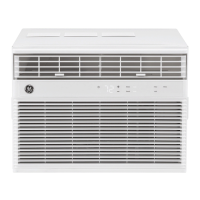
GE AHC18 - User Manual

GE AHC18
36 pages
Print Icon
To Next Page IconTo Next Page
Loading...
Write the model and serial
numbers here:
Model # _________________
Serial # _________________
You can find the rating label on the
left side of the air conditioner.
GE is a trademark of the General Electric Company. Manufactured under trademark license.
OWNER’S MANUAL
AIR CONDITIONER
ROOM
49-5000445 Rev. 2 01-20 GEA
AHC18
AHC24
SAFETY INFORMATION .........3
USING THE AIR CONDITIONER
Controls ..............................4
Remote Control .......................5
Cool Mode ............................5
Energy Saver Mode ....................5
Air Direction ..........................6
CARE AND CLEANING
Grille and Case ........................6
Air Filter ..............................6
Outdoor Coils .........................6
Install Batteries in Remote ..............6
INSTALLATION INSTRUCTIONS
Before you begin ......................7
Electrical Requirements ................7
Parts Included .........................8
Window Requirements .................9
Prepare the Air Conditioner .............9
Prepare the Window ..................10
Install the Outer Case ................. 11
Install the Air Conditioner ..............12
TROUBLESHOOTING TIPS ......13
Normal Operating Sounds .............14
WIFI SETUP ......................14
CONSUMER SUPPORT
Limited Warranty .....................17
Consumer Support ....................18

Questions and Answers

Summary

Important Safety Information

General Safety Warnings

Follow safety information to minimize risk of fire, electric shock, or personal injury.

Extension Cord Usage Precautions

Do not use extension cords with this window air conditioner due to fire risk.

Electrical Connection Guidelines

Ensure proper grounding, use dedicated outlets, and test the power cord interrupter.

Battery Safety Precautions

Handle lithium button/coin cell batteries with care to prevent severe internal burns.

Using the Air Conditioner

Control Panel Overview

Details the functions of the air conditioner's control panel buttons and display.

Remote Control Operation

Explains how to use the remote control for various functions.

Cool Mode Operation

Guides on using Cool mode for temperature setting and cooling descriptions.

Eco Mode Operation

Explains how Eco mode controls the fan for energy efficiency.

Fan Only Mode Operation

Details using Fan Only mode for air circulation and filtering without cooling.

Auto Fan Mode Operation

Describes setting Auto fan speed for optimal comfort based on temperature.

Care and Cleaning

Grille and Case Cleaning

Instructions for cleaning the air conditioner's grille and exterior case.

Air Filter Maintenance

Guide on checking, cleaning, and replacing the air filter for optimal performance.

Outdoor Coil Cleaning

Recommendations for checking and cleaning the outdoor unit's coils.

Remote Control Battery Replacement

Step-by-step guide for inserting batteries into the remote control.

Installation Instructions

Installation Preparation Checklist

Important steps and considerations before starting the installation process.

Electrical Requirements for Installation

Details necessary electrical connections, outlet types, and circuit protection.

Tools Required for Installation

Lists the essential tools needed to successfully install the air conditioner.

Included Installation Parts

Lists all parts provided with the air conditioner for installation.

Window Requirements for Installation

Specifies standard window requirements and dimensions for installation.

Storm Window Installation Adjustments

Instructions for adapting installation for storm windows to ensure proper drainage.

Preparing the Air Conditioner Unit

Steps to prepare the main unit for installation, including removing the front panel.

Preparing the Outer Case

Steps to prepare the outer case and attach side curtain assemblies.

Preparing the Window Opening

Instructions for measuring and applying weather seals to the window.

Installing the Outer Case

Guides on placing and securing the outer case in the window opening.

Completing the Installation

Final steps including inserting foam seals and attaching window lock brackets.

Reinstalling the Air Conditioner Chassis

Instructions for sliding the main unit back into the case and securing it.

Troubleshooting Tips

Troubleshooting: Unit Not Starting

Diagnose and resolve issues when the air conditioner does not power on.

Troubleshooting: Insufficient Cooling

Identify causes and solutions for poor cooling performance.

Troubleshooting: Freezing Coils

Address issues related to the air conditioner's coils freezing up.

Troubleshooting: External Water Dripping

Understand normal water dripping from the exterior.

Troubleshooting: Internal Water Dripping

Understand normal water dripping inside the unit.

Troubleshooting: Base Pan Water Collection

Explanation of water collection in the base pan.

Understanding Normal Operating Sounds

Describes common sounds the air conditioner makes during operation.

WiFi Setup and Connectivity

WiFi Setup Process

Explains the process of connecting the air conditioner via the GE Appliances App.

Getting Started with WiFi Connect

Steps to download the app and connect your air conditioner to WiFi.

FCC;IC Compliance Information

Details regulatory compliance statements for the device.

Limited Warranty Information

Consumer Support

GE Appliances Website Resources

Information on accessing the GE Appliances website for support and product information.

Registering Your Appliance

Instructions for registering your new appliance online for enhanced service.

Scheduling Service Appointments

Guidance on how to schedule expert repair service online or by phone.

Purchasing Extended Warranties

Information on buying extended warranties and discounts.

Remote Connectivity Support

Assistance for models with remote enable and wireless network connectivity.

Ordering Parts and Accessories

How to order parts and accessories for your appliance.

Contacting Consumer Support

Information on how to contact GE Appliances if unsatisfied with service.

Summary

Important Safety Information

General Safety Warnings

Follow safety information to minimize risk of fire, electric shock, or personal injury.

Extension Cord Usage Precautions

Do not use extension cords with this window air conditioner due to fire risk.

Electrical Connection Guidelines

Ensure proper grounding, use dedicated outlets, and test the power cord interrupter.

Battery Safety Precautions

Handle lithium button/coin cell batteries with care to prevent severe internal burns.

Using the Air Conditioner

Control Panel Overview

Details the functions of the air conditioner's control panel buttons and display.

Remote Control Operation

Explains how to use the remote control for various functions.

Cool Mode Operation

Guides on using Cool mode for temperature setting and cooling descriptions.

Eco Mode Operation

Explains how Eco mode controls the fan for energy efficiency.

Fan Only Mode Operation

Details using Fan Only mode for air circulation and filtering without cooling.

Auto Fan Mode Operation

Describes setting Auto fan speed for optimal comfort based on temperature.

Care and Cleaning

Grille and Case Cleaning

Instructions for cleaning the air conditioner's grille and exterior case.

Air Filter Maintenance

Guide on checking, cleaning, and replacing the air filter for optimal performance.

Outdoor Coil Cleaning

Recommendations for checking and cleaning the outdoor unit's coils.

Remote Control Battery Replacement

Step-by-step guide for inserting batteries into the remote control.

Installation Instructions

Installation Preparation Checklist

Important steps and considerations before starting the installation process.

Electrical Requirements for Installation

Details necessary electrical connections, outlet types, and circuit protection.

Tools Required for Installation

Lists the essential tools needed to successfully install the air conditioner.

Included Installation Parts

Lists all parts provided with the air conditioner for installation.

Window Requirements for Installation

Specifies standard window requirements and dimensions for installation.

Storm Window Installation Adjustments

Instructions for adapting installation for storm windows to ensure proper drainage.

Preparing the Air Conditioner Unit

Steps to prepare the main unit for installation, including removing the front panel.

Preparing the Outer Case

Steps to prepare the outer case and attach side curtain assemblies.

Preparing the Window Opening

Instructions for measuring and applying weather seals to the window.

Installing the Outer Case

Guides on placing and securing the outer case in the window opening.

Completing the Installation

Final steps including inserting foam seals and attaching window lock brackets.

Reinstalling the Air Conditioner Chassis

Instructions for sliding the main unit back into the case and securing it.

Troubleshooting Tips

Troubleshooting: Unit Not Starting

Diagnose and resolve issues when the air conditioner does not power on.

Troubleshooting: Insufficient Cooling

Identify causes and solutions for poor cooling performance.

Troubleshooting: Freezing Coils

Address issues related to the air conditioner's coils freezing up.

Troubleshooting: External Water Dripping

Understand normal water dripping from the exterior.

Troubleshooting: Internal Water Dripping

Understand normal water dripping inside the unit.

Troubleshooting: Base Pan Water Collection

Explanation of water collection in the base pan.

Understanding Normal Operating Sounds

Describes common sounds the air conditioner makes during operation.

WiFi Setup and Connectivity

WiFi Setup Process

Explains the process of connecting the air conditioner via the GE Appliances App.

Getting Started with WiFi Connect

Steps to download the app and connect your air conditioner to WiFi.

FCC;IC Compliance Information

Details regulatory compliance statements for the device.

Limited Warranty Information

Consumer Support

GE Appliances Website Resources

Information on accessing the GE Appliances website for support and product information.

Registering Your Appliance

Instructions for registering your new appliance online for enhanced service.

Scheduling Service Appointments

Guidance on how to schedule expert repair service online or by phone.

Purchasing Extended Warranties

Information on buying extended warranties and discounts.

Remote Connectivity Support

Assistance for models with remote enable and wireless network connectivity.

Ordering Parts and Accessories

How to order parts and accessories for your appliance.

Contacting Consumer Support

Information on how to contact GE Appliances if unsatisfied with service.

GE AHC18 Specifications

General IconGeneral
BrandGE
ModelAHC18
CategoryAir Conditioner
LanguageEnglish

Related product manuals