EasyManua.ls Logo

GE AHD08 - User Manual

GE AHD08
36 pages
Print Icon
To Next Page IconTo Next Page
Loading...
Write the model and serial
numbers here:
Model # _________________
Serial # _________________
You can find the rating label on the
side of the air conditioner.
GE is a trademark of the General Electric Company. Manufactured under trademark license.
OWNER’S MANUAL
AIR CONDITIONER
ROOM
49-7778-2 09-19 GEA
SAFETY INFORMATION .........3
USING THE AIR CONDITIONER
Controls ..............................4
CARE AND CLEANING ...........8
INSTALLATION INSTRUCTIONS
Before you begin ......................9
Electrical Requirements ................9
Parts Included ........................10
Window Requirements ................ 11
Prepare the Air Conditioner ............ 11
Install the Air Conditioner ..............12
TROUBLESHOOTING TIPS ......14
Normal Operating Sounds .............15
CONSUMER SUPPORT
Limited Warranty .....................17
Consumer Support ....................18
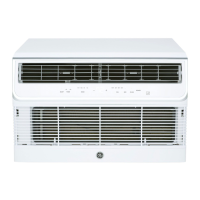
AHD06
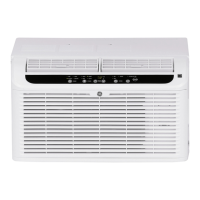
AHD08

Questions and Answers

GE AHD08 Specifications

General IconGeneral
BrandGE
ModelAHD08
CategoryAir Conditioner
LanguageEnglish

Summary

Important Safety Information

Electrical Connection Safety

Details proper grounding, plug usage, and the current interrupter device for safe electrical connection.

Using the Air Conditioner

Control Panel Functions

Explains operation of mode selection (Fan, Cool, Energy Save, Dehum) and fan speed settings.

Timer and Sleep Functions

Details setting timers, sleep mode, temperature adjustments, and filter reset indicator.

Remote Control Operation

Guides on using the remote control for power, speed, mode, timers, temp, sleep, and other functions.

Air Direction Control

Explains how to adjust louvers for cooling capacity and airflow direction (4-Way Air Flow).

Care and Cleaning

Air Filter Cleaning Procedure

Step-by-step guide for removing, cleaning, and replacing the air filter.

Front Panel Cleaning Procedure

Instructions for cleaning the front panel using a soft cloth and avoiding harsh chemicals.

Installation Instructions

Installation Pre-requisites and Warnings

Covers reading instructions, importance of proper installation, and skill level required.

Electrical Requirements for Installation

Details voltage, frequency, outlet type, fuse/breaker requirements, and grounding.

Required Tools for Installation

Lists the tools necessary for the proper installation of the air conditioner.

Included Parts and Components

Illustrates and lists all parts included with the air conditioner for installation.

Window Requirements for Installation

Specifies requirements for standard double-hung windows and narrow windows.

Storm Window Installation Adjustments

Provides guidance on adjusting for storm windows to ensure proper drainage.

Preparing the Air Conditioner Unit

Details installing the top mounting rail and side curtain panels.

Installing Air Conditioner in Window

Step-by-step instructions for measuring, placing, leveling, and securing the unit in the window.

Window Locking Bracket and Gasket Installation

Guides on installing the window locking bracket and foam gasket for a secure seal.

Troubleshooting Tips

Troubleshooting Common Problems

Addresses issues like unit not starting, remote control not working, and cooling problems.

Understanding Normal Operating Sounds

Explains common sounds like pinging, thermostat clicks, and fan operation.

Limited Warranty

GE Appliances Air Conditioner Limited Warranty

Details the one-year limited warranty, coverage, exclusions, and how to make a claim.

Consumer Support

GE Appliances Website and Online Resources

Provides information on the GE Appliances website, registration, service scheduling, and extended warranties.

Contacting Consumer Support

Offers ways to contact GE Appliances for assistance, including website and mailing address.

Related product manuals