EasyManua.ls Logo

GE AvantaPure Professional Series - User Manual

GE AvantaPure Professional Series
58 pages
Print Icon
To Next Page IconTo Next Page
Loading...
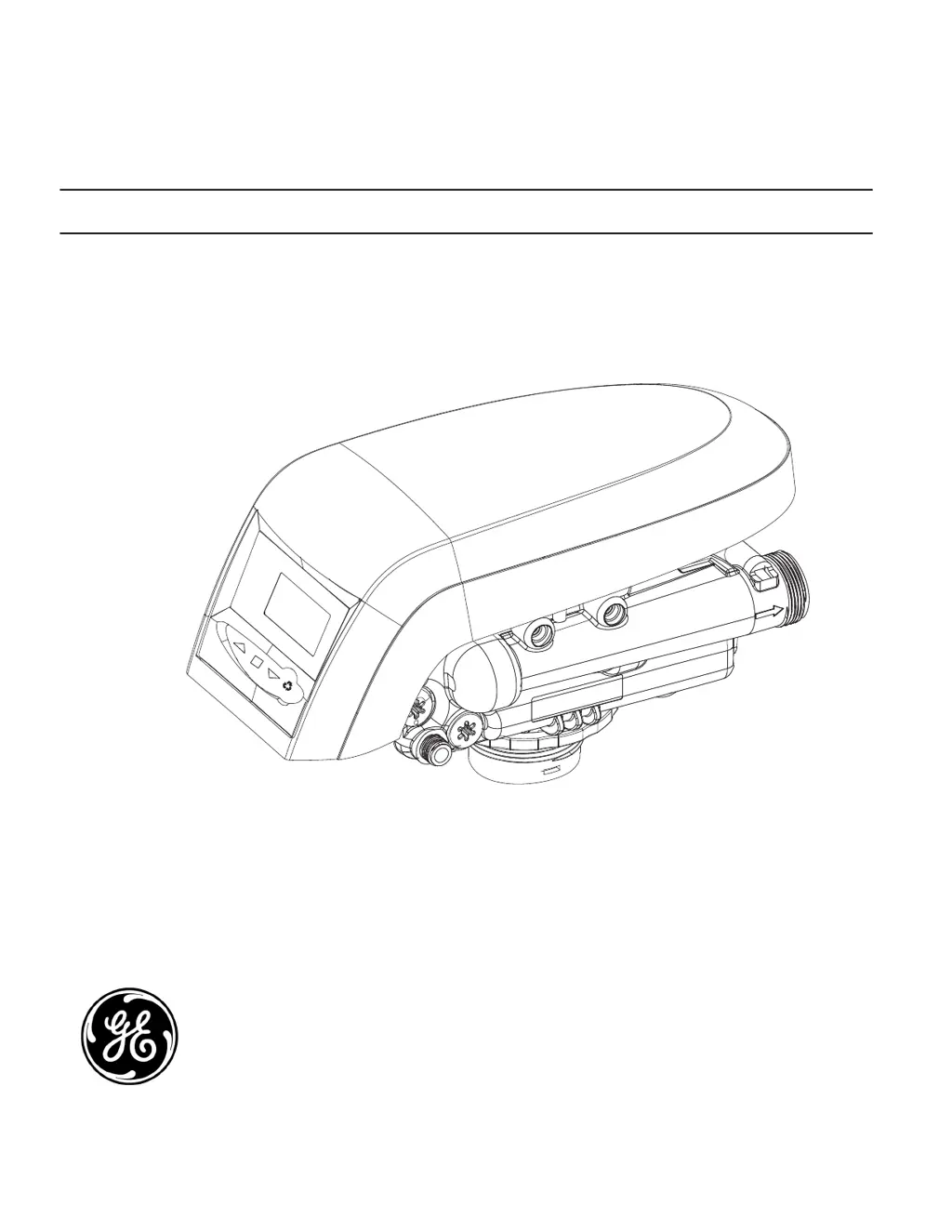
Models: 268 Co-Current Conditioner
263 Three-Cycle Filter
AvantaPure
®
Professional Series
Water Treatment System by GE
Operations Manual
Writers Note: NEED NEW IMAGE

Questions and Answers

  • R
    Ricky RochaSep 9, 2025
    What causes hard water leakage after regeneration in my GE Water Filtration System?
    • G
      gpatrickSep 9, 2025
      If you're experiencing hard water leakage after regeneration with your GE Water Filtration System, it could be due to several factors: improper regeneration, leaking of the external bypass valve, a damaged O-ring around the riser pipe, or an incorrect capacity. Repeat regeneration after making certain correct regenerant dosage was set.
  • V
    Valerie BrownAug 23, 2025
    Why is my GE Water Filtration System using more or less salt than the regenerant setting?
    • R
      Randy WeberAug 23, 2025
      If your GE Water Filtration System is using more or less salt than the regenerant setting, it could be due to foreign matter in the valve causing incorrect flow rates. To resolve this, remove the brine control and flush out any foreign matter. Then, advance the control to the brine/slow rinse setting to clean the valve, and finally, position the control to "fast rinse” to remove regenerant from the tank.
  • R
    Robert RobinsonAug 25, 2025
    What to do if my GE Water Filtration System control will not draw brine?
    • R
      Rachel LawsonAug 26, 2025
      If the control in your GE Water Filtration System won't draw brine, possible causes include low water pressure, a restricted drain line, a plugged injector, a defective injector, valve disc 2 and/or 3 not closed, or the air check valve prematurely closed. You can correct the setting according to the instructions for low water pressure, remove the restriction for a restricted drain line, clean the injector and screen for a plugged injector. Also you should remove foreign matter from disc and check disc for closing by pushing in on stem. If needed, replace the disc and put control momentarily into brine refill. Replace or repair air check if needed.
  • R
    Ryan RosalesAug 27, 2025
    What to do if my GE Water Filtration System control will not regenerate automatically?
    • H
      Hunter MonroeAug 27, 2025
      If your GE Water Filtration System control does not regenerate automatically, it might be because the AC adapter or motor is not connected, so connect the power. It could also be due to a defective motor.
  • S
    serranorandallAug 28, 2025
    What to do if my GE Water Filtration System valve will not draw brine?
    • S
      sharonyoungAug 28, 2025
      If the valve in your GE Water Filtration System won't draw brine, it may be due to low water pressure, a restricted drain line, a plugged injector, a defective injector, or the air check valve closing prematurely on the brine pickup tube. To address this, set the pump to maintain 20 psi at the softener for low water pressure. Change the drain to remove any restrictions for a restricted drain line. Clean the injector and screen for a plugged injector and put control momentarily into brine/slow rinse. Replace or repair air check if needed.
  • C
    Cassandra OsbornAug 29, 2025
    Why is my GE Water Filtration System control regenerating at the wrong time of day?
    • J
      jodibaldwinAug 29, 2025
      If your GE Water Filtration System's control is regenerating at the wrong time of day, it's likely that the controller is set incorrectly. Correct the time setting according to the instructions.
  • B
    Bradley LopezSep 18, 2025
    What does ERR 1 mean on my GE Water Filtration System?
    • R
      Robert KellySep 18, 2025
      If ERR 1 is displayed on your GE Water Filtration System, it indicates that program settings have been corrupted. Press any key and reset the model number.
  • S
    Steven JonesSep 18, 2025
    How do I correct the time of day on my GE Water Filtration System?
    • K
      Kristy AlexanderSep 19, 2025
      If the time of day is incorrect on your GE Water Filtration System, it's likely due to a power failure. Press SET to reset the time display.
  • K
    Kristin AlexanderSep 8, 2025
    What causes flowing or dripping water at the drain or brine line after regeneration in my GE Water Filtration System?
    • E
      Edward White PhDSep 8, 2025
      If you notice flowing or dripping water at the drain or brine line after regeneration in your GE Water Filtration System, it could be due to a weak valve stem return spring or debris preventing the valve disc from closing. Remove debris.
  • M
    mmosleySep 4, 2025
    What to do if my GE Water Filtration System shows no water flow display when water is flowing?
    • A
      amy71Sep 4, 2025
      If your GE Water Filtration System displays no water flow when water is flowing, it could be because the bypass valve is in bypass, so shift the bypass valve to the not-in-bypass position. Alternatively, the meter probe might be disconnected or not fully connected to the meter housing, so fully insert the probe into the meter housing. Finally, there could be restricted meter turbine rotation due to foreign material in the meter, so remove the meter housing, free up the turbine, and flush with clean water, ensuring the turbine spins freely.

Summary

How To Use This Manual

Manual Overview and Icons

Overview of manual usage, important icons, introduction, and included parts for system operation.

General Warnings And Safety Information

Electrical Safety

Details critical safety warnings and precautions related to electrical connections and power sources for the system.

General Operational Guidelines

Component Handling and Weight Warnings

Provides guidelines for safely handling system components and highlights warnings regarding excessive weight during installation.

System Operation Cycle Functions

Cycle Water Flows

Equipment Installation

Valve Layout

Diagram and description of the valve components and their layout for installation purposes.

Control Layout

Model Number Specifications

Location Selection Criteria

Site Requirements and Warnings

Details site requirements for installation, including temperature, pressure, and essential warnings for proper placement.

System Dimensions

Typical System Layout Diagram

Salt Tank Assembly Instructions

Media Tank Assembly Instructions

Media Tank Handling Precautions

Provides crucial precautions for handling the media tank to prevent damage or contamination of the system's internal media.

Bypass Valve Systems

Installation Warnings and Notes

Installation Instructions Overview

Drain Line Connection

Regenerant Line Connection

Overflow Line Connection

AC Adapter and Controller Location

System Operation Details

Valve Camshaft

Disinfection Procedures

Hypochlorite Disinfection Method

Details the application of sodium or calcium hypochlorite for disinfecting the water conditioner.

AvantaPure Controller Features

Memory and Reserve Functions

Explains controller memory retention during power loss and the variable reserve function for efficient water usage management.

Controller Display Icons

Keypad and Programming Conventions

Advanced Operation Details

Level II Programming Guide

Guidance on advanced Level II programming settings for the water treatment system's controller.

Programming Overview

Level I Programming Steps

Step-by-step instructions for performing Level I programming on the AvantaPure controller.

Level II Programming Parameters

Calendar Override Functionality

Details how to use the Calendar Override feature to set regeneration intervals based on days.

Salt Amount Configuration

Controller Settings Configuration

Language and Units Settings

Instructions for configuring the controller's language, clock mode, and units of measure for user preference.

Injector and Cycle Time Adjustments

Service Interval Feature

Explanation of the service interval feature for scheduling maintenance reminders and its configuration.

Chlorine Generator Functionality

Historical Data Retrieval

Placing Conditioner Into Operation

Initial Start-Up Procedures

Comprehensive guide to the initial start-up procedures for the water conditioner and filter system.

Operation Warnings and Notes

AvantaPure Exploded View and Parts

Troubleshooting Guide

Error Code Diagnosis

Explanation of error codes displayed by the controller and initial steps for diagnosis and resolution.

Troubleshooting Common Issues

Brine and Water Flow Problems

Addresses common issues related to brine tank overflow, water flow, and hard water leakage after regeneration.

Troubleshooting System Performance

Salt Usage and Water Flow Anomalies

Diagnoses issues with salt usage, intermittent draws, no conditioned water, and abnormal flow rates during operation.

Model Number Selection and Programming

GE AvantaPure Professional Series Specifications

General IconGeneral
BrandGE
ModelAvantaPure Professional Series
CategoryWater Filtration Systems
LanguageEnglish

Related product manuals