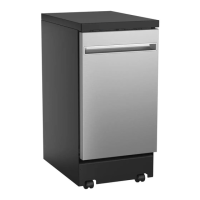
How to stop my GE GPT225 from beeping at the end of the cycle?
- SShannon WadeAug 30, 2025
The beeping at the end of the cycle is normal. The dishwasher will beep (unless interrupted) and the Clean light will display at the end of the wash cycle.

How to stop my GE GPT225 from beeping at the end of the cycle?
The beeping at the end of the cycle is normal. The dishwasher will beep (unless interrupted) and the Clean light will display at the end of the wash cycle.
Why is my GE GPT225 beeping once every minute?
This is a reminder that your dishwasher door has been left open during operation. It will continue beeping until you press Start and close the door.
Why don’t dishes dry in my GE Dishwasher?
Several factors can affect drying. Make sure the dishwasher door is opened immediately after the Clean light comes on. Also, ensure the inlet water temperature is at least 120°F, use Wash Temp Boost, and select a higher cycle like Heavy. Finally, check the rinse agent dispenser and fill as required.
Why don't my dishes dry in my GE GPT225?
If your dishes aren't drying in your GE Dishwasher, make sure the door is opened immediately after the Clean light comes on. Also, check that the inlet water temperature is at least 120°F and use Wash Temp Boost. Selecting a higher cycle, such as Heavy, may also help. Finally, check the rinse agent dispenser and fill it as required.
How to get my GE Dishwasher to dry dishes?
For proper drying, open the dishwasher door immediately after the Clean light comes on. Ensure the inlet water temperature is at least 120°F and consider using Wash Temp Boost. Select a higher cycle, such as Heavy. Check the rinse agent dispenser and fill as needed.
Why is there water standing in the bottom of my GE Dishwasher? (Built-In Models Only)
If you have a built-in model, water remaining in the bottom of the tub is often due to a clogged air gap. Clean the air gap. See the Care and cleaning section. Also, check if high drain loop or air gap is not installed and refer to the Installation Instructions for proper drain line installation.
How to prevent spots and filming on glasses and flatware in my GE GPT225 Dishwasher?
If you're seeing spots and filming on your glasses and flatware in your GE Dishwasher, it could be due to several reasons. If you have extremely hard water, use high-quality rinse agents such as Cascade® Platinum™ Power Dry™ Rinse Aid or Finish® Jet-Dry® Rinse Aid; a softener may be required. Also, make sure the inlet water temperature is at least 120°F (49°C). Avoid overloading the dishwasher and ensure you are loading it properly. Old or damp powder detergent can also cause this issue, so use fresh, high-quality detergents such as Cascade® Platinum™ ActionPacs™ or Finish® Quantum® Automatic Dishwashing Detergent. Finally, check if the rinse agent dispenser is empty and refill it with a high-quality rinse aid. Ensure you're using the proper amount of highly rated detergent.
What causes cloudiness on glassware in my GE GPT225?
Cloudiness on glassware in your GE Dishwasher can be caused by a combination of soft water and too much detergent, which is called etching and is permanent. To prevent this, use less detergent if you have soft water and wash glassware in the shortest cycle that will get it clean. It may also be caused by low performing phosphate-free detergent or water temperature entering the dishwasher exceeding 150°F (66°C), which could also be etching, so lower the water heater temperature.
How to remove white film on glassware, dishware, and the interior of my GE GPT225 Dishwasher?
This problem is likely caused by a low quality phosphate-free dishwasher detergent. To remove the white film, run your dishes through a dishwasher cycle with citric acid. Use a WD35X151 citric acid kit found online. Otherwise, use high quality rinse agents such as Cascade® Platinum™ Dishwasher Cleaner or Finish® Dishwasher Cleaner found at your local grocery store.
How to remove black or gray marks on dishes from my GE GPT225?
If you notice black or gray marks on dishes in your GE Dishwasher, it's likely that aluminum utensils have rubbed against the dishes. Remove the marks with a mild, abrasive cleaner.
| Type | Built-In |
|---|---|
| Capacity | 16 place settings |
| Drying System | Heated Dry |
| Width | 24 inches |
| Energy Star Certified | Yes |
| Control Type | Electronic |
| Color | Stainless Steel |
| Depth | 24 inches |
| Features | Delay Start, Sanitize Cycle |
Guidelines for safe installation and maintenance practices for the dishwasher.
Essential safety steps and precautions for operating the dishwasher correctly.
Covers water heater safety, child entrapment, proper disposal, and electrical requirements.
Initial setup, loading, and choosing wash cycles and options.
Procedures for starting, pausing, canceling cycles, and using special modes.
Instructions for filling and using the detergent and rinse agent dispensers.
Instructions for loading upper rack, lower rack, and silverware basket.
Steps for installing casters, faucet adapter, and connecting/disconnecting.
Procedures for cleaning control panel, door panels, and dishwasher interior.
Instructions for cleaning the upper spray head and removing/cleaning spray arms.
Steps for inspecting and cleaning the filter assembly.
Guidance on protecting the dishwasher from freezing in unheated areas.
Solutions for problems like flashing lights, beeping, and unclean dishes.
Addressing issues like spots on glassware and white film on dishes.
Troubleshooting when the dishwasher won't run or fill with water.
Resolving problems with water not pumping out and normal operating noises.
Loading...