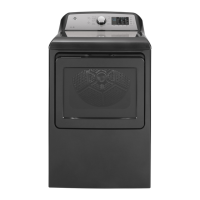
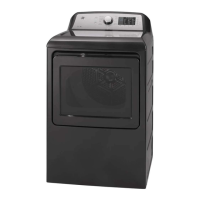
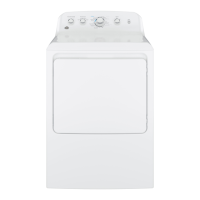
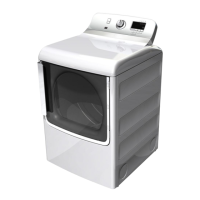
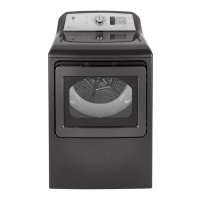
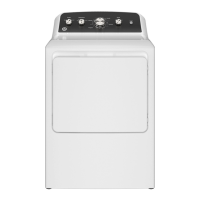
This document is an owner's manual for a GE Appliances dryer, providing comprehensive information on its operation, features, maintenance, and troubleshooting. It is designed to guide users through safe and efficient use of the appliance.
Function Description
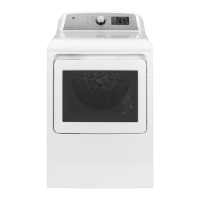
The GE Appliances dryer is designed to efficiently dry clothes and other fabric items. It offers a variety of drying cycles and settings to accommodate different fabric types and load sizes, ensuring optimal care for garments while minimizing energy consumption. The dryer utilizes both sensor-based and timed drying methods to achieve desired dryness levels. Some models are equipped with steam cycles, such as STEAM Dewrinkle and STEAM Refresh, to reduce wrinkles and refresh garments. The SANITIZE cycle provides an anti-bacterial process using high heat. The appliance also includes features to minimize wrinkles, such as the Wrinkle Care option, which tumbles clothes without heat after a cycle.
Usage Features
The dryer features an intuitive control panel with a cycle selector knob and various buttons for customizing settings. To begin, users clean the lint filter, loosely add items, and close the door. The display is activated by pressing the Power button. Users then select a dry cycle, which comes with default settings that can be adjusted. The Start/Pause button initiates or pauses the drying cycle.
The control panel includes several indicators and controls:
- Power: Activates the display or puts the dryer into idle mode.
- Start/Pause: Starts or pauses the selected cycle.
- Display and Status Lights: Shows approximate time remaining and dryer status messages like "Pause," "Sensing," and "Check Vent."
- Control Lock: Prevents accidental changes to settings by locking the controls. This feature can be activated by pressing and holding specific buttons for 3 seconds.
- Dryness Level (Level): Available for sensor cycles, allowing users to select from More Dry, Dry, Less Dry, or Damp settings. "Dry" is recommended for energy savings.
- Temperature (Temp): Allows selection of High, Medium, Low, or No Heat settings. Steam cycles require the High temperature setting.
- Time (Timed Dry): For timed cycles, users can adjust the drying duration in one-minute increments using More Time and Less Time buttons.
- Wrinkle Care: Adds an hour of no-heat tumbling after the cycle to minimize wrinkles.
- Damp Alert: (On some models) Beeps when clothes reach a damp level, useful for items to be hung dry.
- Drum Light: Illuminates the dryer drum for better visibility when loading or unloading.
- Delay Dry: Allows users to set a delayed start time for the cycle, in one-hour increments up to 24 hours.
- Sound: Adjusts the volume of button presses and the end-of-cycle signal.
- My Cycle: Allows users to save customized settings for a specific cycle knob selection.
The dryer offers a range of specific drying cycles:
- MIXED LOAD: For loads consisting of cottons and poly-blends.
- DELICATES: For delicate items, special-care fabrics, and knits.
- COTTONS/Normal: For cottons and most linens. ENERGY STAR® models are tested on this cycle with default settings (Dry level, Low temperature, and ecoDry).
- TOWELS/Sheets: For most towels and linens.
- BULKY/Comforter: For large items like bedspreads, blankets, and sleeping bags.
- JEANS: Specifically for jeans.
- CASUALS/ACTIVE WEAR: For wrinkle-free, permanent press, and sports items.
- QUICK DRY: For small loads that need to dry quickly.
- TIMED DRY: Runs for a user-selected duration.
- WARM UP: Provides 10 minutes of warming time.
- AIR FLUFF: Provides 10 minutes of tumbling with no heat.
- STEAM Dewrinkle: (On some models) For larger loads of dry garments with wrinkles. Requires High temperature and water connection.
- STEAM Refresh: (On some models) For small loads of dry garments with wrinkles. Requires High temperature and water connection.
- SANITIZE: Reduces certain types of bacteria using high heat. Not for delicate fabrics.
The ecoDry option, available for several sensor cycles, reduces total energy consumption by adjusting cycle settings, though it may extend drying times.
For models with WiFi Connect capability, users can monitor and control the dryer remotely via a smartphone app. This includes adjusting Delay Dry settings or starting the dryer remotely.
The dryer also supports a Drying Rack (on some models) for delicate items, which should be used with the TIMED DRY cycle.
Maintenance Features
Regular maintenance is crucial for the dryer's performance and longevity.
- Lint Filter: Must be cleaned before or after each load. A waxy buildup can be removed by washing the filter in warm, soapy water.
- Interior and Duct: The interior and exhaust duct should be cleaned annually by qualified service personnel.
- Exhaust Duct: Should be inspected and cleaned at least once a year to prevent clogging, which can lengthen drying time. The manual provides steps for vacuuming the duct.
- Exhaust Hood: Should be checked to ensure the flaps move freely and are free of obstructions like wildlife.
- Exterior: Spills and washing compounds should be wiped with a damp cloth.
- Stainless Steel Drum: Can be cleaned with a damp cloth and a mild, non-abrasive cleaner. Scratches or dents during normal use will not affect its function or durability.
- Drum Light: The LED drum light requires replacement by a qualified technician.
The manual also emphasizes proper Venting for optimal performance and safety, detailing the use of rigid metal ductwork and avoiding plastic or combustible materials. It provides warnings against improper venting practices.
Troubleshooting tips are included to help users diagnose and resolve common issues such such as clothes taking too long to dry, the dryer not heating, clothes being wrinkled, or the "Check Vent" light illuminating.


 To Next Page

 General