EasyManua.ls Logo

GE JB740 - User Manual

GE JB740
32 pages
Print Icon
To Next Page IconTo Next Page
Loading...
49-80690 09-13 GE
GEAppliances.com
Write the model and serial
numbers here:
Model # __________________
Serial # ___________________
You can find them on a label
behind the door or drawer.
Printed in the United States
Printed on
Recycled Paper
For a Spanish version of this
manual, visit our Website at
GEAppliances.com.
Para consultar una version
en español de este manual
de instrucciones, visite
nuestro sitio de internet
GEAppliances.com.
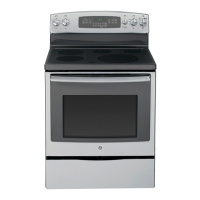
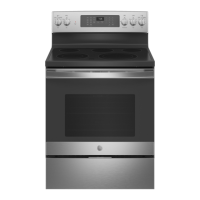
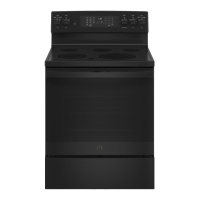
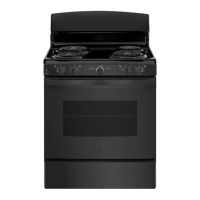
JB740 - 30" Free-Standing Range
JB745 - 30" Free-Standing Range
JB750 - 30" Free-Standing Range
PB930 - 30" Free-Standing Range
JD750 - 30" Drop-In Range
JS750 - 30" Slide-In Range
Owner’s Manual
Ranges
Electric Free-Standing, Slide-In, and Drop-In
Safety Information ............2
Warranty .......................7
Assistance / Accessories .....8
Using The Range
Surface Units .....................9
Cookware for Radiant
Glass Cooktop .................12
Oven Controls ...................13
Special Features ................14
Oven Racks .....................15
Cookware .......................16
Cooking Modes .................17
Cooking Guide ..................18
Warming Drawer ................19
Care and Cleaning
Cleaning the Range – Exterior . . . 20
Cleaning the Range – Interior ....21
Cleaning the Glass Cooktop ......22
Maintenance ....................24
Troubleshooting Tips .......29


Questions and Answers

  • A
    Anna ThorntonAug 27, 2025
    What to do if GE JB740 surface units do not work properly?
    • J
      Jill RamseyAug 27, 2025
      If the surface units on your GE Ranges aren't working properly, first check if a fuse in your home has blown or the circuit breaker has tripped and replace the fuse or reset the circuit breaker. Also, ensure that the cooktop controls are correctly set for the surface unit you're using.
  • N
    nsteeleAug 27, 2025
    Why "LOCK DOOR" flashes in the display of my GE Ranges?
    • C
      Crystal OwensAug 27, 2025
      If "LOCK DOOR" is flashing in the display of your GE Ranges, it means the self-clean cycle has been selected but the door is not closed. Close the oven door.
  • L
    Laura BakerAug 27, 2025
    What to do if DOOR LOCK light is on when you want to cook with GE JB740 Ranges?
    • D
      Deborah TannerAug 27, 2025
      If the DOOR LOCK light is on when you want to cook with your GE Ranges, the oven door is locked because the temperature inside the oven has not dropped below the locking temperature. Press the Cancel/Off pad and allow the oven to cool.
  • K
    Katrina AllenAug 28, 2025
    How to reset clock on GE JB740 after power outage?
    • C
      Charles SchwartzAug 28, 2025
      After a power outage or surge, if the clock on your GE Ranges flashes, reset the clock. If the oven was in use, you must reset it by pressing the Cancel/Off pad, setting the clock, and resetting any cooking function.
  • J
    jody29Aug 28, 2025
    What to do if food does not bake properly in GE JB740 Ranges?
    • S
      Sara FloresAug 28, 2025
      If food isn't baking properly in your GE Ranges, several factors could be at play. Ensure the oven controls are set correctly. Also, check that the rack position is correct and level. Incorrect cookware or the wrong size can also cause issues, as can an oven temperature that needs adjustment. Finally, ingredient substitutions can alter the outcome.
  • B
    Brittany RayAug 29, 2025
    Why is my GE JB740 Ranges oven temperature too hot or too cold?
    • K
      Kayla CooleyAug 29, 2025
      If your GE Ranges oven temperature is too hot or too cold, it may need adjustment. Please refer to the Special Features section.
  • M
    Mindy RamirezAug 29, 2025
    What to do with excessive smoking during GE Ranges clean cycle?
    • T
      Tammy VaughnAug 30, 2025
      If there's excessive smoking during the clean cycle of your GE Ranges, it's likely due to excessive soil or grease. Press the Cancel/Off pad, open windows to clear the smoke, and wait for the LOCKED light to turn off. Wipe up the excess soil, then reset the clean cycle.
  • M
    Mary AdamsAug 30, 2025
    Why GE JB740 surface units are cycling off and on frequently?
    • K
      Kathleen KingAug 30, 2025
      If the surface units on your GE Ranges are frequently cycling off and on, it may be due to improper cookware. Use only flat cookware to minimize cycling.
  • C
    Christopher MorrisAug 31, 2025
    Why does “LOCK DOOR” flash in the display of my GE JB740 Ranges?
    • M
      Marisa MayAug 31, 2025
      If “LOCK DOOR” is flashing on your GE Ranges display, it means the self-clean cycle has been selected, but the oven door isn't fully closed. Make sure to close the oven door.
  • S
    Shelby ClineAug 25, 2025
    Why my GE JB740 Ranges oven does not work?
    • S
      Sara SosaAug 25, 2025
      If your GE Ranges oven isn't working, there might be a blown fuse or a tripped circuit breaker in your home. Replace the fuse or reset the circuit breaker. It's also possible that the oven controls are not set correctly. Please refer to the Using the Oven section for instructions.

GE JB740 Specifications

General IconGeneral
BrandGE
ModelJB740
CategoryRanges
LanguageEnglish

Related product manuals