EasyManua.ls Logo

GE JB860 - User Manual

GE JB860
64 pages
Print Icon
To Next Page IconTo Next Page
Loading...
49-80764 07-15 GE
Write the model and serial
numbers here:
Model # __________________
Serial # ___________________
You can find them on a label
behind the door or drawer.
Printed in the United States
For a Spanish version of this
manual, visit our Website at
GEAppliances.com.
Para consultar una version
en español de este manual
de instrucciones, visite
nuestro sitio de internet
GEAppliances.com.
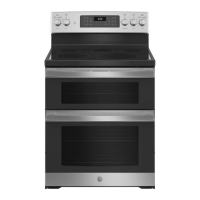
JB860 - 30" Free-Standing Double Oven
PB960 - 30" Free-Standing Double Oven
PB980 - 30" Free-Standing Double Oven
Owner’s Manual
Ranges
Electric Free-Standing
Safety Information ...............2
Warranty ..........................7
Assistance / Accessories ........8
Using The Range
Surface Units - Knob Models ..........9
Surface Units - Knob-Free Models . . . 10
Surface Units - All Models ...........11
Cookware for Radiant
Glass Cooktop ....................12
Double Oven Controls ..............13
Special Features ...................14
Sabbath Mode .....................15
Oven Racks ........................16
Aluminum Foil and Oven Liners .....17
Cookware ..........................17
Cooking Modes ....................19
Cooking Guide .....................19
Care and Cleaning
Cleaning the Range – Exterior ......21
Cleaning the Range – Interior .......22
Cleaning the Glass Cooktop .........23
Maintenance .......................25
Troubleshooting Tips ..........30

Other manuals for GE JB860

Questions and Answers

  • R
    ritterjustinSep 6, 2025
    What does it mean when “F— and a number or letter” flash in the display of my GE JB860 Oven?
    • A
      Ashley MitchellSep 6, 2025
      If you see "F— and a number or letter" flashing in the display of your GE oven, it indicates a function error code. Press the Cancel/Off pad and allow the oven to cool for one hour, then try putting the oven back into operation. If the error code repeats, disconnect all power to the oven for at least 60 seconds and then reconnect the power. If the error persists, call for service.
  • K
    Kyle AlexanderSep 6, 2025
    Why is the oven door of my GE JB860 crooked?
    • R
      Rachel MarshallSep 7, 2025
      If your GE oven door is crooked, it's likely out of position. Reinstall the door to straighten it.
  • T
    tonya22Sep 7, 2025
    Why is my GE JB860 Oven making a “crackling” or “popping” sound?
    • J
      Jonathan PaulSep 7, 2025
      If you notice a “crackling” or “popping” sound coming from your GE oven, it's the sound of the metal heating and cooling during cooking or cleaning. This is normal.

Summary

Safety Information

General Safety Instructions

Essential safety guidelines for using the appliance, including warnings about flammable materials and general operation.

Specific Safety Areas

Covers safety instructions for fire prevention, cooktop usage, oven operation, and self-cleaning cycles.

Warranty

Assistance and Accessories

Contact and Support

Information on how to register your appliance, schedule service, and obtain customer support.

Using the Range

Surface Unit Operation

Instructions for operating both knob and knob-free surface units, including warming zones.

Oven Controls and Modes

Details on double oven controls, special features, cooking modes, and Sabbath mode operation.

Care and Cleaning

Exterior Cleaning

Guidelines for cleaning the range's exterior surfaces, including painted, stainless steel, and porcelain cooktops.

Interior Cleaning and Cooktop

Procedures for cleaning the oven interior, self-cleaning function, and the glass cooktop surface.

Troubleshooting Tips

GE JB860 Specifications

General IconGeneral
BrandGE
ModelJB860
CategoryOven
LanguageEnglish

Related product manuals