D
Dr. Michele AustinSep 12, 2025
Why does my GE JS660EL1ES Ranges oven light does not work?
- VVictor ChristensenSep 12, 2025
If the oven light does not work, tighten or replace the bulb.
Why does my GE JS660EL1ES Ranges oven light does not work?
If the oven light does not work, tighten or replace the bulb.
Why does my GE JS660EL1ES Ranges have a strong odor?
If you notice a strong odor when using your GE Ranges for the first few times, it's normal. This odor comes from the insulation around the inside of the oven and will go away after several uses or a self-clean cycle.
What to do if surface units do not work properly on my GE Ranges?
If the surface units on your GE Ranges aren't heating up properly, it could be due to a blown fuse or tripped circuit breaker in your home. Try replacing the fuse or resetting the circuit breaker. Also, make sure the cooktop controls are correctly set for the surface unit you're using.
What causes food to not bake properly in GE JS660EL1ES Ranges?
If food doesn't bake properly in your GE Ranges oven, start by checking the oven controls to ensure they are set correctly, referring to the Cooking Modes section. Also, verify that the rack position is correct and level, consulting the Cooking Modes section and Cooking Guide. Ensure you're using the correct cookware of the proper size, as described in the Cookware section. If needed, adjust the oven temperature as explained in the Special Features section. Finally, be aware that ingredient substitutions can affect the recipe's outcome.
Why is the DOOR LOCK light on when I want to cook on my GE Ranges?
The DOOR LOCK light is on because the oven door is locked, as the temperature inside the GE Ranges oven has not dropped below the locking temperature. Press the Cancel/Off pad and allow the oven to cool.
Why does the display go blank on my GE JS660EL1ES?
If the display on your GE Ranges goes blank, check if a fuse in your home has blown or if the circuit breaker has tripped, and replace the fuse or reset the circuit breaker. Also, see the Special features section to check if the clock is turned off.
Unable to get the display to show 'oFFSEt' on my GE Ranges, what to do?
If you can't get the display to show 'oFFSEt' on your GE Ranges, make sure you're touching the Broil Hi/Lo and Bake pads at the same time and holding them for 3 seconds.
Why is there steam coming from the vent of my GE Ranges?
It is normal to see steam coming out of the oven vents of your GE Ranges when using the ovens. The amount of visible steam will increase as the number of racks or amount of food being cooked increases.
What to do if GE JS660EL1ES surface units do not work properly?
If the surface units on your GE Ranges aren't working, first check your home's fuse box or circuit breaker to see if a fuse has blown or a breaker has tripped; if so, replace the fuse or reset the breaker. Also, ensure that the cooktop controls are correctly set for the surface unit you are attempting to use.
Why does my GE JS660EL1ES Ranges display go blank?
A blown fuse or tripped circuit breaker in your home could cause this. Replace the fuse or reset the circuit breaker. Alternatively, the clock might be turned off; check the Special features section to turn it back on.
| Brand | GE |
|---|---|
| Model Number | JS660EL1ES |
| Product Type | Range |
| Fuel Type | Electric |
| Number of Burners | 5 |
| Oven Capacity | 5.3 cu. ft. |
| Convection | Yes |
| Self-Cleaning | Yes |
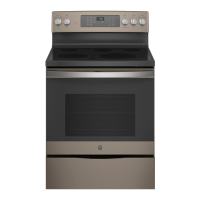
| Color/Finish | Slate |
| Voltage | 240V |
| Wi-Fi Connect | Yes |
| Width | 30 in |
Loading...