EasyManua.ls Logo

GE JS660EL1ES - User Manual

GE JS660EL1ES
56 pages
Print Icon
To Next Page IconTo Next Page
Loading...
Write the model and serial
numbers here:
Model # _________________
Serial # _________________
You can find them on a label
behind the door or drawer.
ESPAÑOL
Para consultar una version en
español de este manual de
instrucciones, visite nuestro sitio de
internet GEAppliances.com.
OWNER’S MANUAL
RANGES
Electric Front Control
49-80804 08-17 GEA
SAFETY INFORMATION .......... 3
USING THE RANGE
Surface Units ........................... 7
Cookware for Radiant Glass Cooktop. . . . . .10
Oven Controls ..........................11
Special Features ........................12
Sabbath Mode ..........................13
Oven Racks ............................14
Aluminum Foil and Oven Liners ...........14
Cookware ..............................14
Cooking Modes .........................15
Cooking Guide .........................16
CARE AND CLEANING
Cleaning the Range – Exterior ............17
Cleaning the Range – Interior ............18
Cleaning the Glass Cooktop ..............19
Oven Light .............................21
Oven Door ............................ 22
Storage Drawer. . . . . . . . . . . . . . . . . . . . . . . . 22
TROUBLESHOOTING TIPS ....... 23
WARRANTY ....................... 26
ACCESSORIES .................... 27
CONSUMER SUPPORT ........... 28
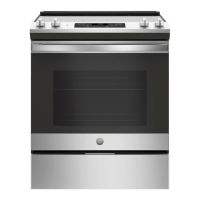
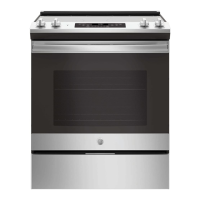
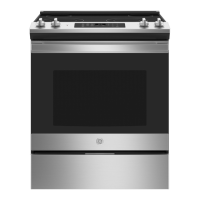
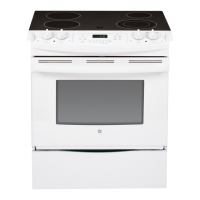
JS645 - 30" Front Control Range
JS660 - 30" Front Control Range
GE is a trademark of the General Electric Company. Manufactured under trademark license.

Questions and Answers

  • D
    David BaxterAug 26, 2025
    What to do if surface units do not work properly on my GE Ranges?
    • T
      Terry JimenezAug 26, 2025
      If the surface units on your GE Ranges aren't heating up properly, it could be due to a blown fuse or tripped circuit breaker in your home. Try replacing the fuse or resetting the circuit breaker. Also, make sure the cooktop controls are correctly set for the surface unit you're using.
  • D
    David ClarkSep 4, 2025
    Why GE JS660EL1ES oven will not self-clean?
    • R
      rchoiSep 4, 2025
      If your GE Ranges oven won't self-clean, it could be due to a few reasons. If the oven temperature is too high, allow it to cool down before resetting the controls. Also, make sure the oven controls are properly set. Ensure the oven door is completely closed.
  • R
    Renee WatsonSep 23, 2025
    What to do if my GE JS660EL1ES Ranges has a power outage and clock flashes?
    • A
      Angela LucasSep 23, 2025
      This indicates a power outage or surge. Reset the clock. If the oven was in use, reset it by pressing the Cancel/Off pad, setting the clock, and resetting any cooking function.
  • V
    Vanessa OsbornSep 13, 2025
    Why GE JS660EL1ES Ranges surface units will not maintain a rolling boil?
    • I
      Isaac DanielsSep 13, 2025
      If the surface units on your GE Ranges aren't maintaining a rolling boil or cooking isn't fast enough, it might be because you're using the wrong type of cookware. Make sure you're using flat pans that match the diameter of the surface unit. If the power voltage in your area is low, cover the pan with a lid to help retain heat until the desired temperature is reached.
  • C
    curtisalvaradoSep 8, 2025
    Why does my GE JS660EL1ES surface unit stop glowing when turned to a lower setting?
    • C
      courtneypattersonSep 9, 2025
      If the surface unit on your GE Ranges stops glowing when turned to a lower setting, the unit is still on and hot. This is normal.
  • S
    Sara TerrellSep 5, 2025
    Why does the display on my GE JS660EL1ES go blank?
    • R
      Ronald MarshallSep 5, 2025
      If the display on your GE Ranges goes blank, first check your home's fuse box or circuit breaker to see if a fuse has blown or a breaker has tripped; replace the fuse or reset the breaker. Also, check the Special features section to ensure the clock is turned on.
  • J
    Jessica MaddoxSep 10, 2025
    What causes scratches on my GE JS660EL1ES Ranges cooktop glass surface?
    • M
      Mark TorresSep 10, 2025
      Scratches on your GE Ranges cooktop glass surface can be caused by incorrect cleaning methods or cookware with rough bottoms, or coarse particles (salt or sand) between the cookware and the surface. To avoid scratches, use the recommended cleaning procedures. Make sure bottoms of cookware are clean before use, and use cookware with smooth bottoms.
  • L
    Leslie HarringtonSep 14, 2025
    Why is there a strong odor coming from my GE JS660EL1ES oven?
    • H
      halldustinSep 15, 2025
      If you detect a strong odor when using your GE Ranges oven for the first few times, it's normal due to the insulation. This will disappear after several uses or after running a self-clean cycle.
  • K
    Kimberly ClarkAug 27, 2025
    What to do if food does not bake properly in GE JS660EL1ES?
    • M
      Mr. Dylan ShawAug 27, 2025
      If food isn't baking properly in your GE Ranges, several factors could be the cause. Make sure the oven controls are set correctly. Check that the rack position is correct and the rack is level. Ensure you're using the correct cookware of the proper size. It may be necessary to adjust the oven temperature; see the Special Features section. Lastly, consider that ingredient substitutions can affect the outcome.
  • K
    Kevin HendersonAug 27, 2025
    What to do if food does not broil properly in GE JS660EL1ES Ranges?
    • C
      charlesturnerAug 27, 2025
      If food isn't broiling properly in your GE Ranges, ensure you've selected the appropriate broil mode. Check the Cooking Guide for proper rack position suggestions. Make sure the cookware is cool before use and is specifically designed for broiling. If using aluminum foil, conform to pan slits. In areas with low voltage, preheat the broil element for 10 minutes.

GE JS660EL1ES Specifications

General IconGeneral
BrandGE
Model NumberJS660EL1ES
Product TypeRange
Fuel TypeElectric
Number of Burners5
Oven Capacity5.3 cu. ft.
ConvectionYes
Self-CleaningYes
Color/FinishSlate
Voltage240V
Wi-Fi ConnectYes
Width30 in

Related product manuals