EasyManua.ls Logo

GE JS660EL1ES - User Manual

GE JS660EL1ES
56 pages
Print Icon
To Next Page IconTo Next Page
Loading...
Write the model and serial
numbers here:
Model # _________________
Serial # _________________
You can find them on a label
behind the door or drawer.
ESPAÑOL
Para consultar una version en
español de este manual de
instrucciones, visite nuestro sitio de
internet GEAppliances.com.
OWNER’S MANUAL
RANGES
Electric Front Control
49-80804 08-17 GEA
SAFETY INFORMATION .......... 3
USING THE RANGE
Surface Units ........................... 7
Cookware for Radiant Glass Cooktop. . . . . .10
Oven Controls ..........................11
Special Features ........................12
Sabbath Mode ..........................13
Oven Racks ............................14
Aluminum Foil and Oven Liners ...........14
Cookware ..............................14
Cooking Modes .........................15
Cooking Guide .........................16
CARE AND CLEANING
Cleaning the Range – Exterior ............17
Cleaning the Range – Interior ............18
Cleaning the Glass Cooktop ..............19
Oven Light .............................21
Oven Door ............................ 22
Storage Drawer. . . . . . . . . . . . . . . . . . . . . . . . 22
TROUBLESHOOTING TIPS ....... 23
WARRANTY ....................... 26
ACCESSORIES .................... 27
CONSUMER SUPPORT ........... 28
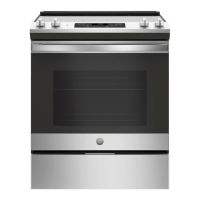
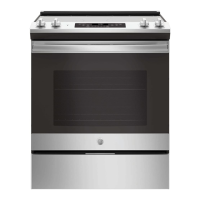
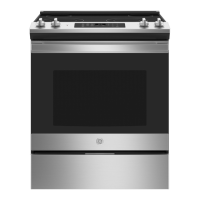
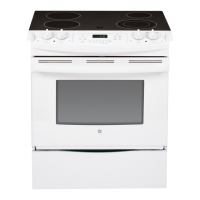
JS645 - 30" Front Control Range
JS660 - 30" Front Control Range
GE is a trademark of the General Electric Company. Manufactured under trademark license.

Questions and Answers

  • D
    Debra CarsonAug 27, 2025
    How to stop excessive smoking during clean cycle of GE JS660EL1ES Ranges?
    • T
      taylorsmithAug 28, 2025
      If there's excessive smoking during the clean cycle of your GE Ranges, press the Cancel/Off pad. Open windows to clear the smoke. Once the LOCK light turns off, wipe up the excess soil and then reset the clean cycle.
  • R
    Renee WatsonSep 23, 2025
    What to do if my GE JS660EL1ES Ranges has a power outage and clock flashes?
    • A
      Angela LucasSep 23, 2025
      This indicates a power outage or surge. Reset the clock. If the oven was in use, reset it by pressing the Cancel/Off pad, setting the clock, and resetting any cooking function.
  • E
    ejohnsonSep 15, 2025
    What to do if plastic melted to the surface of my GE JS660EL1ES Ranges cooktop?
    • D
      dmurphySep 15, 2025
      If you've melted plastic onto the surface of your GE Ranges cooktop, refer to the 'Cleaning the glass cooktop' section for guidance, as there's a risk of permanent damage if not handled properly.
  • C
    Christina RochaSep 18, 2025
    What causes food to not bake properly in GE JS660EL1ES Ranges?
    • M
      Michael WilliamsSep 18, 2025
      If food doesn't bake properly in your GE Ranges oven, start by checking the oven controls to ensure they are set correctly, referring to the Cooking Modes section. Also, verify that the rack position is correct and level, consulting the Cooking Modes section and Cooking Guide. Ensure you're using the correct cookware of the proper size, as described in the Cookware section. If needed, adjust the oven temperature as explained in the Special Features section. Finally, be aware that ingredient substitutions can affect the recipe's outcome.
  • J
    Jasmine FreemanSep 18, 2025
    Why is the oven light not working in my GE Ranges?
    • R
      Richard RoySep 18, 2025
      If the oven light in your GE Ranges isn't working, first check if the light bulb is loose or defective and tighten or replace it. If that doesn't work, the pad operating the light might be broken, requiring you to call for service. Also, verify that the oven is not in Sabbath mode by checking the Special Features section.
  • S
    Sara TerrellSep 5, 2025
    Why does the display on my GE JS660EL1ES go blank?
    • R
      Ronald MarshallSep 5, 2025
      If the display on your GE Ranges goes blank, first check your home's fuse box or circuit breaker to see if a fuse has blown or a breaker has tripped; replace the fuse or reset the breaker. Also, check the Special features section to ensure the clock is turned on.
  • K
    Kenneth BrownAug 29, 2025
    Why does my GE JS660EL1ES oven sometimes take longer to preheat?
    • R
      Ryan KnightAug 29, 2025
      If your GE Ranges oven sometimes takes longer to preheat, it could be due to cookware or food in the oven; remove these items to reduce preheat time. Also, the number of racks in the oven can affect preheating time; remove some racks if necessary.
  • B
    Bobby ArnoldAug 29, 2025
    Why does the display on my GE Ranges flash?
    • J
      jennifermartinAug 29, 2025
      If the display on your GE Ranges is flashing, it indicates a power failure. Reset the clock.
  • T
    Tiffany NewtonAug 29, 2025
    Why is my GE JS660EL1ES beeping after entering cooking time or start time?
    • C
      chelseasmallAug 29, 2025
      If your GE Ranges is signaling after entering a cooking time or start time, it means you forgot to enter a bake temperature or cleaning time. Touch the Bake pad and the desired temperature, or the Self Clean pad and the desired clean time.
  • O
    Olivia CollierSep 23, 2025
    Why does my GE JS660EL1ES Ranges display go blank?
    • J
      Jonathan TaylorSep 23, 2025
      A blown fuse or tripped circuit breaker in your home could cause this. Replace the fuse or reset the circuit breaker. Alternatively, the clock might be turned off; check the Special features section to turn it back on.

GE JS660EL1ES Specifications

General IconGeneral
BrandGE
Model NumberJS660EL1ES
Product TypeRange
Fuel TypeElectric
Number of Burners5
Oven Capacity5.3 cu. ft.
ConvectionYes
Self-CleaningYes
Color/FinishSlate
Voltage240V
Wi-Fi ConnectYes
Width30 in

Related product manuals