87
Timer operation
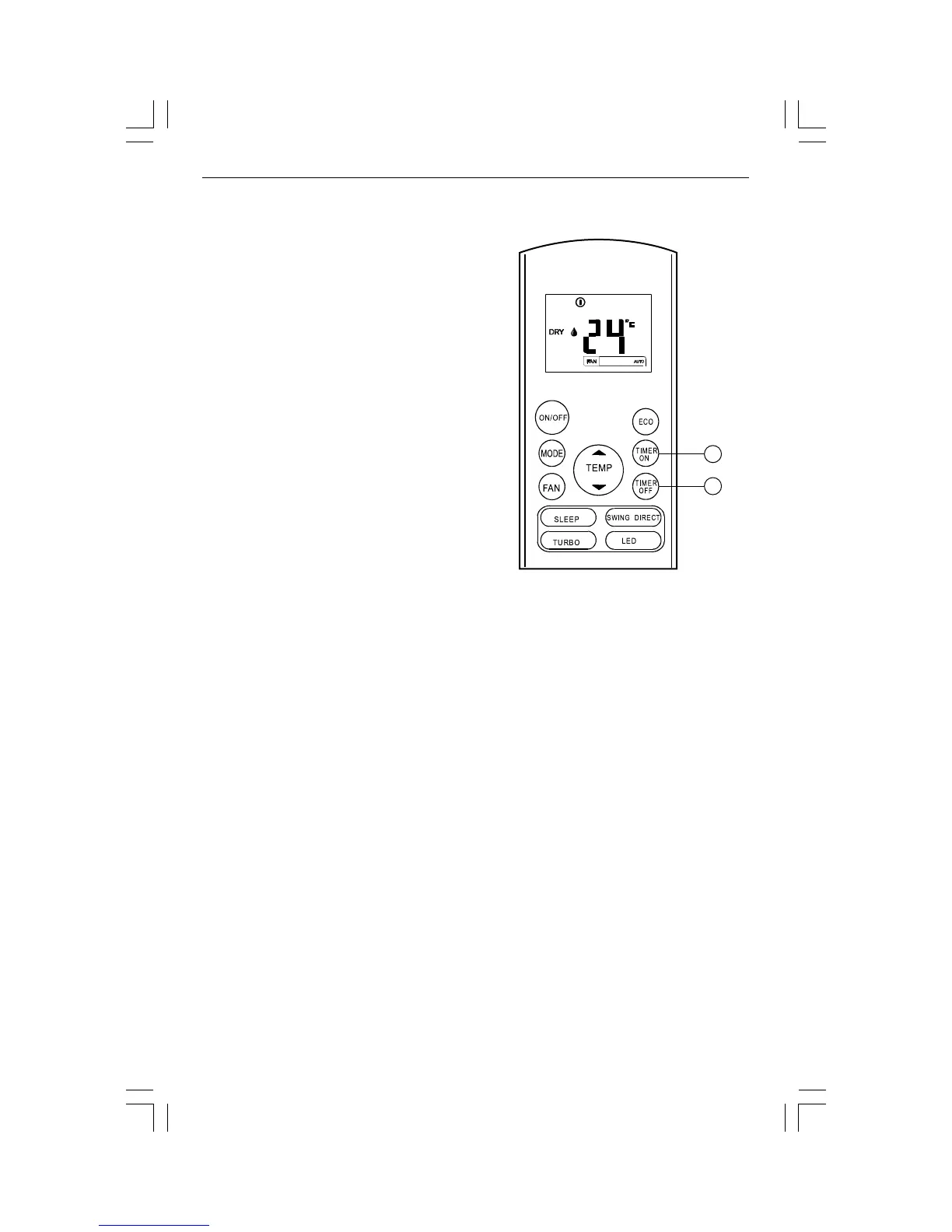
Press the TIMER ON button to set the auto-on
time for the system. Press the TIMER OFF
button to set the auto-off time for the sys-
tem.
To set the AUTO-ON time.
1. Press the TIMER ON button. The remote
controller display shows TIMER ON, the
last AUTO-ON set time and the letter "H".
Now you are ready to set the AUTO-ON
time and START the operation.
2. Press the TIMER ON button again to set de-
sired AUTO-ON time. Each time you press
the button, the time is increased by half
an hour between 0 and 10 hours and by
one hour between 10 and 24 hours.
3. After setting the TIMER ON, there will be a
one second delay before the remote con-
trol transmits the signal to the air condi-
tioner. Then, after approximately another
2 seconds, the letter "h" will disappear and
the set temperature will reappear on the
LCD display window.
To set the AUTO-OFF time.
1. Press the TIMER OFF button. The remote
control shows TIMER OFF, the last AUTO-
OFF setting time and the letter "H". Now
you will be ready to reset the AUTO-OFF
time to stop the operation.
2. Push the TIMER OFF button again to set
desired AUTO-OFF time. Each time you
press the button, the time increases by
half an hour between 0 and 10 hours and
by one hour between 10 and 24 hours.
3. After setting the TIMER OFF, there will be a
one second delay before the remote con-
trol transmits the signal to the air condi-
tioner. Then, after approximately another
2 seconds, the letter "H " will disappear
and the set temperature will reappear on
the LCD display window.


 To Next Page