17
%$38-2314"3(.-2
/$1 3(-&-2314"3(.-2
Safety Instructions
Operating Instructions
Care and
Cleaning
Troubleshooting Tips Consumer Support
/?EB>5GD?E38@143?>DB?<81C1449D9?>1<651DEB5CD81DI?E=1I38??C5D?EC5*856?<<?G9>71B5D85651DEB5C
1>48?GI?E=1I13D9F1D5D85=
*85C@5391<651DEB5=?45C31>?><I2513D9F1D54G89<5D8549C@<1I9CC8?G9>7D85D9=5?641I*85IB5=19>
9>D853?>DB?<QC=5=?BIE>D9<D85CD5@C1B5B5@51D54
-85>D8549C@<1IC8?GCI?EB38?935D?E38D85START/ON @14*85C@5391<651DEB5CG9<<B5=19>9>=5=?BI16D5B
1@?G5B619<EB5
NOTE: *85)1221D8651DEB51>4D85*85B=?CD1D4:ECD=5>D651DEB51B51<C?)@5391<51DEB5C2EDD85I1B5144B5CC54
C5@1B1D5<I9>D856?<<?G9>7C53D9?>C
Special features of your oven control. GEAppliances.com
12 Hour Shut-Off
-9D8D89C651DEB5C8?E<4I?E6?B75D1>4<51F5
D85?F5>?>D853?>DB?<G9<<1ED?=1D931<<IDEB>
?66D85?F5>16D5B8?EBC4EB9>721;9>7
6E>3D9?>C?B16D5B8?EBC4EB9>712B?9<
6E>3D9?>
If you wish to turn OFF this feature, follow
the steps below.
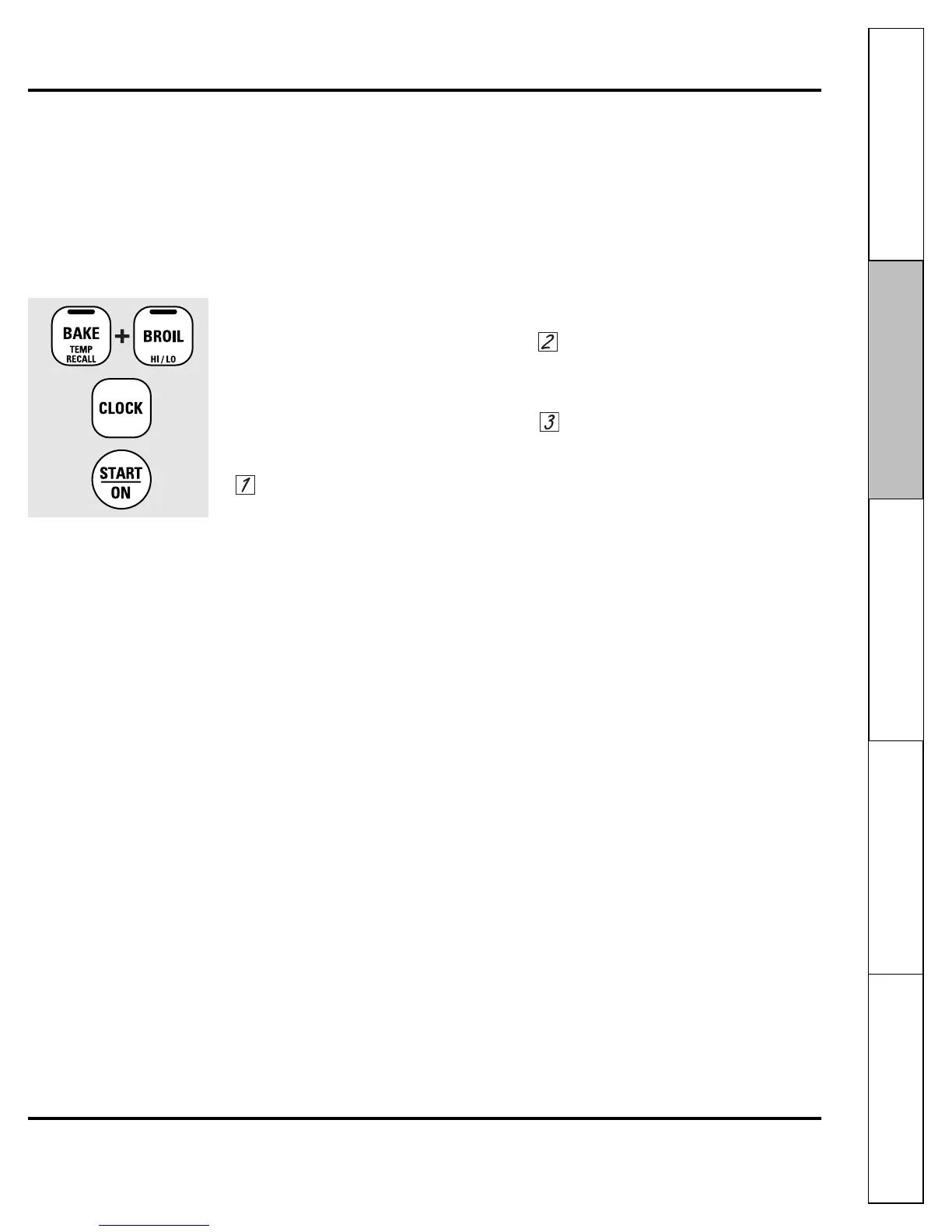
Touch the BAKE and BROIL HI/LO pads
at the same time for 3 seconds until
the display shows SF.
Touch the CLOCK pad. The display will
show ON (12 hour shut-off). Touch the
CLOCK pad repeatedly until the display
shows OFF (no shut-off).
Touch the START/ON pad to activate
the no shut-off and leave the control
set in this special features mode.



 To Next Page