*85)1221D8651DEB531>25EC546?B21;9>7B?1CD9>7?><I D31>>?D25EC546?B2B?9<9>7C5<63<51>9>7
?B5<1I)D1BD3??;9>7
NOTE: *85?F5><978D3?=5C?>1ED?=1D931<<I?>C?=5=?45<CG85>D854??B9C?@5>541>47?5C?66G85>D854??B
9C3<?C54*852E<2=1I25B5=?F54)55D85&F5>#978D(5@<135=5>DC53D9?>&>=?45<CG9D81<978DCG9D38?>D85
3?>DB?<@1>5<D85?F5><978D=1I25DEB>54?>1>4<56D?>
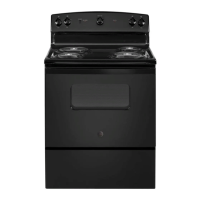
How to Set for Timed Baking/Roasting—Immediate Start and Automatic
Stop
NOTE: *?E>45BCD1>48?GD85?F5>3?>DB?<G?B;C
@B13D935EC9>7B57E<1B>?>)1221D8 ==5491D5)D1BD
1>4ED?=1D93)D?@256?B55>D5B9>7D85)1221D8
=?45
$1;5CEB5D853<?3;C8?GCD853?BB53DD9=5?641I
1>4D85?F5>9C?66
Touch and hold both the BAKE and BROIL
HI/LO pads, at the same time, until the display
shows SF.
Tap the CLOCK pad until SAb appears in
the display.
Touch the START/ON pad and will appear
in the display.
Touch the COOKING TIME pad.
Touch the + or – pads to set the desired length
of cooking time between 1 minute and 9 hours
and 59 minutes. The cooking time that you
entered will be displayed.
Touch the START/ON pad.
Touch the BAKE pad. No signal will be given.
The preset starting temperature will
automatically be set to 350.° Tap the
+ or – pads to increase or decrease
the temperature in 25° increments.
The temperature can be set between
170° and 550.° No signal or temperature
will be given.
Touch the START/ON pad.
After a random delay period of approximately
30 seconds to 1 minute, will appear in the
display indicating that the oven is
baking/roasting.
If doesn’t appear in the
display, start again at Step 7.
To adjust the oven temperature, touch
the BAKE pad and tap the + or – pads to increase or
decrease the temperature in 25° increments. Touch
the START/ON pad.
When cooking is finished, the display will change
from to , indicating that the oven has
turned OFF but is still set in Sabbath. Remove
the cooked food.
Using the Sabbath Feature.
?>C?=5=?45<C
5C97>546?BEC5?>D85!5G9C8)1221D81>4?<941IC
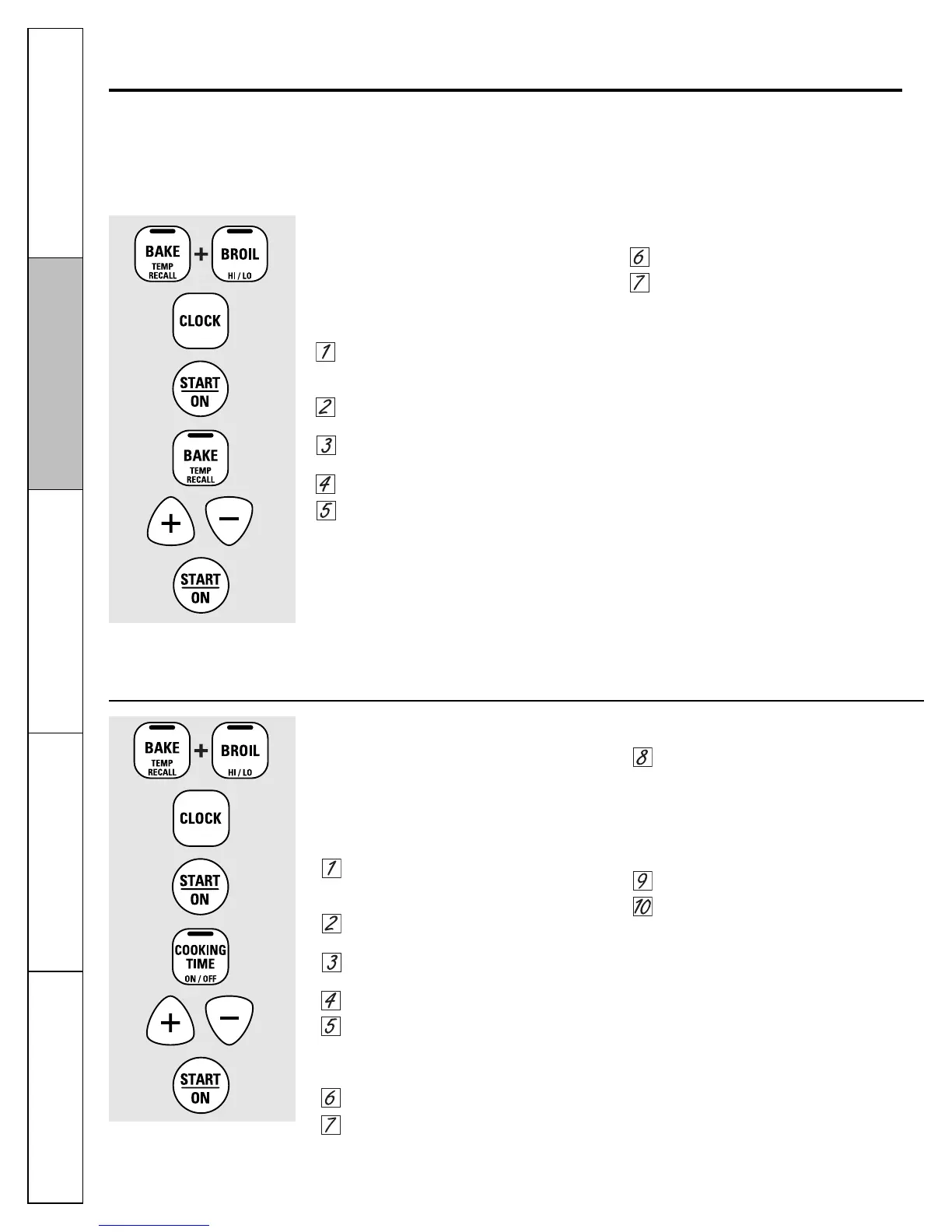
How to Set for Regular Baking/Roasting
NOTE: *?E>45BCD1>48?GD85?F5>3?>DB?<G?B;C
@B13D935EC9>7B57E<1B21;9>7>?>)1221D8256?B5
5>D5B9>7)1221D8=?45
$1;5CEB5D853<?3;C8?GCD853?BB53DD9=5?641I
1>4D85?F5>9C?66
Touch and hold both the BAKE and BROIL
HI/LO pads, at the same time, until the display
shows SF.
Tap the CLOCK pad until SAb appears
in the display.
Touch the START/ON pad and will appear
in the display.
Touch the BAKE pad. No signal will be given.
The preset starting temperature will
automatically be set to 350.° Tap the
+ or – pads to increase or decrease the
temperature in 25° increments. The
temperature can be set between 170°
and 550.° No signal or temperature
will be given.
Touch the START/ON pad.
After a random delay period of approximately
30 seconds to 1 minute, will appear in the
display indicating that the oven is
baking/roasting.
If doesn’t appear in the
display, start again at Step 4.
To adjust the oven temperature, touch
the BAKE pad and tap the + or – pads to increase or
decrease the temperature in 25° increments. Touch
the START/ON pad.
NOTE: The CLEAR/OFF and COOKING TIME pads are
active during the Sabbath feature.
When the display shows
Dhe oven is set in Sabbath. When
the display shows the oven
is baking/roasting.
When the display shows
the oven is set in Sabbath.
When the display shows
the oven is baking/roasting.
18
Consumer Support Troubleshooting Tips Care and Cleaning Operating Instructions
Safety Instructions



 To Next Page